What is Azure Arc-enabled Servers?
Azure Arc-enabled servers lets you project any Windows or Linux server on-premises, at the edge, or in other clouds into Azure Resource Manager. Once connected, these machines appear in Azure like native resources so you can apply Azure Policy (Guest Configuration), onboard to Defender for Cloud, deploy extensions (e.g., Azure Monitor Agent), use tags and RBAC, maintain it using Azure Update Manager and standardize governance.
How it works (components)
- Azure Connected Machine agent (azcmagent) runs on each server and establishes an outbound TLS 443 connection to Azure.
- Azure resource representation: Each machine becomes a
Microsoft.HybridCompute/machinesresource with optionalGuestConfigurationandExtensions.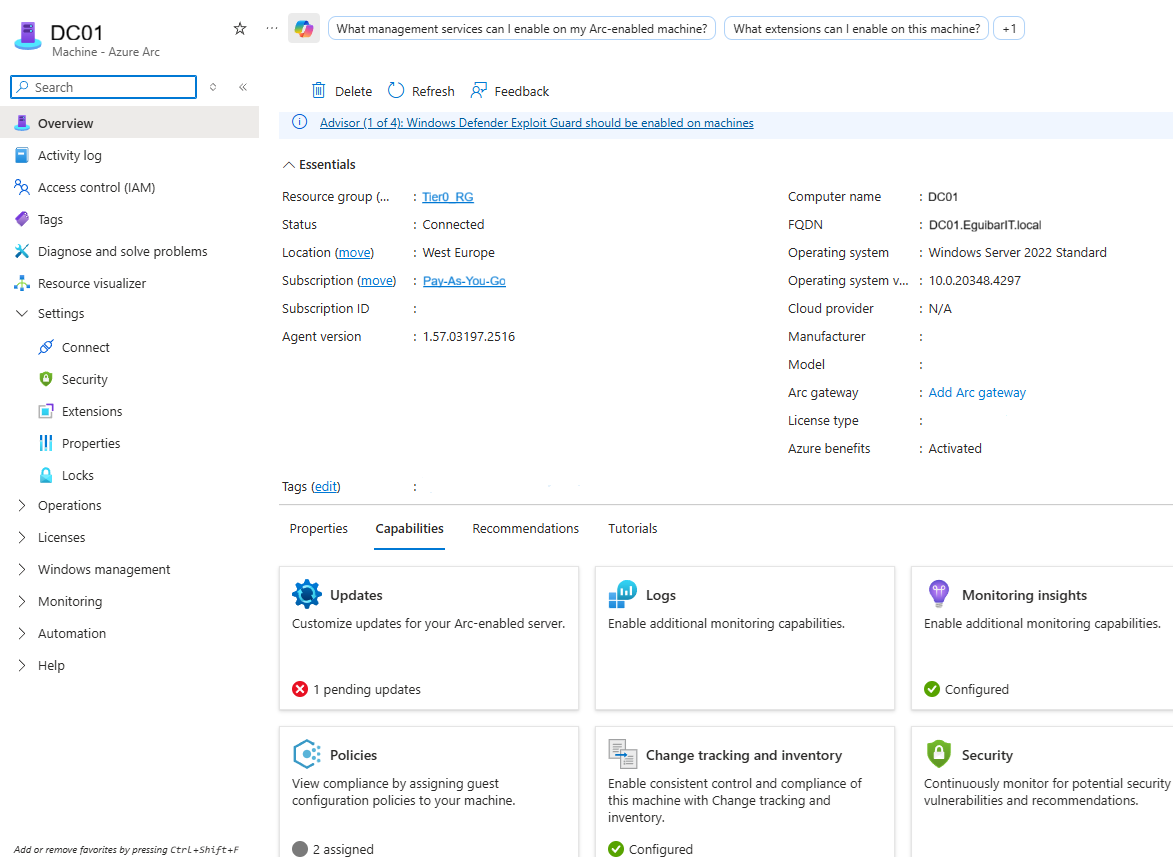 Azure Arc-enabled Servers allow you to manage your servers from a single pane of glass.
 - Management plane: Govern with Azure Policy, Security Center/Defender for Cloud, Update rings (via Azure Update Manager), and monitoring via the Azure Monitor Agent.
Prerequisites
- An Azure subscription and permission to create resources (Contributor or a role including Azure Connected Machine Onboarding for onboarding).
- Register resource providers in the target subscription:
Microsoft.HybridCompute,Microsoft.GuestConfiguration,Microsoft.HybridConnectivity. - Network: outbound HTTPS (TCP 443) to Azure Arc service endpoints. If using a proxy, configure the agent accordingly.
- Supported OS: Current Windows Server and common Linux distributions (see Microsoft documentation for specifics).
Tip: For production, use a service principal scoped to the target resource group with the built-in role Azure Connected Machine Onboarding. This follows least-privilege and enables automated onboarding.
Onboarding procedure
1) Prepare Azure
- Create/select a resource group, region (for metadata, not data plane), and decide on naming/tags.
- Ensure the three resource providers are registered and (optionally) create a service principal for onboarding.
2) Install the agent on the server
- Windows: Download and install the Azure Connected Machine agent MSI, or automate via PowerShell (see script below).
- Linux: Use the appropriate package for your distro
(
.deb/.rpm) and enable the service.
3) Connect the server to Azure
- Interactive (single server): Use device login to authenticate and pass subscription, resource group, tenant ID, and region.
- Non-interactive (service principal): Provide appId/secret (or certificate) with the Azure Connected Machine Onboarding role scoped to the target resource group/subscription.
Automated option: The PowerShell in the next section installs the agent (if missing), connects the server using your chosen auth method, sets tags, and validates connectivity.
4) Post-onboarding: verify and enable capabilities
- Check the machine resource appears under Azure Arc > Servers with the expected tags and location.
- Deploy extensions (e.g., Azure Monitor Agent) from the machine page or via Policy.
- Enable Defender for Cloud plans and ensure recommendations flow.
- Assign Azure Policy (Guest Configuration) for baseline hardening and compliance.
Troubleshooting
- Agent status:
azcmagent showandazcmagent checkon the server. - Logs: Windows:
C:\\ProgramData\\AzureConnectedMachineAgent\\Log| Linux:/var/opt/azcmagent/log. - Connectivity: Verify outbound 443 and proxy settings; time sync/clock skew can break TLS and token auth.
- Re-connect: If needed, disconnect and connect again with the correct scope/tenant.
PowerShell: Automated onboarding script
The following embedded script automates agent install and connection. Update the variables for your subscription, resource group, tenant, location, and optional tags/proxy.